


PicFlow HEIC to JPG Converter Review: Should You Use It
Do you want to use web-based image format converter tools for handling HEIC files, since you want to bypass any installation or setup requirements? Among the competitive online tool market, PicFlow HEIC to JPG Converter Online is starting to gain traction. In this article, we will discuss whether the attention PicFlow gets is warranted, as we will review the program’s main features, security measures, and how it performs compared to other popular online programs.

- GUIDE LIST
- Part 1. Main Features of PicFlow HEIC to JPG Converter
- Part 2. Security & Privacy: Is PicFlow HEIC to JPG Converter Safe
- Part 3. Comparison: Picflow vs. CloudConvert vs. Zamzar
- Part 4. Best Alternative to PicFlow HEIC to JPG Converter
- Part 5. FAQs About PicFlow HEIC to JPG Converter
How We Test and Review
- • We used PicFlow Online to batch convert five unmodified HEIC images.
- • Each converted file was inspected to check if its EXIF data was preserved.
- • A side-by-side comparison was done between the original HEIC and the converted JPG for an eye test of their quality.
- • The total conversion time was measured from the moment the Convert All button was clicked until it was finished.
- • During the conversion process, we made sure that only PicFlow Online is the active tab.
Part 1. Main Features of PicFlow HEIC to JPG Converter
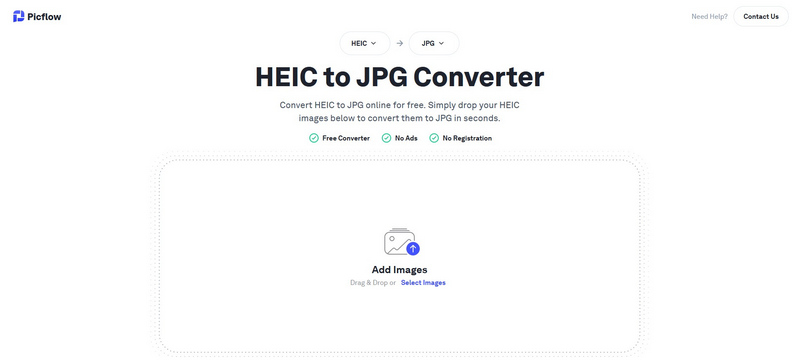
To get started with the PicFlow HEIC to JPG Converter, we will begin this article by highlighting the most significant features of the software in terms of its capabilities as an exclusive HEIC to JPG converter.
Among its offerings, PicFlow is well known due to its increased upload speed since the program operates by only uploading the HEIC images directly to your browser instead of the traditional server upload. This essentially means that the online image converter tool processes your image locally, despite it being browser-based.
This feature made the software more secure to use, unlike other online editing tools, which use server-based conversion. Unfortunately, this made the program slower during the conversion process. This made it a suboptimal choice for handling larger HEIC images and has lower image quality.
Simply put, HEIC files processed in PicFlow are faster to upload, but they are slower during the format conversion process.
Main Features
- • Fast uploading speed compared to other online tools.
- • Client-side processing instead of server-based conversion.
- • Batch conversion support for up to 10 images at once.
- • No installation and setup required.
- • Completely ad-free website.
Reviewer Rating: 4/5 Stars ⭐⭐⭐⭐
Part 2. Security & Privacy: Is PicFlow HEIC to JPG Converter Safe
Security and privacy are the strongest assets of PicFlow HEIC to JPG Converter. Its design is for the client-side conversion, which makes this possible since the files you will convert in it are not uploaded to their servers, unlike other web-based tools. However, make sure to remember that this improved privacy comes at the expense of a slower conversion time. With that in mind, we can conclude that PicFlow HEIC to JPG Converter is a good choice if you plan on prioritizing security while trading off workflow efficiency.
Part 3. Comparison: PicFlow vs. CloudConvert vs. Zamzar
For a quick comparison of PicFlow HEIC to JPG Converter Online with other web-based software, we provided a comparison table below between it, along with CloudConvert and Zamzar online tools.
| Tool | Speed | Ad Presence | Privacy | UI (User Interface) |
| PicFlow HEIC to JPG Converter Online | Fast (Optimized Upload Speed) | No ads | High (Uploaded files are converted in the browser) | Clean and minimal design |
| CloudConvert | Moderate Speed (Based on Server Load) | Minimal ads | Good (Uploaded files are deleted after processing.) | Feature-rich but slightly complex. |
| Zamzar | Slow (Queue-based Processing) | Heavy ad presence | Fair (Uploaded files are stored for a limited time.) | Dated-looking interface. |
Part 4. Best Alternative to PicFlow HEIC to JPG Converter
Now that we have covered and reviewed the main features, security, and overall functionality of using PicFlow HEIC to JPG Converter Online, it becomes clear why many users also consider a more reliable alternative like ArkThinker Free HEIC Converter Online.
Compared to PicFlow, ArkThinker stands out for its broader accessibility and compatibility with HEIC images. While PicFlow focuses on browser-based processing, ArkThinker offers a more traditional server conversion approach that is more reliable without relying heavily on client-side performance. This feature made the web-based program functional both on desktop and mobile devices.
ArkThinker also provides a more streamlined workflow by automatically converting files once they are uploaded. Within seconds, your HEIC images are processed and ready for download. Afterwards, your uploaded files are deleted shortly after you download them. This makes it a practical option for users who prefer a simple upload-and-convert experience coupled with advanced security measures.
To get started with ArkThinker Free HEIC Converter Online, we have provided a quick step-by-step guide on using one of the easiest and most accessible HEIC to JPG converters online.
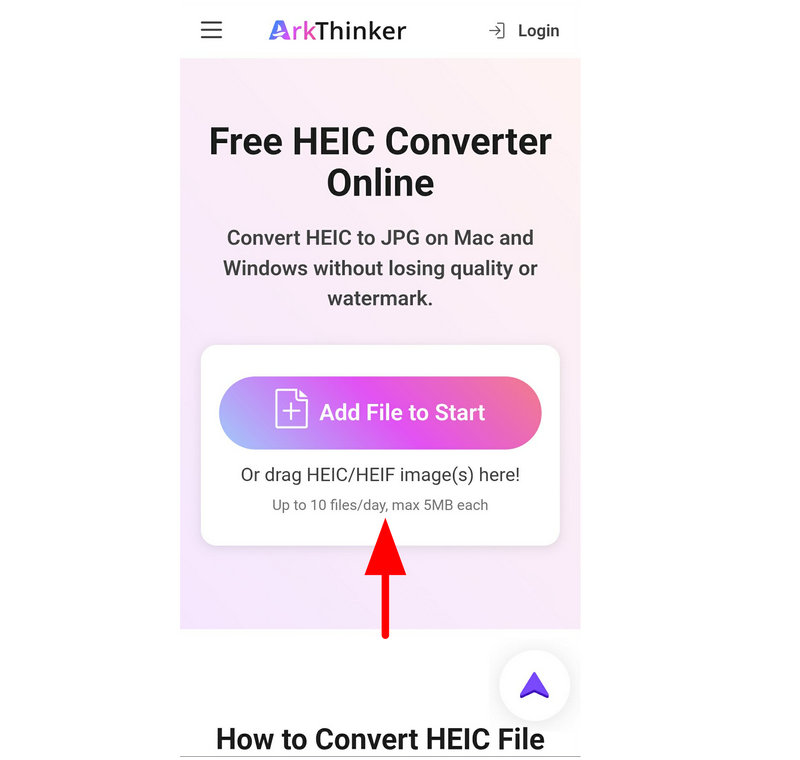
Go to ArkThinker Free HEIC Converter’s website, and select the Add Files to Start button to import an HEIC file for conversion. Alternatively, you may upload multiple HEIC images by dragging and dropping up to 10 files at once to the white upload box.
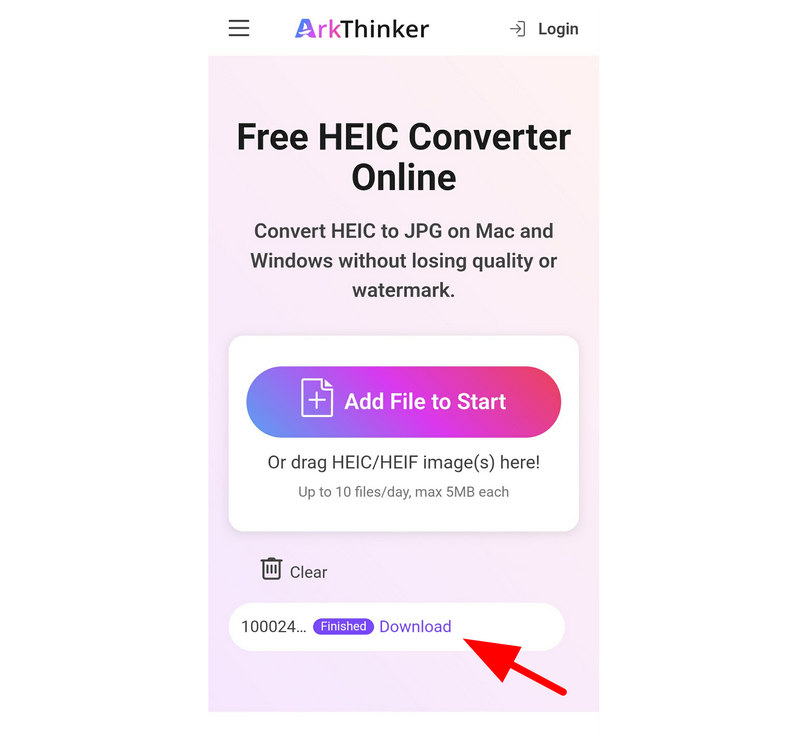
Wait for the HEIC files to be uploaded to the online tool. Once done, it will be automatically converted to the JPG format without selecting any prior button. Wait for the conversion to finish, and click on the Download button to save the JPG image back to your computer.
If you are looking for a stable online converter tool with enhanced user privacy and more efficient workflow, ArkThinker Free HEIC to JPG Converter Online is a solid web-based option you can use other than PicFlow, CloudConvert, Zamzar, or other online solutions.
Part 5. FAQs About PicFlow HEIC to JPG Converter
Is PicFlow HEIC to JPG Converter safe to use?
Yes, it is. PicFlow HEIC to JPG Converter has improved privacy and security measures. Unlike other online tools, it processes images directly on your browser instead of uploading them to their servers.
Are image format converter tools reliable?
Yes, they are. Online tools or desktop converter software are reliable. However, for more convenience, we recommend using online tools over installed options.
What format should I save my HEIC images in?
Both JPG and PNG are good options. Simply select one based on your needs. For a compact file size, JPG is good. Meanwhile, PNG is better when it comes to quality.
Should I use desktop-based converters or online software?
It depends on your needs. For reliability and stability, use desktop solutions. For convenience and ease of use, online tools are generally better.
Do converted HEIC images have lower quality?
Yes, they do. Quality decline is a common effect during format conversion. However, the severity of the quality decline is easily manageable by selecting the right conversion tool.
Conclusion
Now that we have discussed the features, privacy, and how PicFlow HEIC to JPG Converter compares to its web-based peers, we hope that you will be able to decide whether the program is good enough for your needs. However, if you prefer using a tool with a faster workflow, we highly recommend using ArkThinker Free HEIC to JPG Converter Online.


