


Top 6 VLC Alternatives for Windows and macOS in 2026
When it comes to third-party multimedia players, VLC Media Player is one of the most reliable and popular options across different operating systems, such as Windows, macOS, and even Android and iOS smartphones. However, VLC consumes significant resources when playing larger files, making it quite demanding for some users with dated hardware. As such, looking for a reliable alternative to VLC Media Player is a common solution for the demands of the media player. In this article, we will discuss six VLC alternatives you can use on your Windows or macOS computer. We will review these programs based on their best uses, ratings, pros, and cons.

How We Test and Review
- • We used modern Windows and macOS laptops running Windows 11 and macOS Tahoe, respectively.
- • Both devices run on 16GB of RAM.
- • They are equipped with an Intel Core i7 and an Apple M5 chip, respectively.
- • During testing, we ensured that only the media player being tested was running on the computer.
- • We play-tested two video files in each player, one in 1080p and the other in 4K.
| VLC Alternative | Supported Operating System | Format Support | Interface Design | GPU Accelerated | Pricing |
|---|---|---|---|---|---|
| PotPlayer | Windows | MP4, MKV, AVI, MOV, WMV, FLV, WebM, MPEG, MPG, MTS, and more. | Modern, highly customizable | Yes | Free |
| IINA Media Player | macOS | MP4, MKV, MOV, AVI, FLV, WebM, MPEG, MPG, TS, M2TS, VOB, and other FFmpeg formats. | Modern, native macOS interface design | Yes | Free (Open-source) |
| ArkThinker Video Converter Ultimate | Windows, macOS | MP4, MOV, MKV, AVI, WMV, FLV, WebM, and 1000+ media formats. | Clean and beginner-friendly. | Yes | Free- $15.60 |
| 5KPlayer | Windows, macOS | MP4, MKV, MOV, AVI, WMV, FLV, WebM, MPEG, MPG, MTS, and 4K/8K videos. | Modern interface design. | Yes | Free |
| Windows Media Player | Windows | MP4, WMV, AVI, ASF, MPEG, MPG, M4V, 3GP | Simple, similar to the Windows interface. | No | Free (Built-in) |
| Media Player Classic | Windows | MP4, MKV, AVI, MOV, WMV, FLV, WebM, HEVC, and H.264-supported formats. | Classic-looking, dated for a modern video player. | No | Free |
Part 1. Top 6 VLC Media Player Alternatives
PotPlayer for Windows Users

Best Used For: Advanced video playback of 4K/8K videos.
Rating: 4/5
We will start this article by featuring the most popular VLC alternative for Windows computers with the Windows-exclusive PotPlayer. Developed by Kakao, this Korean-based video player program offers good playback performance and versatile customization options for its users.
When it comes to format support, it generally handles popular video and audio formats such as MP4, MKV, MP3, and WAV. All while providing advanced features for users, such as hardware acceleration, HDR playback, and subtitle adjustments.
However, its advanced settings may overwhelm new users who want to apply personal customization to the software. Most of these options require manual configuration.
- Highly customizable interface.
- Extensive codec support for playing advanced video formats.
- Smooth playback for high-resolution videos.
- Only available for Windows PC.
- Its settings may be overwhelming for beginners.
- Advanced settings require manual configuration.
IINA Media Player for macOS
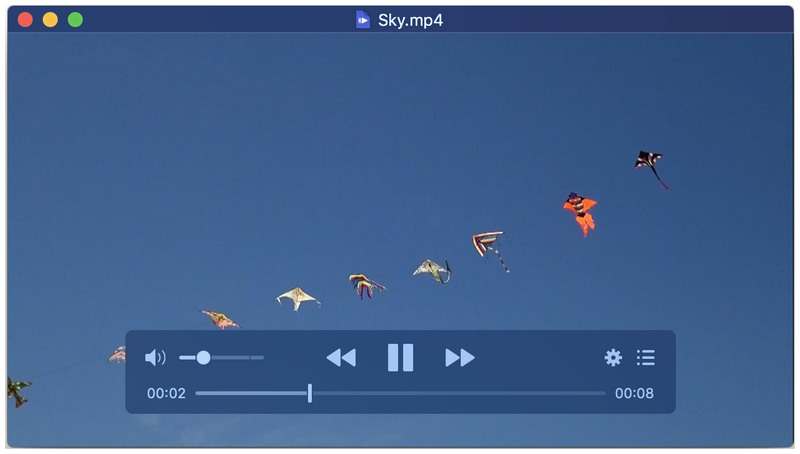
Best Used For: Modern macOS devices running on Apple Silicon.
Rating: 4/5
Moving forward to the macOS VLC alternatives, we have IINA Media Player. When it comes to similarities for VLC, this alternative tool has most of them. It is also a freeware and open-source media player. However, it has better compatibility with macOS, as it is optimized for M-series chips and designed to look modern.
The software offers smooth playback and perfectly integrates with Apple’s main interface. However, it has a significant disadvantage: its limited media library organization features. Its advanced settings are also lackluster, as it was primarily designed only as a media player.
- Native support for Apple M-series chips.
- Works with advanced Mac features such as Picture-in-Picture, Touch Bar, and gestures.
- Clean-looking and intuitive interface.
- Exclusive to macOS.
- Fewer advanced settings compared to other Mac-exclusive players.
- Limited media library management.
ArkThinker Video Converter Ultimate with Player
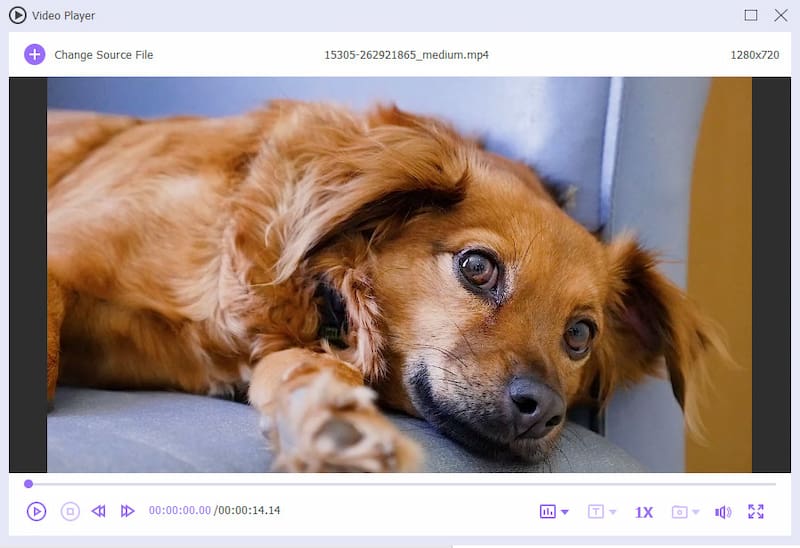
Best Used For: Playing videos during format conversion, compression, or general editing.
Rating: 5/5
With two of the most prominent alternative options for both Windows and macOS now discussed, let us not proceed to the best VLC alternative for users who prefer cross-platform compatibility with both operating systems, with none other than ArkThinker Video Converter Ultimate.
Unlike the other media players in this program, ArkThinker VCU offers more than just a generic media player. Since it was designed as a multimedia toolkit, its video player feature is only an additional option.
The software also includes a dedicated video format converter, video editor, video compressor, and other practical features for handling multimedia files. As a result, it supports a wide range of 1000+ media formats. This made the video player feature capable of playing all the formats the software supports.
If you plan to use its advanced features, you can easily use it as a video player to preview or watch media before or after conversion. To learn more about the software, make sure to download it and read its strengths and limitations afterwards.
- Versatile multimedia management software.
- Equipped with a video converter, editor, and media player, an all-in-one package.
- Hardware-accelerated for both smooth playback and format conversion.
- Lacks advanced playback controls.
- Developed primarily as a multimedia management program.
5KPlayer Multimedia Solution
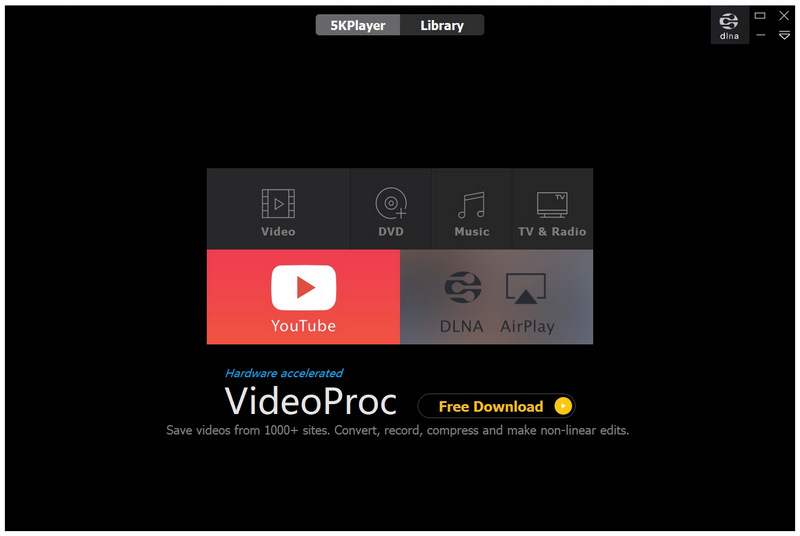
Best Used For: Apple AirPlay streaming.
Rating: 4/5
Going back to macOS-centered programs, we have 5KPlayer. Another free multimedia player available for both Windows and macOS. This program is designed to handle high-resolution video playback, including 720p, 1080p, 1440p, 4K, 8K, and HDR videos.
Although it is a cross-platform software, 5KPlayer is optimized to function well with Apple AirPlay and DLNA streaming, making it suitable for modern streaming. However, you have to deal with ad presence when using it, as it constantly promotes additional features.
- Plays advanced video formats such as 4K, 360°, and HDR.
- Built-in music and video library.
- DVD playback feature.
- Ad presence promoting additional features.
- Higher memory usage than VLC.
- Stability issues when running advanced video formats.
Windows Media Player: The Built-in Option

Best Used For: Casual playbacks without any advanced function.
Rating: 3/5
If you are a Windows user, the VLC alternative you are looking for may already be installed on your computer. This is none other than Windows Media Player, which is the built-in media player for Windows desktops. It also has practical features such as library management, CD ripping, and playlist creation.
As it is a regular video player, this program only offers basic video player features. It can only handle common audio and video formats, but this should be enough if you only want to watch videos.
- Built-in option for Windows computers.
- Easy to use and functions as it was designed.
- Very lightweight installation size.
- Limited codec support compared to VLC.
- It cannot play advanced video formats.
- Limited playback features.
Media Player Classic for Fans of Legacy Players

Best Used For: Lightweight playback on older computers.
Rating: 2/5
Finally, the program we will recommend last is the best option for older computers with Media Player Classic-Home Cinema (MPC-HC). This program is a lightweight, open-source media player that was a popular choice from the mid-2000s to the early 2010s.
Although it has stopped receiving consistent updates, the program still retains its benefits, such as being a fast media player with low resource usage and broad codecs. Unfortunately, these benefits may be overshadowed by the program's lack of developer support.
- Very fast and compact installation size.
- Excellent codec compatibility.
- Works well on older hardware.
- Unsupported by developers since 2017.
- Outdated interface design.
- No official versions currently downloadable.
Part 2. FAQs About VLC Alternatives
What are the best VLC alternatives for Mac?
When it comes to macOS VLC alternatives, we recommend IINA or ArkThinker Video Converter Ultimate. Choose IINA if you want a modern video player. Select ArkThinker if you prefer more versatility.
What is a good alternative to VLC Android ?
VLC for Android is one of the best apps for smartphones. However, if you prefer an alternative, you may consider MX Player. Your gallery app may also get the job done.
What is the best alternative to VLC for iOS ?
When selecting an alternative for iOS, Infuse is a good option. Like IINA, this program has a modern-looking design. However, watching videos on iOS’ Photos is usually enough.
Is VLC Media Player reliable?
Yes, it is. VLC is one of the most reliable video players across different platforms. However, its high resource usage is a common problem that users seek alternatives to.
Why does my computer sometimes lag when using VLC?
VLC consumes more resources than other video players. This results in lagging when using the program. As such, using alternatives is a good solution for low-end or older laptops.
Conclusion
With six of the most popular VLC alternatives now discussed, we hope you can select the program that best suits your needs. For Windows and macOS users, we recommend either PotPlayer or IINA. However, if you prefer better features and practicality, ArkThinker Video Converter Ultimate is by far the best option. You may download it using the link below.
What do you think of this post? Click to rate this post.
Excellent
Rating: 4.9 / 5 (based on 772 votes)


