


Comprehensive Apowersoft HEIC Converter Review in 2026
Do you want to use web-based solutions for HEIC image conversion? However, the wide variety of online converter tools overwhelms your decision-making in choosing which option suits your needs. Read this article for a detailed Apowersoft Free HEIC Converter review that highlights the program’s key features, performance, and safety to determine whether it is worth it and how it compares to desktop converters and other online solutions. We will also provide an alternative online tool for HEIC-to-JPG conversion.

- GUIDE LIST
- Part 1. How We Test and Review
- Part 2. Apowersoft HEIC Converter- Key Features
- Part 3. Apowersoft HEIC Converter - Performance
- Part 4. Best Alternative HEIC Converter to Apowersoft HEIC Converter
- Part 5. FAQs About Apowersoft HEIC Converter
Part 1. How We Test and Review
To begin our article review, we have tested Apowersoft HEIC Converter using specific measurements, which we will highlight in this section. These factors are selected to provide a clear assessment of the software’s performance and capabilities as an HEIC converter software.
- • Apowersoft HEIC Converter was tested in a browser with a single tab active.
- • The total conversion time was recorded from the start of conversion to the completion of the conversion.
- • We tested the conversion performance for a single HEIC file and the batch conversion quality for five HEIC images.
- • The quality of the original HEIC and the converted JPG was compared side by side.
- • The converted JPG file was checked to determine whether the image’s EXIF data was preserved.
Part 2. Apowersoft HEIC Converter- Key Features
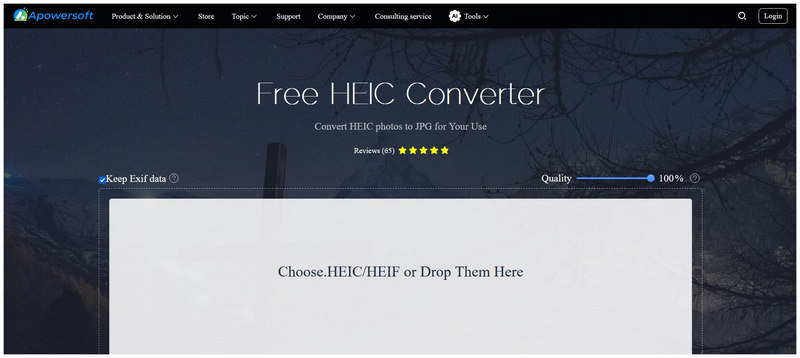
EXIF Data Preservation
Since one of the most notable strengths of HEIC is metadata preservation, Apowersoft HEIC Converter ensures format conversion does not hinder this feature. The online software can preserve EXIF data via a setting toggle in the tool. Users can just enable it and begin conversion to preserve image data.
Adjustable Conversion Quality
To provide an option for their users, a conversion quality slider is also available in the software. This slider can be adjusted based on from 100% for lossless quality conversion. This percentage can be adjusted downward to reduce the quality of the JPG conversion and produce a smaller file size.
Conversion to JPG
Images processed in Apowersoft are saved in JPG format. This was selected because it is the most reliable and compatible image format, ensuring your converted HEIC file is accessible on any device, operating system, or software. Converting to JPG is also considered the safest option for other image files.
Part 3. Apowersoft HEIC Converter - Performance
User Interface
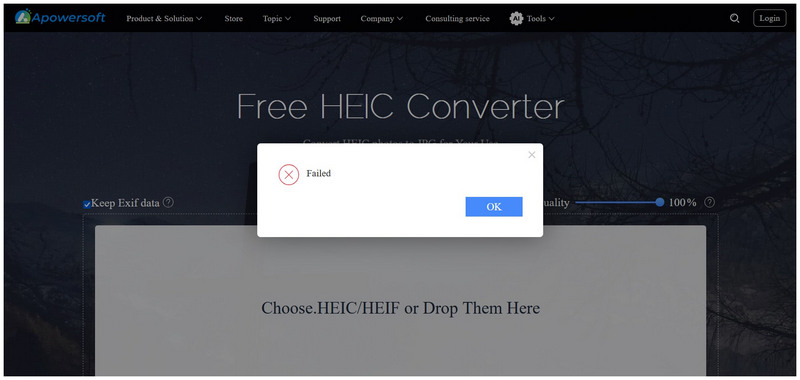
Like other web-based tools, Apowersoft HEIC to JPG Converter has a beginner-friendly interface. Select the program's upload box to open your file manager for image uploads. You can also drag and drop multiple files to the software for batch conversion. Unfortunately, the software has a dated interface design, especially compared to its online tool peers.
Conversion Speed
Based on user reviews, the conversion speed of Apowersoft HEIC Converter was around 30 seconds to 2 minutes for batch conversions of up to 5 to 10 files at once. Unfortunately, testing the product firsthand was impossible because we repeatedly encountered failed uploads when converting a single file or in batches.
Quality Loss
Since uploading files was challenging during our test, we were only able to assess the quality loss in the converted images through user reviews of Apowersoft HEIC Converter. Based on photo samples, we found that the quality of images converted in the tool shows little to no decline. This was made possible by the program’s conversion quality control. You can set the image quality to 100% or lower it if you plan on cutting file size.
Part 4. Best Alternative HEIC Converter to Apowersoft HEIC Converter
When selecting online tools for file management, reliability and privacy are the two concerns that you must prioritize. Unfortunately, Apowersoft HEIC Converter failed on one of these factors during testing. With that in mind, an alternative HEIC-to-JPG converter is highly recommended, and ArkThinker Free HEIC Converter Online will be one of your best choices.
Similar to Apowersoft, ArkThinker’s online tool is designed exclusively for converting HEIC to JPG. However, it has a major advantage in interface design and reliability. During our testing, the software successfully converted a single HEIC file and handled a small batch of 5 HEIC images without any issues.
Furthermore, the conversion interface was designed to be as modern-looking and beginner-friendly as possible. This makes the program’s design and functionality top-tier, appealing to both beginners and experienced editors seeking quick conversions.
To start using ArkThinker Free HEIC Converter Online, make sure to read our two-step guide.
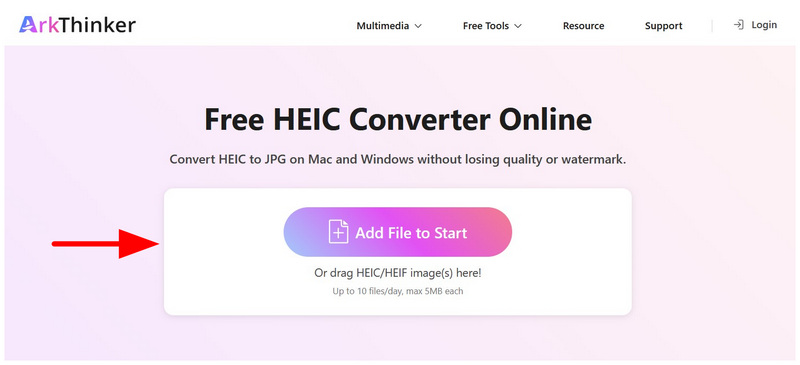
Open ArkThinker Free HEIC Converter Online’s website. Then select the Add Files to Start button and browse to the HEIC images you want to convert. Alternatively, you can bulk-convert up to 10 files at once by dragging them into the Upload Box.
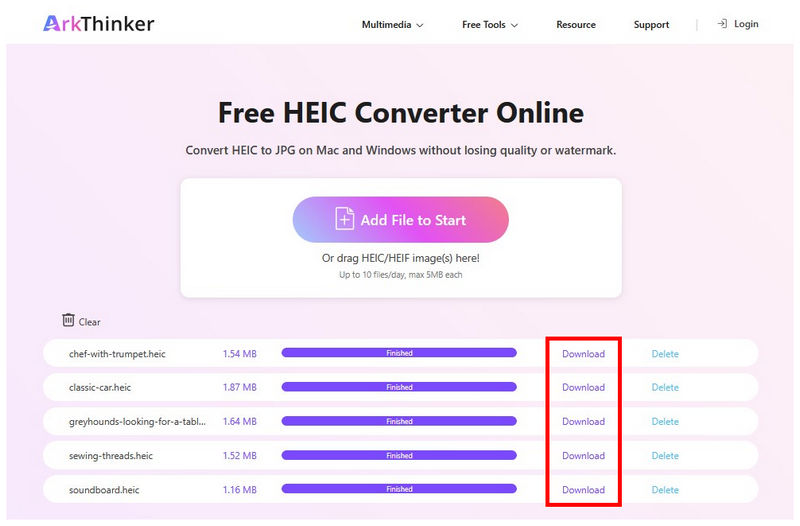
After a few seconds, your HEIC images will be uploaded, and ArkThinker’s conversion process will immediately begin. Finally, select the Download button for each converted HEIC file to import the converted JPG to your device.
If you are having trouble with the reliability of Apowersoft HEIC Converter, a good alternative web-based file converter is ArkThinker Free HEIC Converter Online. On top of being more practical and modern-looking, it offers way better functionality, whether you plan to convert a single image or multiple HEICs at once.
Part 5. FAQs About Apowersoft HEIC Converter
Are online tools reliable?
It depends heavily on the online tool you use. Reliability is a common issue among these options, and the most common problem is failing to upload. If you are looking for reliable tools, ArkThinker and FreeConvert are reliable options.
Should I use online tools for file format conversion?
Yes, you can. Online tools are a solid option for basic format conversions. ArkThinker specializes in this function as it can convert both images and videos into different formats.
Is it hard to convert image files?
No, it is not. There are numerous options for converting image files. The easiest and most accessible among them is using online tools such as ArkThinker Free HEIC Converter Online.
What should I convert my HEIC file into?
Both PNG and JPG are good options. Select PNG if you want to prioritize quality. Otherwise, select JPG for compressed file size.
What is larger between HEIC and JPGs?
HEIC is generally more compressed than JPG. It also has slightly better quality. Unfortunately, HEIC images are not widely compatible outside the Apple ecosystem.
Conclusion
Now that we have reviewed one of the most reliable online format converters, Apowersoft HEIC Converter, we hope this article has provided you with useful information to help you decide whether it is a good option for your HEIC conversion needs. If you ever encounter the upload failure issue we faced, we highly recommend using ArkThinker Free HEIC Converter Online as your top alternative.


