


Adobe After Effects Crop Video Guide With Simplified Steps
Adobe After Effects is a professional-grade visual and motion graphics software developed by Adobe as part of its wide range of software tools used for professional work in film, content creation, and more. As Adobe After Effects may seem focused on visual design, layer-based video cropping may sound impossible, but it can be done via two methods, which this article will further elaborate on through steps. Furthermore, as not everyone may seem familiar with using the Adobe After Effects software tool, this article also features the use of an online tool for effective and accessible video cropping. To further learn the techniques of various video cropping in After Effects, continue reading this article.

- GUIDE LIST
- Part 1. Can You Crop A Video in After Effects?
- Part 2. How to Crop A Video in After Effects
- Part 3. Best Free Online Alternative to After Effects for Cropping Video
- Part 4. FAQs about How to Crop Video in Adobe After Effects
Part 1. Can You Crop A Video in After Effects?
It is possible to crop video in After Effects; however, its crop function is not the crop tool like other editors or users are familiar with, but still it manages to do the job through Region of Interest (ROI) and changing of composition settings, which this article will later elaborate in a more step-by-step guide.
Part 2. How to Crop A Video in After Effects
Method 1: Region of Interest (ROI)
As Adobe After Effects does cropping differently, as it doesn’t have a one-click crop button functionality, a method one can use in After Effects is to crop videos via the Region of Interest. To effectively do it, simply follow the steps below.
Open your Adobe After Effects and load your videos or project you wish to crop using the software.
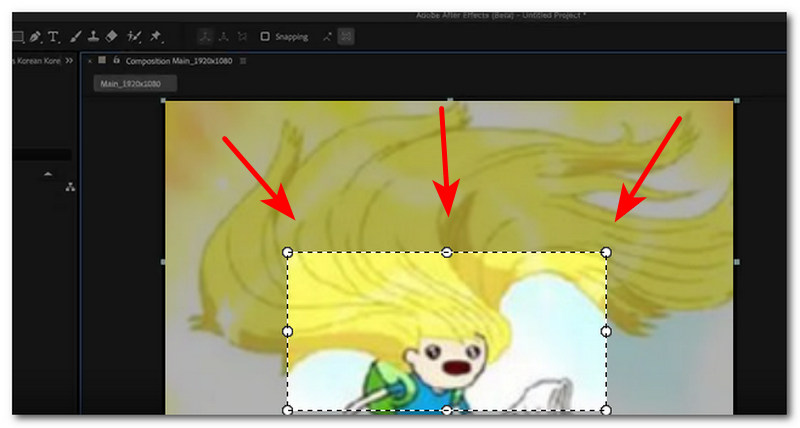
Once you open your project in the After Effects timeline, locate and click on the Region of Interest.
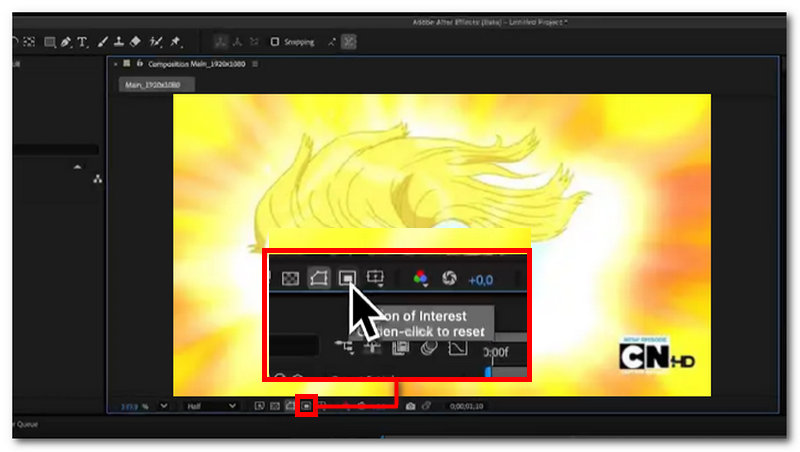
After clicking on the Region of Interest, proceed to drag your mouse on your video to form a rectangular shape to crop your video.
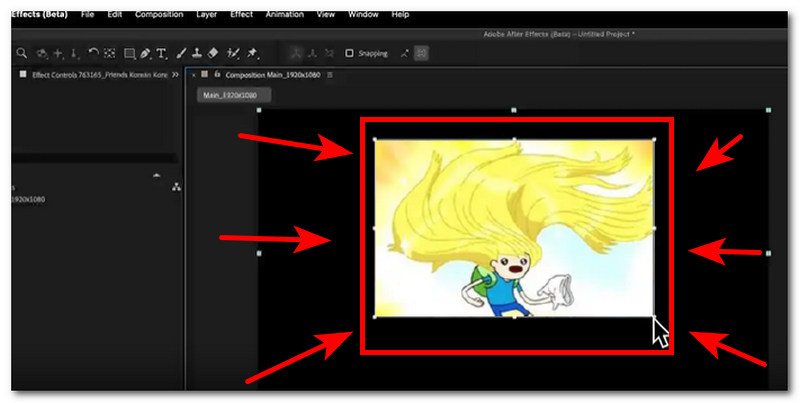
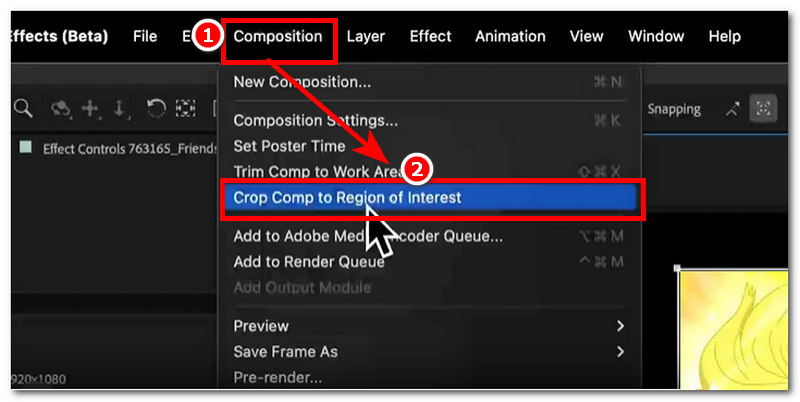
After cropping certain parts of your video through the Region of Interest, head over to the upper part menu section of your Adobe After Effects and click on the Composition. In the extension menu of Composition, click on the Crop Comp to Region of Interest to effectively crop the parts you previously cropped in Region of Interest.
Method 2: Changing Composition Settings
Another method to perform an After Effects crop video layer effectively is by changing the composition setting of your project. Usually, it has the same steps as the region of interest steps, as both methods follow the same procedure to crop projects in After Effects.
Open your Adobe After Effects software tool, and from there proceed by uploading or loading your video project you want to crop using the program by changing its composition setting.
Select the video layer you want to crop in your project, then from your keyboard, press S to simply scale or press P to adjust or change the position composition of your video.
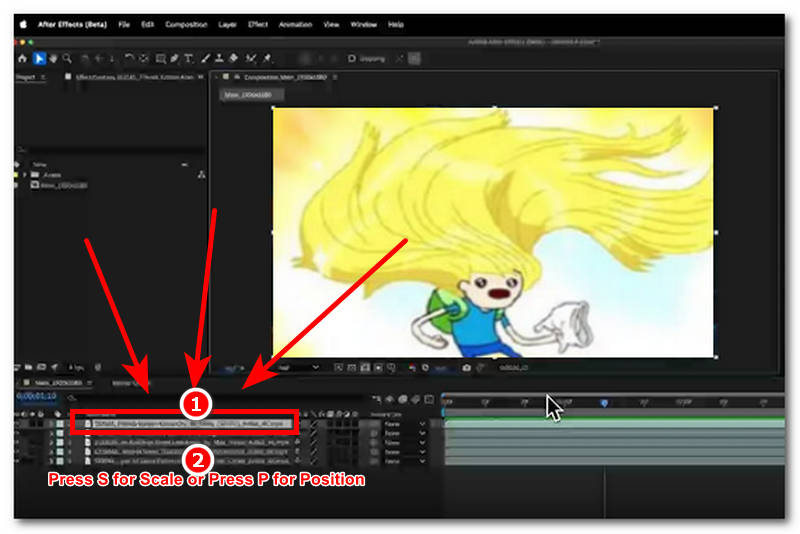
After pressing the shortcut key, the program will then allow you to change the composition setting of your video. From there, feel free to adjust the crop you want in your video. Once done, simply hit the enter button to save the changes.
Part 3. Best Free Online Alternative to After Effects for Cropping Video
If you find using such a premium design tool, such as Adobe After Effects, quite expensive and overwhelming to use for simply cropping your video, then there is an alternative method you may opt to try. Using of third-party tool like the use of online video cropper tool like the ArkThinker Free Video Cropper Online tool is the way for you to easily and safely crop your videos without compromising the quality while being accessible and easy to use for all types of users.
Using such an online video cropper tool can help novice users, as well as those who don’t have access to Adobe After Effects, to crop their video. To start cropping any file format of video via dropping the file in the webpage, and with a click of a button, it will automatically crop videos to any aspect ratio the user wants. To further guide you on how to crop in After Effects, simply refer to the steps below.
Open your desktop (Windows or Mac) web browser and from there go to the ArkThinker Free Video Cropper Online official website.
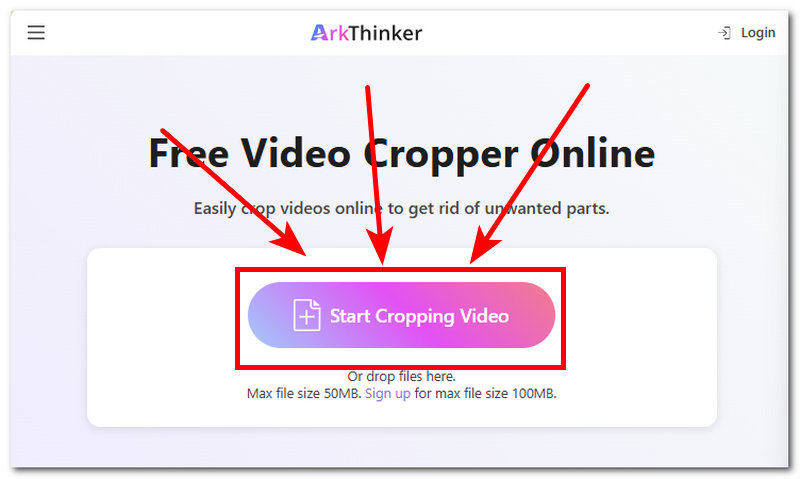
Right from the webpage interface, you will immediately see the Start Cropping Video button. From there, click on it to upload the video you wish to crop using the free online video cropper tool.
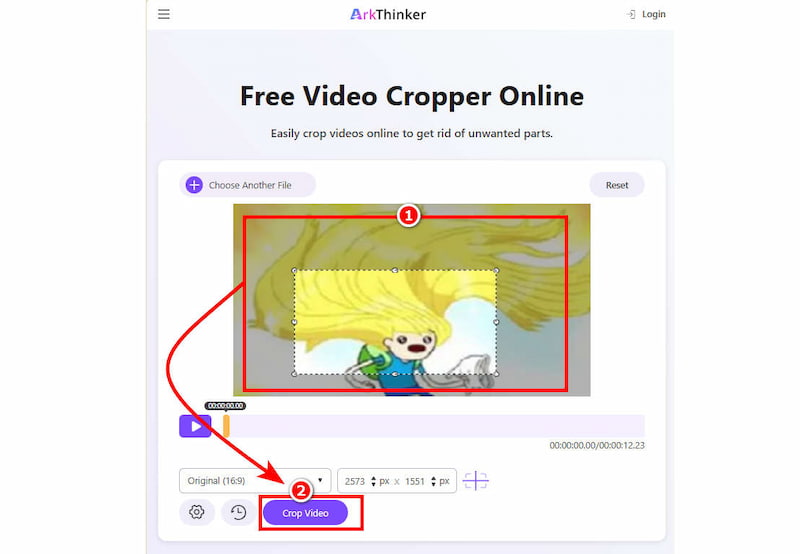
Once your video is loaded into the tool's main interface, proceed to drag and adjust the crop area to your desired crop in your video. Once you are satisfied with the crop area you placed in your video to successfully crop your video, simply click on the Crop Video button to initiate the crop process.
Furthermore, it has been clear that users have a choice in what they want to use to crop their video, and choosing ArkThinker’s online video cropper tool is an ideal choice simply from its accessibility, free os usage, straightforwardness, and ease of use to crop video. While Adobe After Effect has all the premium feature user can think of to crop videos it is not accessible and suer-friendly for all. Thus, ArkThinker is the fastest and easiest way to crop videos.
Part 4. FAQs about How to Crop Video in Adobe After Effects
How do I crop a video in Adobe After Effects?
There are plenty of ways in which one can crop a video project in Adobe After Effects. It can be done by using the Region of Interest Tool to crop video composition, using a mask tool to crop certain parts of the video layer, manually cropping the video by adjusting the video manually, and more.
What’s the difference between masking and cropping?
The difference between the two tools is that masking is made to hide parts of a layer, and cropping is the complete removal or cutting out of a certain part of the video.
Can I crop a video to a specific size or ratio?
Yes, you can crop a video to a specific size or aspect ratio using Adobe After Effects and the Online Alternative Tool ArkThinker by adjusting your video composition by dragging the area of your video.
Conclusion
Adobe After Effects is a premium graphic design tool designed to cater to all kinds of editing needs for a project, including video cropping. Although the program doesn’t have an instant crop button, it offers multiple ways to crop video projects, and this article features two practical, easy-to-follow methods to crop video in Adobe After Effects.
Furthermore, as it is a premium tool, it means that not everyone has access to its premium tools and features. In addition, not everyone is familiar with using the program, as it can overwhelm novices with its many features and functions. That’s why this article also introduces an alternative to After Effects for cropping videos by using an online tool, ArkThinker.
What do you think of this post? Click to rate this post.
Excellent
Rating: 4.9 / 5 (based on 609 votes)


