


Comprehensive 4DDiG Video Repair Review: Should You Use It
AI-based multimedia software has emerged over time to become more reliable for handling basic media-related options. Among them, video corruption repair has benefited the most due to smart AI-models that can automatically fix video errors using well-designed models. In this article, we will provide a detailed overview of one of the most reliable repair tools, 4DDiG Video Repair. We will review the video repair tool based on its key features, video repair performance, and other practical measurements that you should consider when fixing broken media files.

- GUIDE LIST
- Part 1. 4DDiG Video Repair Overview
- Part 2. Does 4DDiG Video Repair Have a Free Trial
- Part 3. My User Experience with 4DDiG Video Repair
- Part 4. Best Alternative to 4DDiG Video Repair
- Part 5. FAQs About 4DDiG Video Repair Review
Part 1. 4DDiG Video Repair Overview
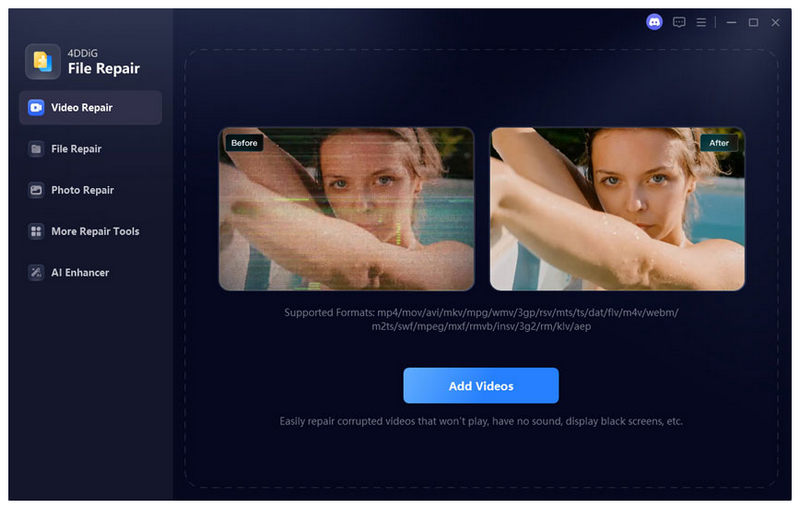
How 4DDiG Video Repair Works
4DDiG Video Repair works by using advanced AI-models to solve video-related issues such as error loading media files, video corruption, playback errors, choppy videos, frozen frames, and video-audio syncing issues. The program also supports batch repairing, which requires its potential users to use high-performance computers.
Supported Platforms and Video Formats
If you want to use 4DDiG Video Repair, all you need is a computer running Windows 11/10/8/7 or a macOS desktop running Mac 10.12 or later versions. For supported video formats, the program can read and fix files saved in MP4, MOV, AVI, MKV, WMV, FLV, MPEG, and other video formats.
Key Features
Together with its main purpose, 4DDiG Video Repair also offers more advanced video-related work. It can also preview repaired videos as a form of manual quality control for files recovered using the program. It can also handle simple AI video enhancements as well as restore and colorize videos in black and white.
Part 2. Does 4DDiG Video Repair Have a Free Trial
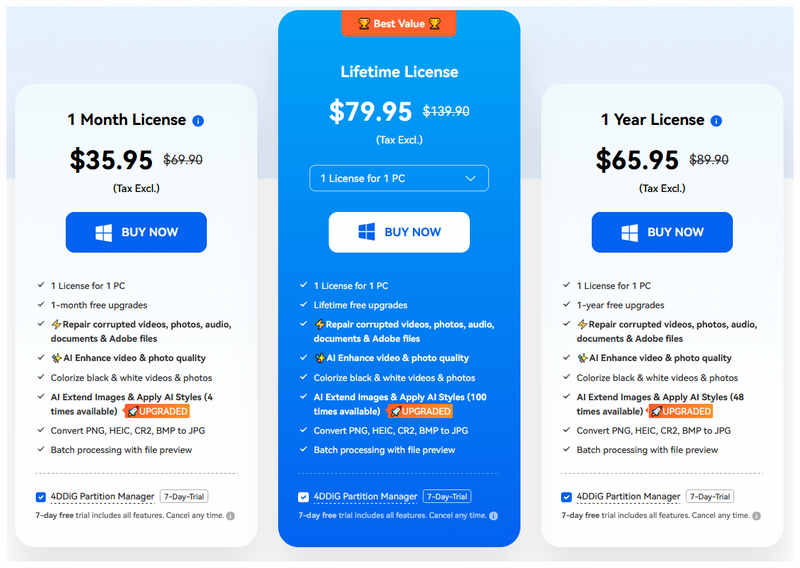
Fortunately, 4DDiG Video Repair has a free trial version for users who want to try it out first. Unfortunately, once the free-trial is over, these users will have to face the expensive pricing plans of the program. Among premium video repair options, 4DDiG Video Repair is on the more expensive side, which makes it a high-end option.
Part 3. My User Experience with 4DDiG Video Repair
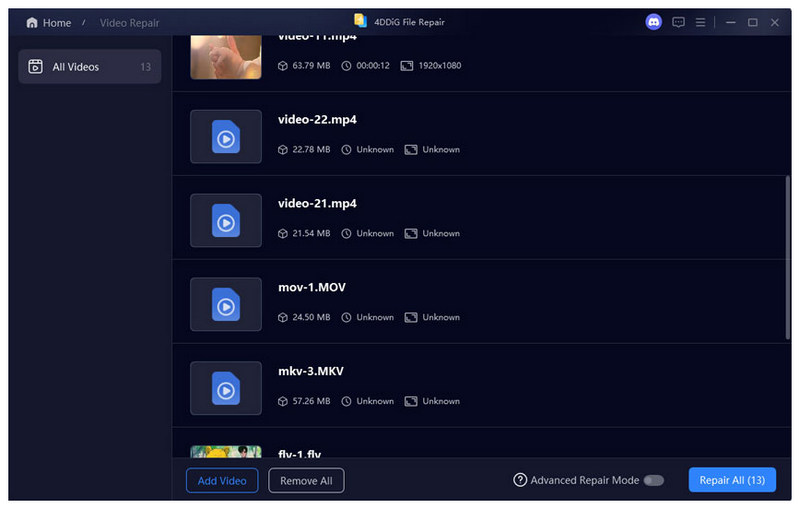
Repair Speed
The repair speed of 4DDiG Video Repair is highly influenced by the size of the video you are fixing in the program. When repairing videos that are smaller and shorter in duration, the program runs well. Unfortunately, it takes time to process longer videos that are larger in file size.
Success Rate and Memory Usage
For the most common corruption issues, 4DDiG Video Repair has a success rate of around 92%. These include file problems caused by interrupted file transfer, playback errors, and minor corruption. However, fixing these problems still requires the software to use so much memory and resources from your computer, thus eliminating your ability to multitask due to its demands for RAM.
Video Quality After Repair
With the help of the advanced AI model, 4DDiG Video Repair has an overwhelmingly positive review from its users, as successful repairs have no noticeable quality decline. This made the program capable of fixing problems with videos that cannot be played on a browser. However, heavily corrupted files fixed by the program still have a residue of file corruption during playback.
User Review
Most users of the program are impressed by its video repair capabilities for videos that are smaller in file size and have shorter durations. The well-designed UI is also complemented as it was properly optimized for beginner-use. Unfortunately, the software reports failure to process videos with major file corruption. Inconsistent reports are also reported due to its reliance on AI models, resulting in the repaired video looking unnatural.
Part 4. Best Alternative to 4DDiG Video Repair
Although 4DDiG Video Repair works well in handling minor file corruptions, its reliance on AI models alone makes it inconsistent when fixing media files that are too large and have major issues. As such, using an alternative that only uses sample videos supported by an AI repair system works great. In this case, ArkThinker Video Repair may exactly be the program that you should use.
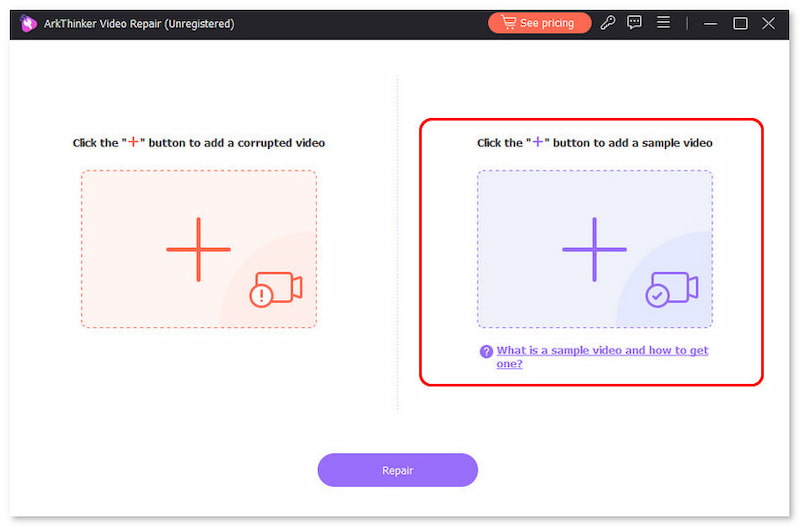
Unlike the program we are reviewing in this article, ArkThinker Video Repair works by automatically using a reference video to repair the corruption in your video file. Additionally, the only requirement for this sample video is that it should be the same format as the video you want to repair.
Fortunately, the program was designed to make the video repair process as simple as possible. Its interface design has two upload boxes, both for the corrupted video and for the sample video. Afterwards, you can click directly on repair, and your video file will be fixed three-times faster than other video repair tools.
To learn more about what makes the software a good option, make sure to read its main features below. Do not forget to download it as well for an easier time following our three-step tutorial below.
Main Features:
- • Automatically repairs video using a modern AI-supported system.
- • It fixes corrupted videos three times faster than other video repairing tools.
- • Repairs broken videos from failed format conversion, hard drive crash, export issue, and file transfer interruption.
- • Repaired videos will retain their original quality once they are fixed.
- • Only requires a few clicks and a sample video to repair media files.
Open ArkThinker Video Repair, then click the Add button on the Orange Box to add the corrupted video you want to repair.
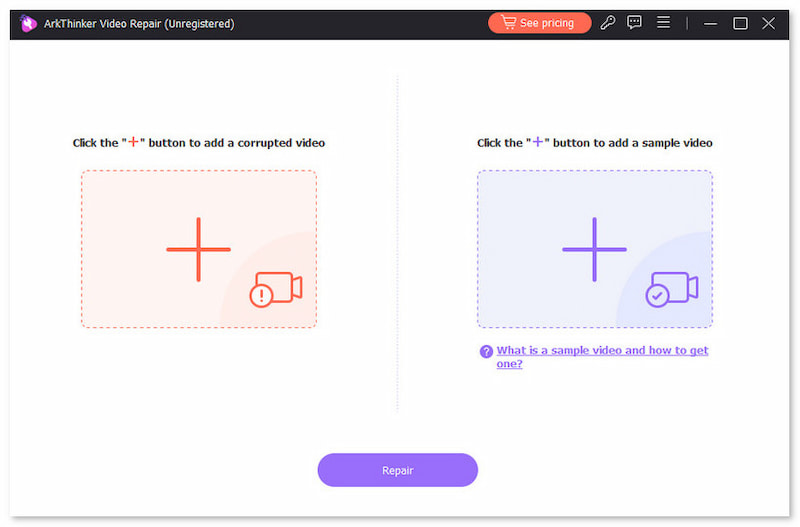
Then, select the same button in the Purple Box to import the Sample Video, which will be used during the video repair process. The Sample Video should be the same format as the corrupted file.
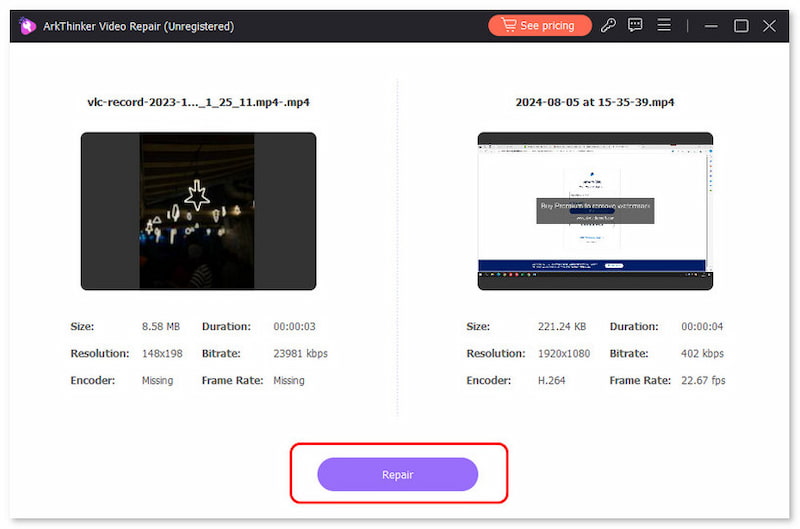
With both the Corrupted Video and the Sample Video added, click Repair to begin fixing the file errors in your media file.
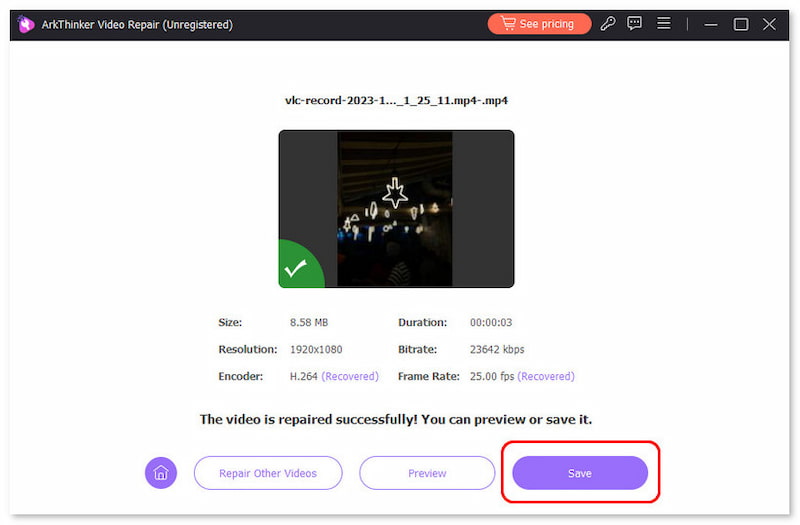
After the video repair, click Preview to watch the repaired video and check if it plays properly. Finally, click on Save to import the repaired MP4 file on your computer.
Instead of overly relying on AI models, ArkThinker Video Repair’s usage of Sample Video eliminates the need for a complex AI system that requires too many resources to run. This made the program faster to use, lighter, and capable of running even on entry-level computers.
Part 5. FAQs About 4DDiG Video Repair Review
Can I use 4DDiG Video Repair to enhance videos?
Yes, you can. The software also offers an AI Video Enhancer feature. These are automatically applied to repaired videos in the software.
On what platforms is 4DDiG Video Repair available?
4DDiG Video Repair is available for Windows and macOS desktops. For Windows, it supports versions from Windows 7 to 11. For Mac computers, it supports macOS 10.12 or later versions.
Is 4DDiG Video Repair free?
No, it is not. The program only offers a free version. You need to buy its premium plans to unlock more advanced editing tools.
Does repairing video with 4DDiG Video Repair take time?
Yes, it does. 4DDiG Video Repair is infamous for long repair times for longer and larger videos. However, it works fast on smaller videos.
Can I fix MP4 videos with 4DDiG Video Repair?
Yes, you can. 4DDiG Video Repair supports fixing MP4 video files. The program is good enough for more advanced videos as well, such as MKV, AVI, and others.
Conclusion
With the features and video repair capabilities of 4DDiG Video Repair now discussed, we hope that our review has helped you decide whether the program will work well for your needs. Otherwise, we highly recommend using ArkThinker Video Repair for a program that is easier to use and less reliant on AI technology. You may download it with the link below.
What do you think of this post? Click to rate this post.
Excellent
Rating: 4.8 / 5 (based on 506 votes)


