


Detailed EaseUS Video Repair Review: Features, Pros, Cons
When it comes to video repair options, desktop-based solutions stand out for their superior stability and performance. Among the competitive media repair market, EaseUS Video Repair is one of the most trusted options. In this article, we will discovery why the program is considered a good option among users with issues with their media files. We will discuss the program’s video repair features, how it performs, its best uses, and the software’s pros and cons.

- GUIDE LIST
- Part 1. Key Features of EaseUS Video Repair
- Part 2. How EaseUS Video Repair Performs
- Part 3. Should You Choose EaseUS Video Repair
- Part 4. Best Alternative to EaseUS Video Repair
- Part 5. FAQs About EaseUS Video Repair Review
Part 1. Key Features of EaseUS Video Repair
Fix Index and Frame Corruption
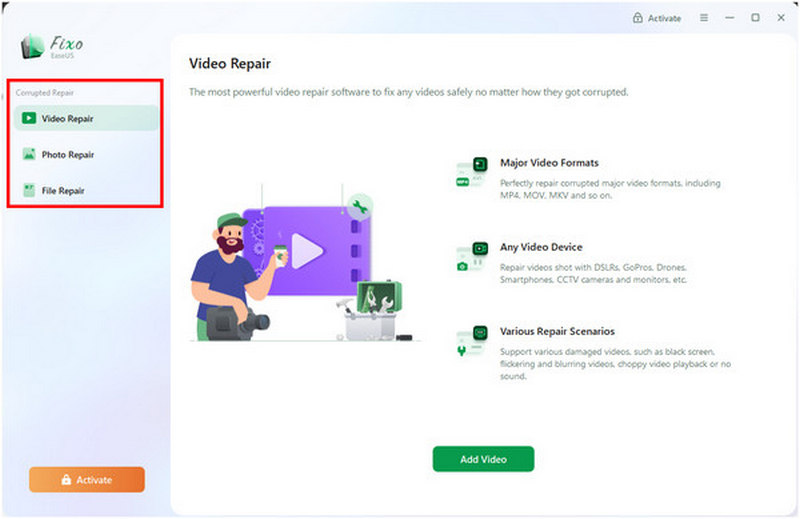
Since EaseUS Fixo Video Repair offers professional-quality video repair, it can handle the most basic video corruption issues, such as video index corruption and frame or display corruption. These include issues with MP4 and MOV files not playing.
Repairs Audio-Video Sync Problems
To ensure that your repaired videos can be viewed, EaseUS Video Repair can also fix media files with audio-video sync issues. This makes it easy to repair videos with unsynced audio in the program.
Repair Multiple Video Formats
To make the software's repair capabilities functional, it was optimized to support multiple video formats for repairs. It can repair video files in the following formats without any problems: MP4, MOV, M4V, MKV, AVI, FLV, 3GP, TS, MTS, M2TS, ASF, MXF, KLV, and INSV.
Quick Repair and Advanced Repair
To improve video repair efficiency, EaseUS Video Repair offers two repair options. It can be used for quick repairs and for advanced repairs. To handle minor problems such as playback and codec issues, you can use the tool’s Quick Repair mode. For more advanced file corruptions, the Advanced Repair option is more suitable.
Part 2. How EaseUS Video Repair Performs
Repair Videos Without Corruption
When using EaseUS Video Repair to fix videos, you can ensure that your media file will not be corrupted and that it will be repaired only by the software. This assures users that the software works properly and does not compromise the integrity of the video file. This makes the program a good option to repair MP4 videos for free.
Is It Safe
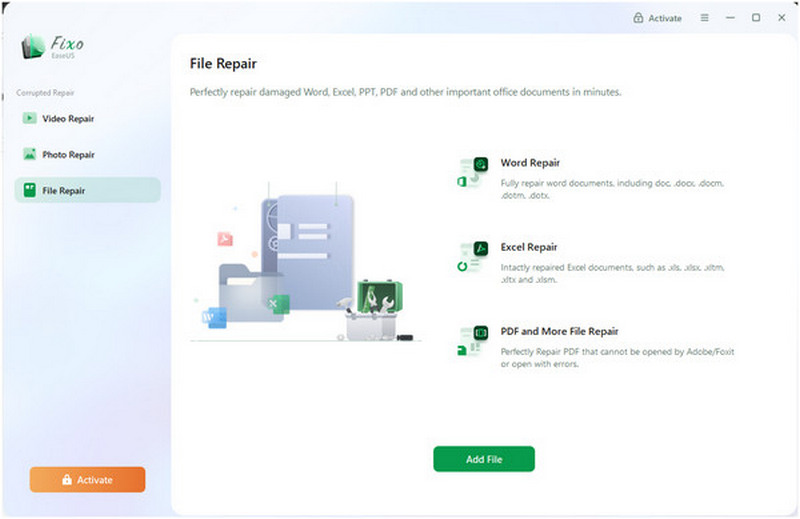
Yes, EaseUS Video Repair is safe to use. It can handle video, photo, and file repair without compromising the safety and privacy of its users. However, the online version of the program is another story, as online tools inherently upload the file you want to repair online.
Is It Easy to Use
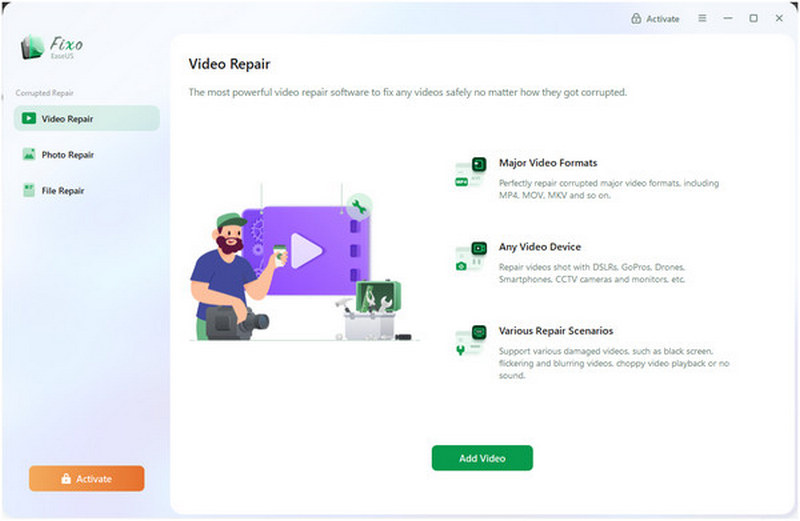
Yes, EaseUS Video Repair is also designed to be simple to use. Its interface is well-labeled, and the program's repair process requires users to upload only their video, as the repair is automated.
Processing Speed
The processing speed of video repairs in EaseUS Video Repair depends heavily on the size of the video you're repairing. This takes a significant toll on the program's reliability, as inconsistent repair performance may be unacceptable to some users.
Limited Free Trial Features
Unfortunately, the free trial version of EaseUS Video Repair offers severely limited features. To start, it has a severely limited 100MB file size restriction, which could be considered very small, especially for a video file. Moreover, the program's free trial supports only MP4 and MOV files, and it lacks a batch repair option.
Part 3. Should You Choose EaseUS Video Repair (Pros & Cons)
To help our readers decide whether EaseUS Video Repair is worth it, we have provided a quick overview of the program’s best uses, pros, and cons. These elements will greatly help our readers decide whether the program is good enough for their personal video repair needs.
Best Used For: Fixing basic and advanced video corruption issues.
- The software is easy to use and highly optimized for beginners.
- It can process multiple video formats, including basic MP4, MOV, MKV, and uncommon formats such as FLV, 3GP, WMV, and more.
- Offers two video repair modes for basic playback issues and for handling advanced video corruption.
- Batch file processing to repair multiple videos at once.
- The free version of the program is severely limited, especially in terms of file size and supported file formats.
- Its repair function is very slow when repairing larger videos.
- Repaired videos will not maintain their original quality.
- It cannot handle severe file corruptions.
Part 4. Best Alternative to EaseUS Video Repair
With the strengths and limitations of EaseUS Video Repair now discussed, let us move on to the best alternative on the market for video repair. This is none other than ArkThinker Video Repair.
Designed exclusively to handle advanced video file corruption, ArkThinker Video Repair is a better alternative if the media file you want to fix is severely corrupted. This includes problems stemming from failed format conversion, hard drive crashes, exporting issues, and poor signal during file transfer.
With that in mind, it is highly advisable to use this option, as it does not rely solely on automated file repairs; the tool uses a Sample Video to perform more effective video file repair.
To learn more about what makes ArkThinker Video Repair a good alternative to EaseUS Video Repair, make sure to read its main features below. Do not forget to download it as well for an easier time following our tutorial on using the program.
Main Features:
- • Offers video repair services three times faster than other media repair tools.
- • Retains the original video quality of repaired media files.
- • Fixes severe video corruption caused by failed format conversion, hard drive crashes, export issues, file transfer issues, and more.
- • Automated video repair process powered by an AI-supported system.
- • Simple interface design that requires only a sample video to repair media files.
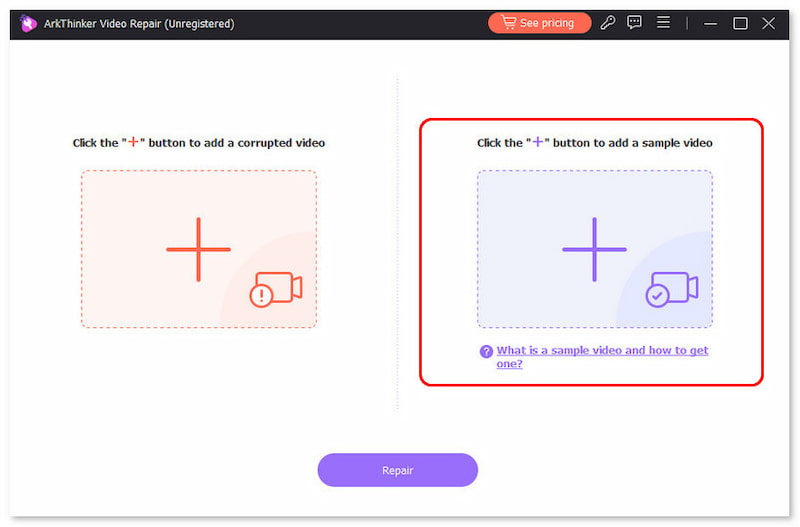
Open ArkThinker Video Repair, then click on the Add button on the Orange Box to add the broken video you want to repair.
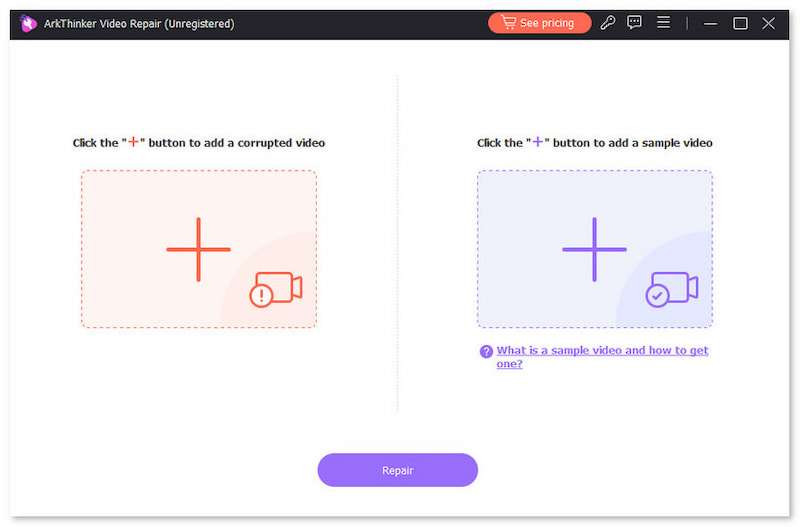
Next, select the Add button in the Purple Box to import the Sample Video. Both the Corrupted and Sample Videos should use the same format, as the Sample Video will serve as the reference file during the repair process.
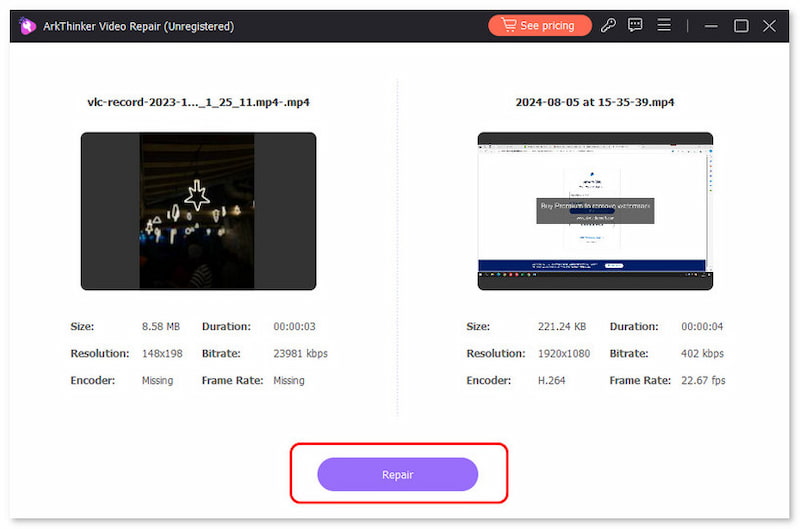
Once both the Corrupted Video and the Sample Video are imported into the tool, click Repair to begin fixing the errors in your video.
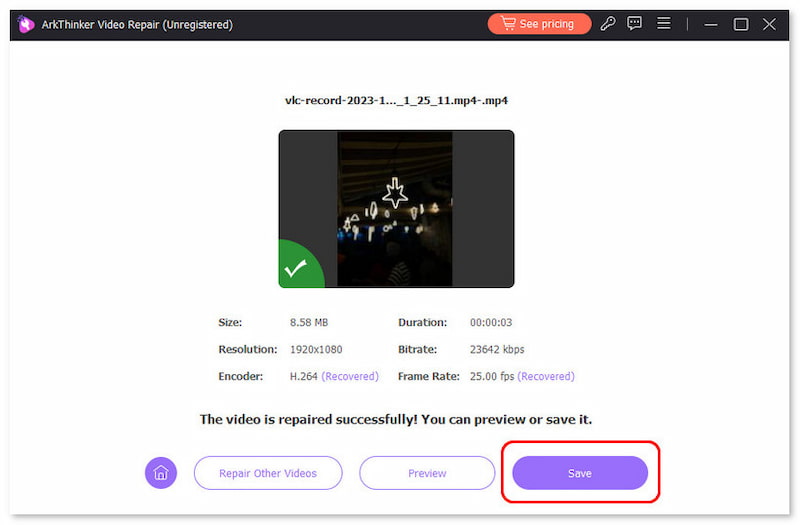
After the video repair process, click Preview to play the repaired media file and check whether it plays properly. Finally, click on Save to import the repaired media file on your computer.
Since ArkThinker Video Repair is designed exclusively as a video file repair tool, its capabilities for handling more advanced video corruption errors are more impressive. This was also made possible by its use of a sample video rather than relying solely on AI-powered video repair.
Part 5. FAQs About EaseUS Video Repair Review
Is EaseUS Video Repair free?
No, it is not. However, the tool offers a free trial version. Unfortunately, this version of the software is severely limited in terms of features, from file size limits to supported formats.
Can EaseUS Video Repair fix severe video errors?
No, it does not. Since EaseUS Video Repair solely relies on AI repair, it cannot handle more advanced errors. These errors are usually rooted in severe file corruption caused by conversion issues and storage crashes.
Can a video with playback issues be repaired?
Yes, it can be. Video playback issues are on the lighter side of video-related problems. Even the Quick Repair mode of EaseUS Video Repair can handle these issues.
What makes a video repair tool capable?
You should check which types of file corruption your video repair tool supports. There are video repair tools only made for basic issues. However, there are more advanced options, such as ArkThinker Video Repair, that can fix severe video file issues.
Is it easy to repair corrupted videos?
It depends on which video repair tool you will use. There are video repair tools that rely solely on terminal commands and prompts. However, you can also use video repair tools with a full GUI, such as EaseUS Video Repair and ArkThinker Video Repair.
Conclusion
Now that we have reviewed EaseUS Video Repair's capabilities, we hope this article has helped you decide whether it is a good option for your needs. With that in mind, we still recommend using an option that is better suited to fixing severe file corruption, such as ArkThinker Video Repair, which you can download via the link below.
What do you think of this post? Click to rate this post.
Excellent
Rating: 4.9 / 5 (based on 613 votes)


