


Top 6 Snagit Alternatives for PC and Mac Computers in 2026
Among third-party screen capture and recording tools, Snagit is a popular option due to its rich features tailored for both screen recording and screen capture. It has superb editing tools, versatile screen recorder modes, and it is easy to use even for beginners. Unfortunately, Snagit is paid software that starts at $39.00, and it has no reliable free version. As a result, looking for feature-rich, cost-effective, or even free Snagit alternatives for Windows and Mac is a common topic of discussion online. In this article, we will provide a detailed review of six excellent screen recording and screenshot tools that work well as Snagit alternatives.

How We Tested and Reviewed
- • The tested Snagit alternatives were run on modern Windows and macOS computers.
- • The desktops used for testing are equipped with Intel i7 and Apple Silicon processors, respectively. Both are equipped with 16GB of RAM and integrated GPUs.
- • For an objective performance assessment, only the Snagit alternatives are active on the device.
- • To assess their quality, the screen-recorded videos and captured screenshots were compared side by side.
- • The post-processing features of each tool are also reviewed through its annotation and video editing tools.
| Snagit Alternatives | Price | Screenshot Modes | Recording Modes | Scrolling Capture | Annotation Tools | Editing Features | OS Support |
| ArkThinker Screen Recorder | Free – $24.95 | • Full Screen • Window • Selected Area • Scrolling Window | • Screen • Webcam • Audio • Phone • Game Recorder | Yes | • Draw • Text • Images • Live Annotations | • Trimming • Splitting • Video Compression • Metadata Editing | Windows, macOS |
| ShareX | Free/Open Source | • Full Screen • Window • Region Screenshot • Scrolling Screenshot | • Screen • GIF Recording | Yes | • Arrows • Text • Shapes • Blur Tool • Pixelate • Highlight, and more. | • Basic image editing tools • Effects • Crop • Text Scanning on Screenshots • Background Removal | Windows |
| Greenshot | Free (Windows) $1.99 (Mac) | • Region Screenshot • Window Screenshot • Full Screen Capture | None | Yes | • Arrows • Texts • Shapes • Highlight • Blur | • Crop • Resize • Rotate • Annotations • Video Effects | Windows, macOS |
| Loom | $18.00 | • Selected Region • Full Screen | • Screen • Webcam • Audio | No | • Text • Shapes • Arrows • Drawing • Annotation Tools | • Trimming • Waveform Editing • Advanced Video Editing Tools • AI Features | Windows, macOS, iOS, Android, Browser Extension |
| PicPick | $30.00 | • Full Screen • Active Window • Region • Freehand • Scrolling Page | • Full Screen • Window • Custom Region • Audio/System | Yes | • Text • Arrows • Shapes • Highlights • Callouts • Blurs | • Built0in Editor • Video Effects • Filters • Resizing • Essential image editing tools | Windows |
| Ashampoo Snap | $44.00 | • Region • Windows Screenshot • Desktop Screenshot • Multiple Display • Delayed Capture | • Screen • Audio • Webcam • Drawing Mode | Yes | • Text • Graphics • Effects • Callouts • Stickers | • Image Editor • Video Editor • Video Cutter • Basic file converter | Windows |
Part 1. Top 6 Snagit Alternatives
Top 1. Arkthinker Screen Recorder — Best Overall Snagit Alternative
Best Uses: Versatile screen recording needs and taking scrolling screenshots.
User Rating: 4.5/5
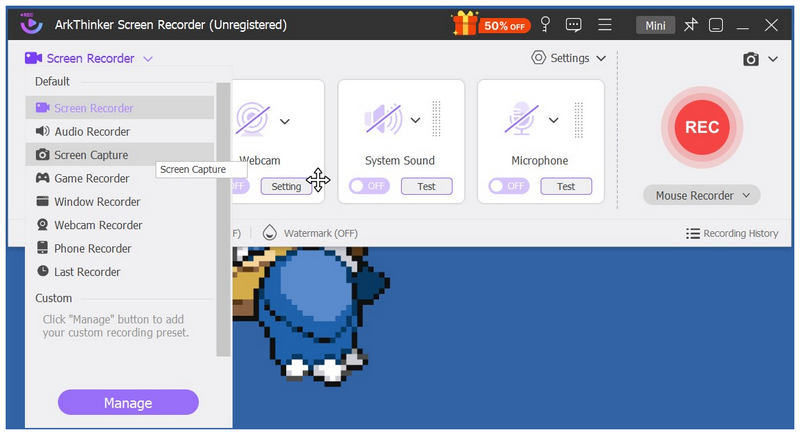
We will start this article by featuring the most reliable tool that rivals Snagit’s features at a quarter of the price: ArkThinker Screen Recorder. Among the tools in this article, ArkThinker’s option offers the most versatile recording modes, with six recording options plus a practical screen capture mode.
Equipped with standard recording modes such as full-screen, webcam, and audio recorder, the program’s most notable and compelling feature is its game recorder mode. In addition to professional screen recording, it also supports more casual uses, such as recording gameplay with a smooth frame rate.
In addition to offering the essential recording option most users require, ArkThinker Screen Recorder delivers versatility, essential editing features, and a solid screen-capture bonus, making it our best overall alternative to Snagit.
To start using one of the closest Snagit equivalents for free screen recording, download ArkThinker Screen Recorder using the link below.
- Works well as both a screen recorder and a screenshot tool.
- Versatile annotation tools for recordings and screenshots.
- High-quality webcam and microphone recording.
- Built-in video editing tools.
- Cross-platform availability for Windows and Mac.
- Its free version has slightly limited features.
- Video editing tools are more on the basic side.
Top 2. ShareX — Best Free Open-Source Alternative
Best Uses: Works well for users seeking a free, reliable open-source screen capture program.
User Rating: 4/5
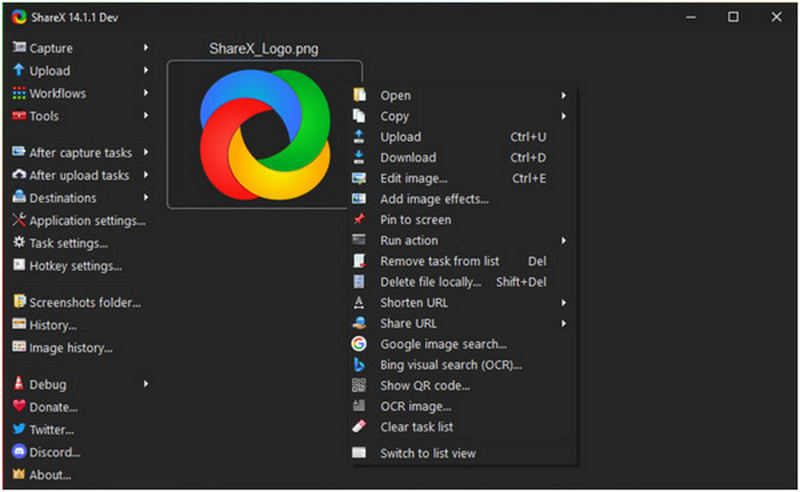
Since Snagit is paid software, the next program on this list is an open-source alternative: ShareX. Designed as a utility tool, this open-source solution includes essential features for both screen recording and screen capture. Given its background, the tool was designed by open-source developers to include key screen capture features vital for a program that fits as a Snagit alternative.
However, it shares the same technical limitations as most open-source programs. Its interface design and most of the tool’s functions are more geared toward advanced users. If you are a beginner and looking for newbie-friendly software, ShareX is a better fit as your second or third option.
- Versatile annotation and video editing tools.
- Versatile upload and exporting options.
- Highly customizable main interface.
- Only available on Windows.
- Its interface design may look complicated and advanced for beginners.
- Overwhelming settings and advanced features.
Top 3. Greenshot — Best Lightweight Screenshot Tool
Best Uses: Works great for dated and entry-level computers due to its extremely lightweight installation size.
User Rating: 3/5
Although Snagit is feature-rich and designed for all forms of screen recording and screenshots, this makes the program resource-demanding. This problem is the one our third featured alternative, Greenshot, will solve.
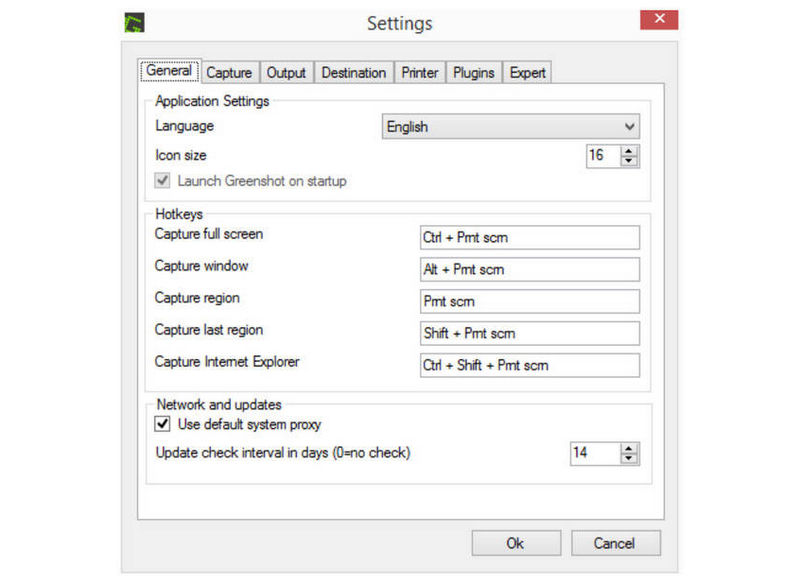
If you only plan to use a screenshot tool as an upgrade to the regular Snipping Tool or as a Snagit alternative, Greenshot fixes both problems. This option is extremely lightweight, designed for maximum ease of use, and its annotation tools are enough for essential tutorial images. For Windows users, it is an excellent free screen capture software similar to Snagit. Unfortunately, it is paid software for macOS users.
However, it has a major limitation: it lacks a screen recording mode. As such, we recommend it only for users who plan to use Snagit exclusively as a screenshot program.
- Very easy to use.
- Lightweight installation size and uses little to no resources.
- Equipped with essential annotation tools.
- No screen recording mode.
- Relatively basic annotation tools for screenshots.
- Unreliable scrolling screenshot mode.
Top 4. Loom — Best for Video Sharing and Team Collaboration
Best Uses: Creating video tutorials with speaker overlays.
User Rating: 4/5
Since the previous Snagit alternative we featured is designed as a substitute for its screenshot mode, the next program we will review is another option for users looking for a screen recorder: Loom.
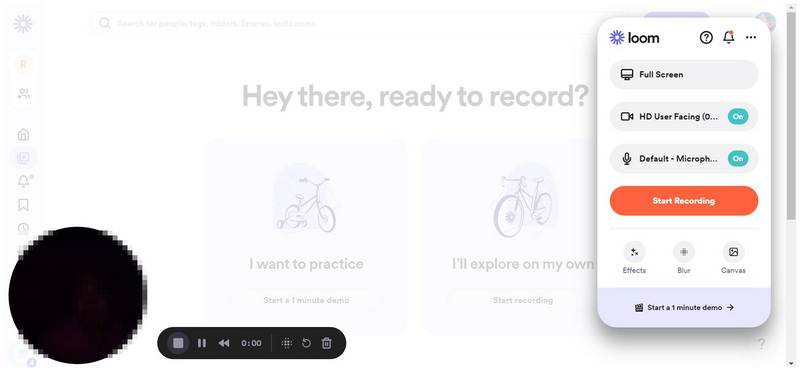
If you are looking for a program that makes sharing video recordings easier, Loom is a good choice as a Snagit alternative.
- Equipped with features for online collaborations.
- Supports recording webcam and screen simultaneously.
- Cross-platform available for desktop, mobile, and browser extensions.
- Primarily designed as a screen recorder. Minimal screenshot features.
- No scrolling screenshot option.
- Relies too heavily on cloud servers for storage and collaboration.
Top 5. PicPick — Best Screenshot Editing Alternative
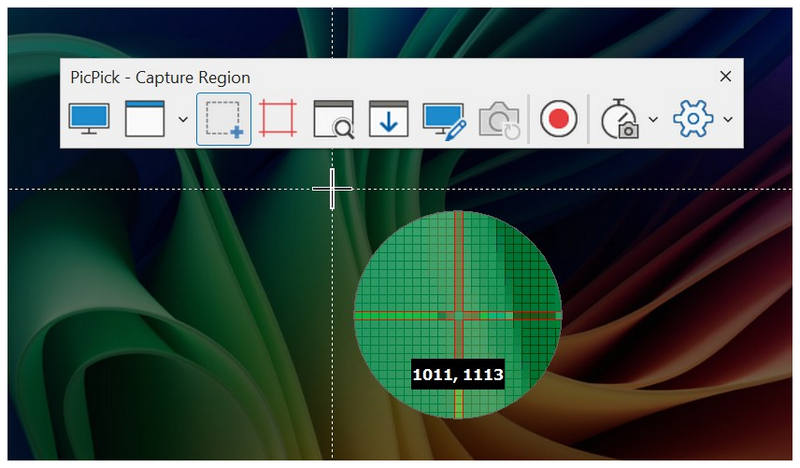
Best Uses: Advanced screen capture modes with scrolling capture, technical documentation, and advanced annotations.
User Rating: 3/5
Going back to balanced and versatile Snagit alternatives, we will start with PicPick. Although its features and modes lean towards making it an excellent screenshot option, the software is still equipped with essential tools for recording videos. This makes it a good free Snagit alternative for Windows 10 if you want an upgrade for capturing screenshots and recording screens.
Its annotation tools are its greatest strength, since the program’s editing options are more than enough for users who want more than a generic video-editing utility. Finally, its interface is designed to closely resemble Snagit’s, making former users of the tool transition smoothly to Snagit with no problem.
- Excellent screen capture features.
- Versatile and advanced image editing features.
- Snagit-style interface design.
- Only available in Windows.
- Using the tool for commercial uses requires the paid license.
- Very limited video editing tools.
Top 6. Ashampoo Snap — Best for Advanced Annotation Features
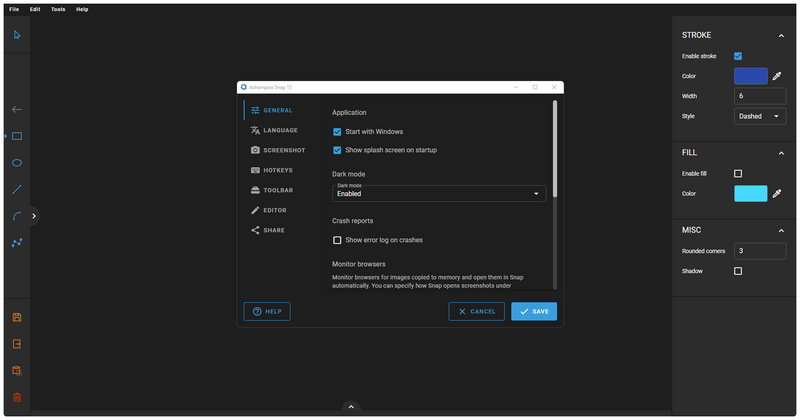
Best Uses: Advanced annotation features for editing both videos and images.
User Rating: 5/5
The final software we will feature is a Windows-exclusive commercial multimedia tool: Ashampoo Snap. Equipped with both screenshot and screen recording features, this program is designed to create a professional-looking screen and webcam recorder for tutorials and instructional videos.
Simply put, the program is an all-around production tool, with scrolling capture mode, extensive annotation settings, essential screen recording modes, and built-in image and video editing features.
However, the tool has a significant barrier: it is a paid option with no free-to-use version.
- ● Modern-looking and polished interface design.
- ● Excellent scrolling capture mode.
- ● Excellent annotation tools for both images and videos.
- ● Exclusive for Windows computers.
- ● Paid software. No free version.
- ● Advanced screenshot features are overkill for capturing simple screenshots.
Part 2. FAQs About Snagit Alternatives
What is the best macOS Snagit free alternative?
Among the options on this list, we recommend using ArkThinker Screen Recorder or Ashampoo Snap. These three programs excel in their specific use cases. For balance, use ArkThinker. On the other hand, Ashampoo is the best for professional use. Both programs are reliable choices for recording a webcam on a Mac.
Are there free screen capture tools like Snagit?
Yes, there are. Free-to-use programs for capturing both screenshots and screen recordings are common. Among the Snagit alternatives featured in this article, ArkThinker and ShareX are two of our recommended options.
What is the most reliable freeware to use as a Snagit Alternative?
The free-to-use market is very competitive, and screen capture and recording tools are not an exception. In this article alone, we have featured three options: ArkThinker, ShareX, and Greenshot. In terms of reliability and balance, ArkThinker takes the cake.
Do screen recorder tools have built-in screen capture mode?
Screenshot modes are a common addition for most screen recorder tools. However, they are not always a given feature. Since screen recorder tools are designed specifically to capture videos, this remains the program’s primary function. There are few screen recorder options without a screenshot mode. However, none is present in this article.
What free screen recorder should I use for watermark-free recordings?
A watermark is a common restriction used by freeware tools to encourage users to buy the full product. However, not all programs are designed as such. One great example is the free-to-use version of ArkThinker Screen Recorder, which is completely watermark-free and does not require a third-party video watermark remover.
Conclusion
With six of the most reliable Snagit alternatives in this article, we hope we have provided you with the right option for your needs. Whether you want to capture screenshots casually, record tutorials, or create a professional step-by-step guide, you will definitely find a program featured in this article that suits you. If you are still unsure which program best suits your needs, a safe choice is to pick the most versatile freeware option: ArkThinker Screen Recorder.
What do you think of this post? Click to rate this post.
Excellent
Rating: 4.9 / 5 (based on 701 votes)


