


macOS MP3 Converter: 6 Free, Reliable, and Functional Tools
Mac, an Apple device usually referred to as ‘Macintosh’ computers, is among the powerhouse computer devices with flagship features and specifications, and is also among the computers in the market that are highly regarded as premium computers. As a premium device, it might confuse users, as it operates differently from Windows devices. And among these is Mac's tight security around software tools on the device, which limits access to unsafe or harmful tools and helps keep users' data safe. Taking that into account when maximizing your Mac device, it can be troublesome if that layer of security prohibits you from doing tasks like converting MP3 files, etc. But worry not, as this article does the searching for you in search of reliable and usable MP3 converter tools for macOS. This guide has six tools with a comparison table and an overview of each tool to allow users to have an idea of each tool. Thus, help them identify their ideal MP3 converter tools for their macOS devices.

- GUIDE LIST
- Part 1. Best 6 MP3 Converter for Mac
- Part 2. How to Convert Audio Smoothly Free Online
- Part 3. FAQs about MP3 Converter for macOS
How We Test and Review
- • In the quest for working, reliable, and functional tools for this article, we browse the internet for the best MP3 converter tools for macOS devices, read other reviews, and use each tool for a week to create our own list. In how we test and review each tool, we use the following criteria to find the best macOS MP3 converter tool we think you are missing.
- • Accessibility. We reviewed MP3 converter tools based on the usability and accessibility on macOS devices as well as their appeal to different types of users, from novices to tech-savvy, to ensure a straightforward and smooth audio file conversion process.
- • Features and Functions. The main point of listing the best tool in this article is to compare and contrast each tool that is hailed as the best for readers to have only one option, but also to know each tool’s features and functions in converting MP3 files on Mac.
- • Quality. After using each tool, we listed its pros and cons based on our experience and the quality of the converted audio file to assure users that the tool can indeed produce high-quality or lossless quality.
| Tools | Pricing | Input File Format Support | User Rating |
|---|---|---|---|
| ArkThinker | Free | Supports 1000+ input and output file formats for audio and video. | 4.8 / 5 |
| Apple Music | Free Paid Version $10.99/month | AAC, ALAC, AIFF, MP3, and WAV | 3 / 5 |
| MediaHuman | Free | MP3, AAC, WMA, FLAC, WAV, OGG, and Apple Lossless formats | 3.9 / 5 |
| Switch Audio Converter | Free (Free Trial) $30- One-Time Payment | AAC, AC3, AIFC, APE, AU, MP3, MPC, WAV, WMA, and more. | 4 / 5 |
| FileZigZag | Free | AAC, MP3, WAV, FLAC, and more. | 4.2 / 5 |
| Audi Convert | Free | MP3, WAV, M4A, FLAC, MIDI, OGG, AAC, M4R, WMA, OPUS, AIFF and MMF formats. | 4.4 / 5 |
Part 1. Best 6 MP3 Converter for Mac
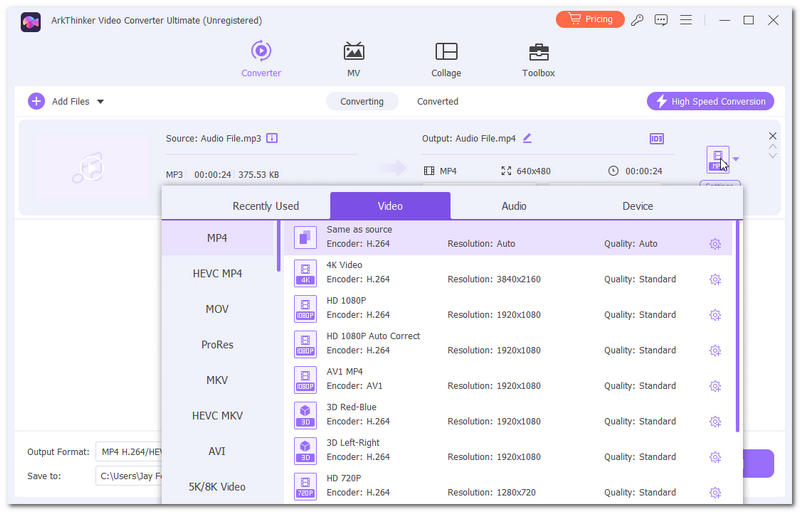
ArkThinker Video Converter Ultimate
Best For: Versatile Audio and Video File Converter.
Rating: 4.8 / 5
ArkThinker Video Converter Ultimate is a lightweight yet powerful MP3 converter software for Mac devices that allows users to easily and straightforwardly convert MP3 files to any other file format, as it has a wide range of file output support. On top of that, its conversion process has a high-speed conversion that can also process and convert multiple audio files with one click.
- Lightweight on macOS devices.
- AI-powered tool.
- Safe and guaranteed to work converter tool.
- Easy-to-use converter tool.
- It has a high conversion and processing speed.
- It has a wide range of video and audio file format support.
- It can be used to deal with video and audio file conversion.
- It is equipped with other editing and enhancement functions and features.
- It is lacking in terms of advanced features in the editing of video or audio files.
- An advanced level of features and functionality is accessible via the premium version.
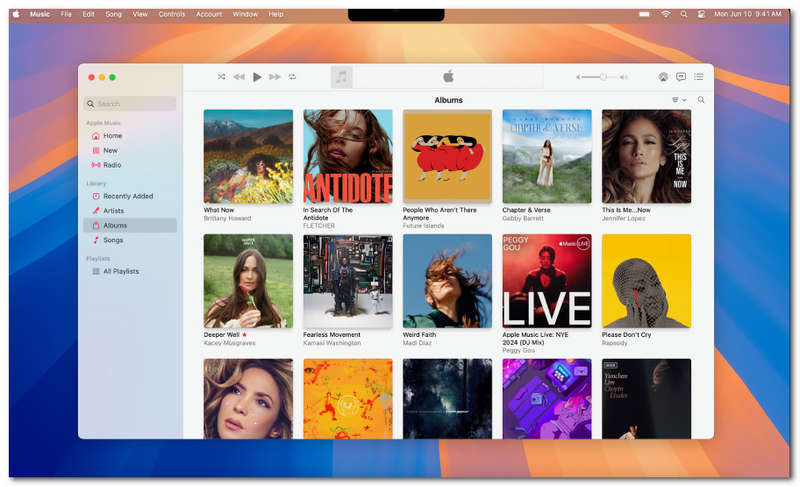
Apple Music App Built-In Encoder
Best For: Cross-Apple Devices Audio File Converter.
Rating: 3 / 5
The Apple Music app has a built-in encoder that allows it to play any audio file supported on the platforms automatically and in real-time. Thus, there’s no need for users to process or manually convert their audio file in the app; however, while this makes a straightforward and hassle-free way of audio conversion for Apple users on their Mac, it has its pros and cons, which we listed below.
- Built into all Apple devices.
- Easy to navigate app.
- Automatically converts the supported input audio file into real-time audio playback.
- It does not have customization options for the conversion of audio files.
- Its availability on Apple devices may limit cross-platform usability for other OS devices.
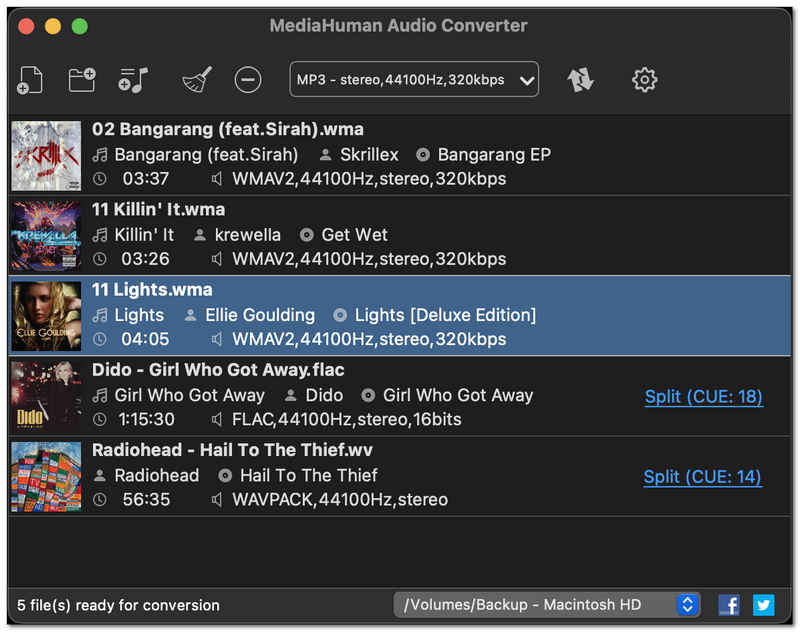
MediaHuman Audio Converter for macOS
Best For: Free AudioConverter for macOS.
Rating: 3.9 / 5
MediaHuman Audio Converter is another software-based audio file converter for macOS that is free to use and has lossless quality converter capabilities. In addition, the MediaHuman Audio Converter tool can handle multiple audio files on Mac to convert them into the user's preferred file format simultaneously.
- Simple and intuitive user interface.
- Can directly convert and export an audio file to iTunes.
- It can batch process and convert audio files.
- Lossless audio quality converter.
- It has an outdated user interface design.
- It lacks other editing functions for audio file conversion.
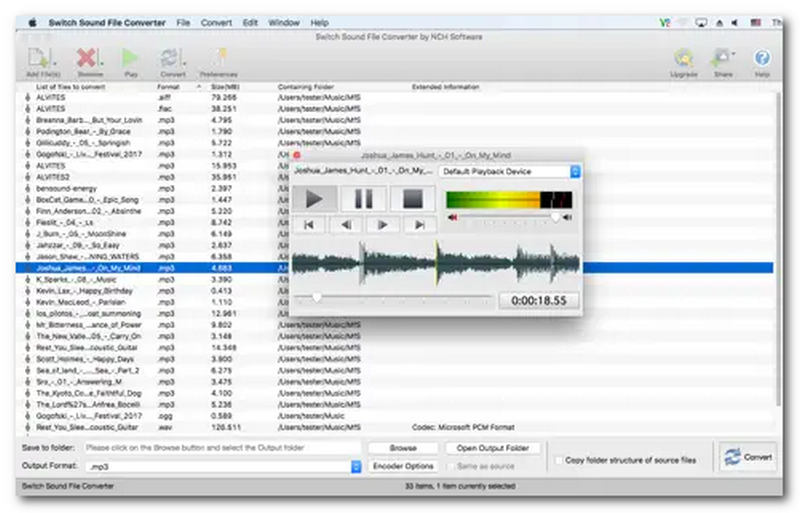
Switch Audio Converter for Mac
Best For: Stable Mult-Format Audio File Converter.
Rating: 4 / 5
Switch Audio Converter is an audio file converter tool available on the Apple App Store, making it an accessible and easy-to-download tool for Mac. It offers basic audio file conversion on Mac from MP3 to other audio file formats that the user prefers, making it one of the converter tools that has a wide file format support.
- Ease-of-use MP3 file format converter.
- Multiple file format support.
- It is capable of batch file conversion.
- It has a minimal and organized user interface.
- It comes with limited usage via a free trial.
FileZigZag
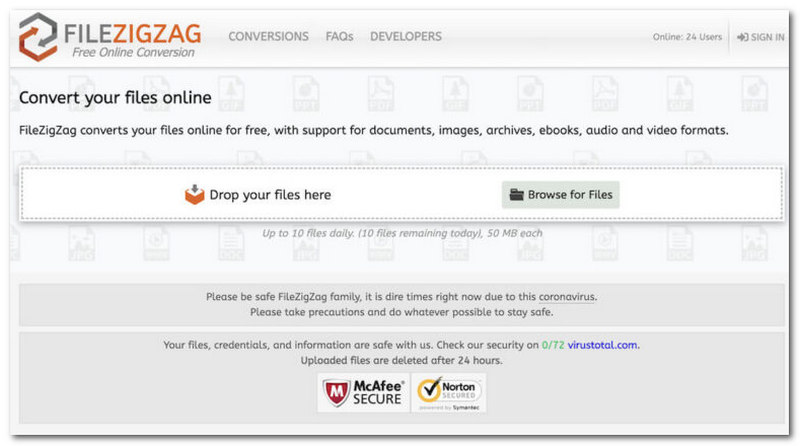
Best For: Web-Based macOS MP3 Converter Tool.
Rating: 4 / 5
FileZigZag is a web-based file converter that can also be used as an MP3 converter to WAV for Mac. This tool is perfect for Mac users who don’t want to install MP3 converter software on their Mac, as the conversion of audio files is on their webpage, making it convenient for users who like web-based tools.
- Free to use audio file converter for macOS browsers.
- Accessible and does not require software installation.
- Straightforward converter tool.
- Drag-and-Drop of audio files.
- It has a file size upload limit of up to 150 MB
- An internet-dependent audio file converter tool for Mac.
Audio Convert
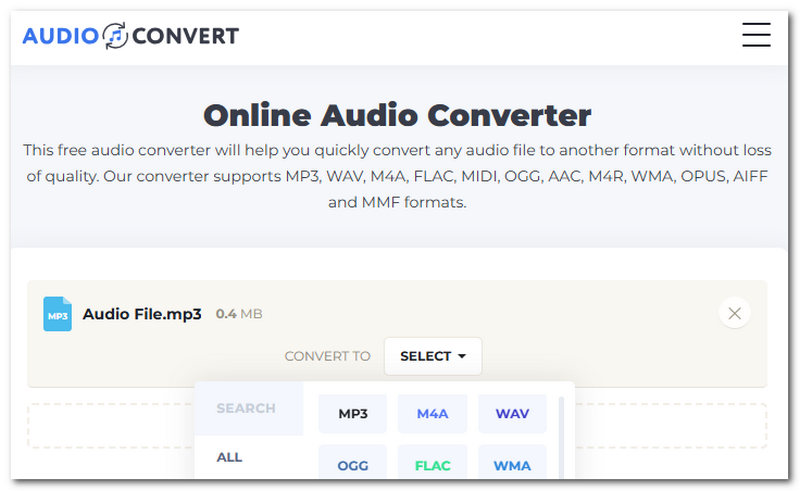
Best For: Fast Web-Based macOS Audio File Converter Tool.
Rating: 4.4 / 5
Audio Convert is a web-based MP3 file converter for macOS devices. This tool allows users to easily convert audio files with just one click, such as converting MP4 videos to MP3 audio. In addition, the tool is completely free to use with no login required and no hidden charges.
- Safe to use converter tool.
- Fast speed processing and conversion tool.
- Free to use tool.
- Supports multiple audio file formats.
- It can batch process multiple audio files.
- It lacks audio conversion editing functions.
- Internet-dependent converter tool.
Part 2. How to Convert Audio Smoothly Free Online
Regarding how to convert MP3 files on a Mac device, in this section, we will demonstrate the general process of audio file conversion using one of the listed tools above, the ArkThinker Video Converter Ultimate tool.
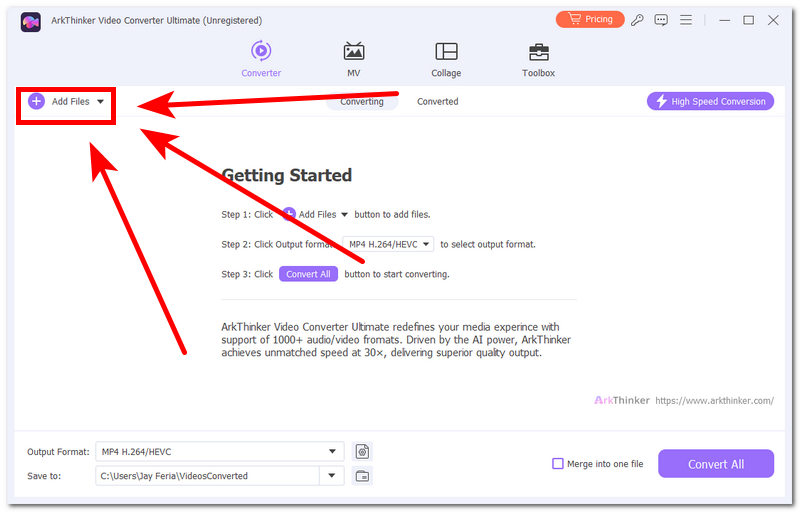
Firstly, open your Audio File Converter Tool using your Mac. In this case, we will use the ArkThinker Video Converter Ultimate.
After you open your Audio File Converter Tool on your Mac, proceed to load or add your audio file into the tool’s dedicated upload button.
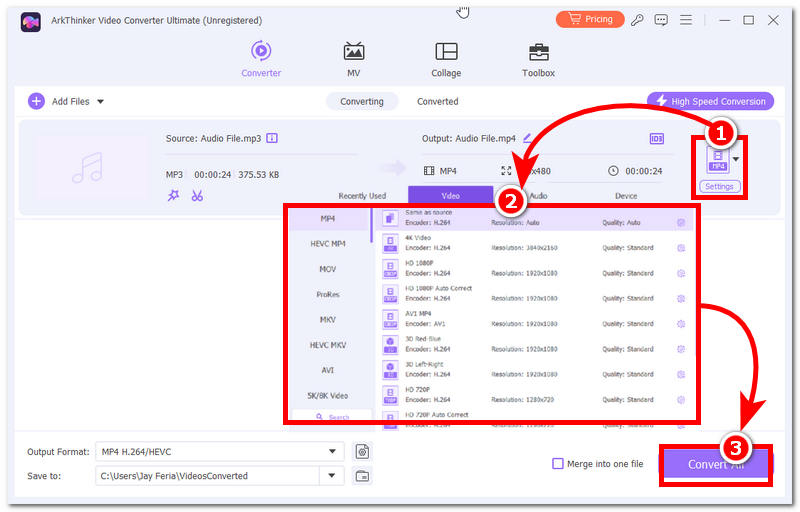
After loading your audio file into the tool, proceed to click on the File Format option situated on the right side of your screen. From there, simply choose the file format you wish your audio file to convert into.
Once you have changed the output file format of your audio file, simply click on the Convert All button to process and convert your file format effectively.
Part 3. FAQs about MP3 Converter for macOS
Why should I convert audio files to MP3 on a Mac?
The need and use of an audio file converter tool on devices like Mac has been necessary for a specific purpose. Purpose like reducing the audio file size, changing the audio file format to a more compatible file format for other devices, and more.
What audio formats can be converted to MP3?
As MP3 is the standard and widely used file format, it can be converted to other file formats like WAV, AIFF, FLAC, OGG, AAC, and more.
Will converting audio to MP3 reduce sound quality?
As MP3 files already have this compression that slightly reduces the audio file quality, converting it to another format may have a different effect on the sound quality of the audio file, depending on the bitrate; it may help or reduce the audio quality.
Conclusion
Using a Mac device can be overwhelming at times as it can have different methods and ways in which things are done,e and that includes how one can convert MP3 files using a Mac. As it is known for having a much stricter security, especially with the tools, it can be said that it has also become a challenge for macOS users to choose and search for a safe and usable MP3 converter. That’s why this article comes in handy, as not only do we list 6 best MP3 converters for Mac, but also list their pros and cons for readers, or Mac users will have the opportunity to compare each tool for their convenience.
What do you think of this post? Click to rate this post.
Excellent
Rating: 4.9 / 5 (based on 631 votes)


