


6 Batch Video Converter Tools: A User-Friendly Tool & Review
Video, as a powerful medium for storing memories, is one way to store a moving set of multiple frames of images in sync with audio, making it ideal for conveying messages or information with both visual and audio content. As the quality of the video is as important as the context it contains, the file format in which it is stored may not be playable or supported by other devices or platforms. And this inability to play across devices due to the wrong video format can hinder video playback or sometimes take up so much of the user's time to resolve. However, this problem is not something that is unfixable; in fact, there are now accessible tools made to resolve such inconvenience, like the batch convert video files tools.
This article will take a look at six capable video converter tools, highlighting their ability to batch-process multiple videos at once. Furthermore, this will guide users in finding the best batch video converter for their convenience, whether they are on desktop, online, or mobile.

Part 1. 6 Batch Video Converter Tools
ArkThinker Video Converter Ultimate
Best For: Powerful Versatile Batch Video Converter Tool
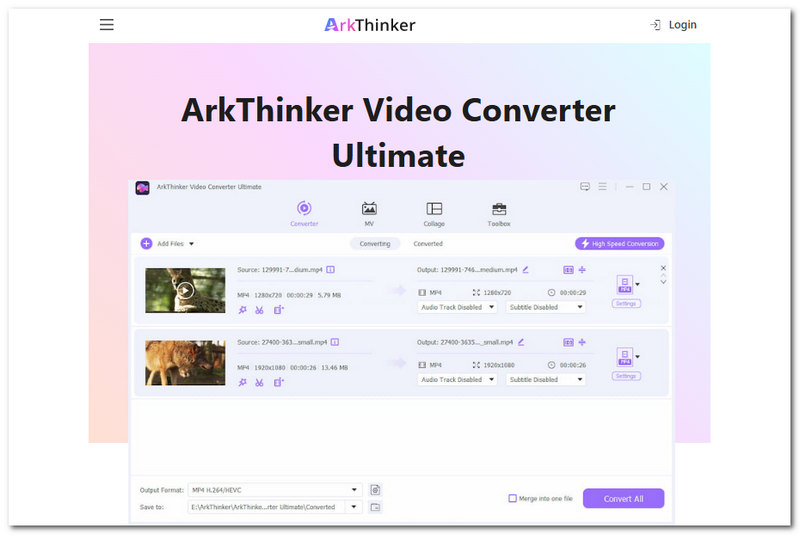
ArkThinker Video Converter Ultimate is a free-to-download software for Mac and Windows devices that provides a powerful video converter in a lightweight, user-friendly way. ArkThinker can easily convert both video and audio files in any format, including widely used formats like MP4 and MOV, thanks to its batch conversion feature. As a free batch video converter tool, Arkthinker is a good choice for both beginner and casual users, offering a simple, straightforward user interface and lossless conversion quality to ensure all users' media files are safe and can be converted to any file format they prefer.
Features:
- • Supported 1000+ Video and Audio File Formats.
- • Allows users to perform simple video editing, enhancement, and more.
- • Lossless conversion quality.
- • Batch conversion of video and audio files is supported.
- • Produce a watermark-free converted video.
Why Choose?
ArkThinker Video Converter Ultimate is the perfect balance of a powerful video converter and a beginner-friendly tool. It has an easy-to-work-around user interface that provides users with a clear sense of direction, showing where the features and tools are located for their needs. In terms of quality, it surely does not disappoint, as it offers lossless conversion from the start; on top of that, it converts files much faster than other tools.
| Platform Availability | Conversion Speed | Quality |
| Software-Based Tool (Mac and Windows) | It converts video and audio files to any file format at a faster rate compared to other video converter tools. | It maintains the high-quality of a file and converts it into other file formats at a lossless quality rate. |
HandBrake
Best For: Open-Source Batch Video Converter
HandBrake is a free batch convert video to MP4 software tool for Windows devices. As an open-source tool built to handle basic to average video file problems, like conversion, it has a supportive community that helps develop and resolve issues. This just extends the longevity of the tool for future improvements and updates to HandBrake for video file conversion.
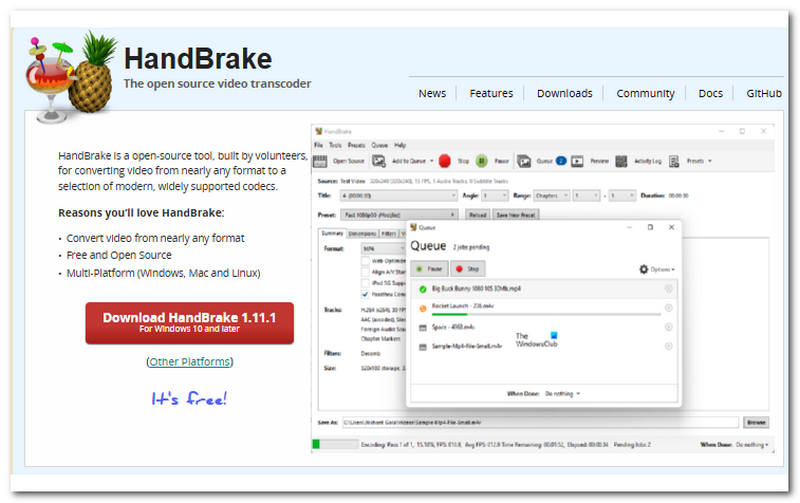
- Free to download and use.
- It has a simple user interface.
- Support batch video conversion.
- Lightweight to download.
- Users are limited to converting videos into three video file formats (MP4, MKV, and WebM)
- The conversion speed depends on the quality of the video file.
| Platform Availability | Conversion Speed | Quality |
| Software-Based Tool (Mac, Windows, and Linux) | The conversion speed is average when the video file is of high quality, expect a longer conversion time. | Maintains the original video file quality. |
VLC
Best For: Instant Video Player & Batch Video Converter In-One Tool
A popular open-source multimedia player that allows the display of video of any supported file format to play smoothly and have access to its extra features for enhancing the playback experience, and even basic file formats.
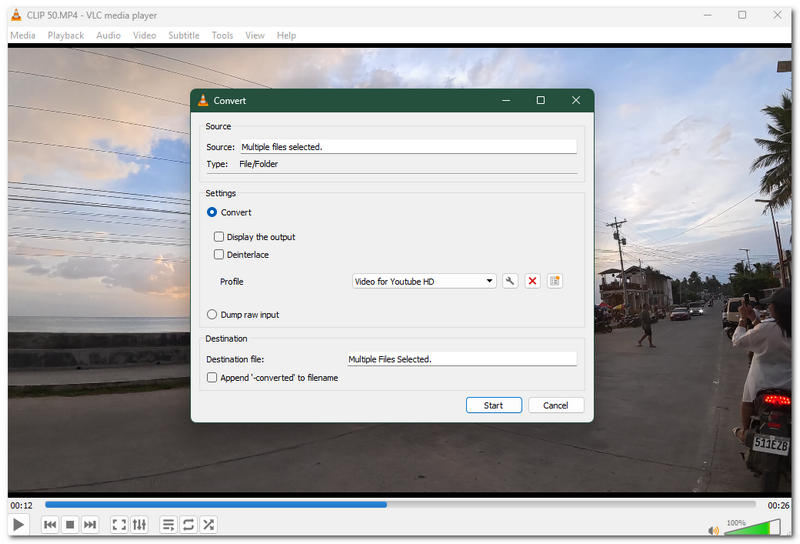
- Free and open source media player.
- It supports a wide range of video file formats.
- Cross-platform compatibility.
- Basic video conversion.
- Slower video conversion speed.
- Limited settings are available for conversion needs.
| Platform Availability | Conversion Speed | Quality |
| Software and Mobile App (Mac, Windows, Linux, Android, and iOS) | It has a moderate video file conversion speed. | Standard video quality. |
Cloudconvert
Best For: Online-Based Batch Video Converter Tool
Cloudconvert is a batch video converter online that handles a wide range of video file formats while also allowing users to batch process multiple video files at once for more convenient conversion needs.
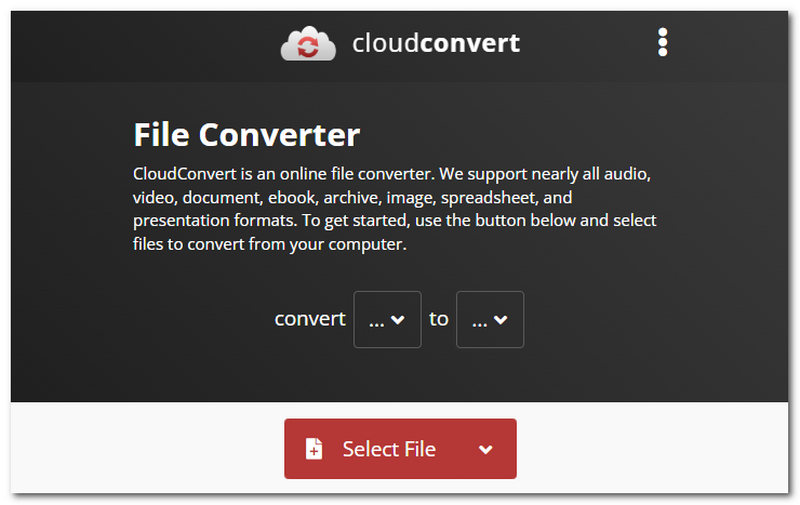
- Web-based batch video converter.
- No installation of third-party tools.
- Supports 200+ video file formats.
- ISO-certified for data security file conversion.
- It takes a relatively slow time to convert a file.
- May lower the video's overall quality after conversion to another file format.
| Platform Availability | Conversion Speed | Quality |
| Web-Based Tool | Slow in converting multiple video file formats. | Has a direct effect on the converted video file format by lowering it a bit. |
Any Video Converter
Best For: Video and Audio File Converter Tool
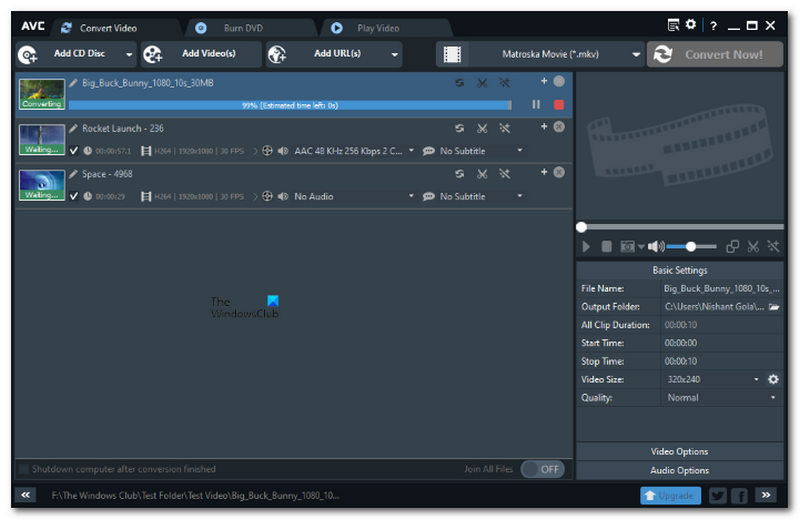
Any Video Converter is a premium batch video converter tool that offers a free version to give users a glimpse of its capabilities for those looking for a potential video and audio file converter.
- Supports multiple video file formats.
- Has a feature to allow editing videos.
- Has a straightforward and very familiar user interface.
- Comes with limited access to tools and features in its free version.
| Platform Availability | Conversion Speed | Quality |
| Software-Based Tool (Mac and Windows) | It has an average conversion speed that is dependent on the quality and file size of the video file. | It maintains the file’s original quality. |
Video to Video Converter
Best For: Converting Video File Formats
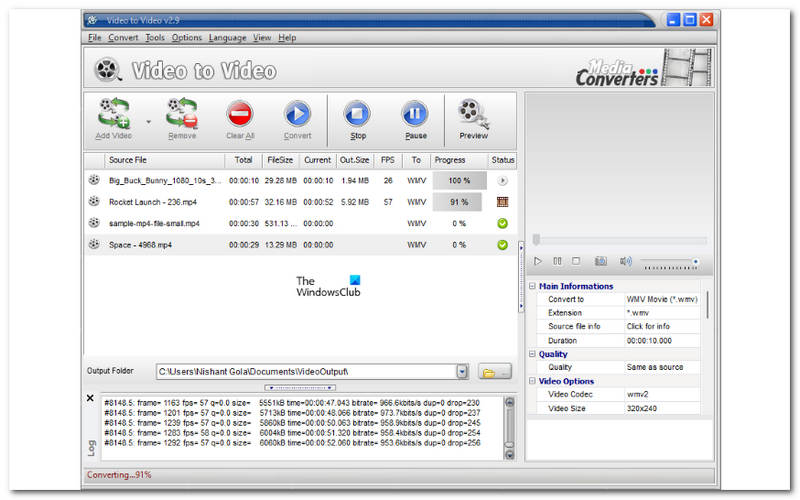
A Free batch video converter Windows tool that comes with not just a conversion feature but also more, making it a versatile tool to use for those who are looking for extra features in handling media files.
- Supported 200+ file formats for input and output.
- Lightweight software tool.
- Safe to use.
- It can be used as a batch video converter.
- It has an outdated user interface design.
- The user interface may confuse novices in using the tool properly.
| Platform Availability | Conversion Speed | Quality |
| Software-Based (Windows) | It has a slow conversion speed. | It has an average converted quality on the files. |
Part 2. FAQs about Batch Video Converter Tools
What is a batch video converter tool?
A batch video converter tool is a third-party program designed to convert multiple video files to other formats with ease, rather than processing them one by one. These tools allow users to convert multiple video files with a single click.
What formats are usually supported?
There are batch video converter tools that support multiple video file formats, to name a few: MP4, AVI, WMV, FLV, MOV, MKV, and more, each with different compatibility and compression characteristics.
Will batch conversion reduce video quality?
Not entirely; it depends on the tool the user is using to batch convert a video. This just means that to avoid such quality loss in your video files, ensure you use a verified, safe-to-use video converter tool.
Conclusion
In conclusion, as there is a need to convert af video file to another format to make the process a lot easier by using or relying on a third-party video converter tool, having said that, dealing with multiple videos to convert may takethe user forever to convert them one by one, as one can take relatively longer depenmding on the video quality and file size. But fret not, this article has explored a video converter tool that is capable of batch video converter open source tool for desktop, mobile, and online usage.
What do you think of this post? Click to rate this post.
Excellent
Rating: 4.9 / 5 (based on 641 votes)


