


Top 9 MKV to MP4 Format Converters Comparison Guide
MKV video file format, also known as Matroska Video, is a type of file format that is capable of containing almost unlimited video, audio, subtitle, and metadata tracks, which allows the media file to be played on wider devices and platforms. However, as popular as it is, compared to the MP4 file format, MKV may appear to fall short when it comes to compatibility, and that is among the reasons why there is a need for converting MKV files to MP4 files to achieve that certain compatibility when it comes to video playback on various mobile devices, browsers, smart TV’s, and more.
But fret not, as this article will help users get their hands on various MKV to MP4 converters in software and web-based forms to ensure users get the most convenient way of conversion. Hence, it’s up to the users which tools they will utilize for their conversion needs, as this article will give them an honest overview of each tool from a comparison point of view, up to pros and cons.

- GUIDE LIST
- Part 1. Top 9 MKV to MP4 Converters
- Part 2. How to Convert MKV to MP4 Online for Free
- Part 3. FAQs about Converting MKV to MP4 Files
How We Test and Review
In testing each MKV to MP4 video converter, we performed and kept in mind the following basis to ensure that we utilized each tool’s capabilities to its full potential to deliver an unbiased review.
- • We used each tool in real time to convert MKV files to MP4 for about a week to check the quality each tool offers when it comes to converting files that remain true and not just false advertising.
- • We checked each tool’s usability and convenience of use to ensure that all types of users may be able to utilize the tool’s service without confusion or getting into trouble.
- • We listed both pros and cons of the tools based on our experience so that users will have an idea of how the tools may behave when they use them.
| Converter Tools | Platforms | Conversion Speed | Video Quality |
| ArkThinker | Web-based tool | High-speed video converter tool | Lossless 4K video quality |
| HandBrake | Software-based tool | Slow to average speed depending on the customization settings | High video quality |
| CloudConvert | Web-based tool | It has a straightforward, average conversion speed | High-quality conversion |
| VLC | Software-based tool | Slower file format conversion speed | Does not affect video quality |
| Convertio | Web-based tool | Average conversion speed | It maintains the video quality result |
| Freemake | Software-based tool | High speed conversion speed | 4K video conversion quality |
| Wondershare | Software-based tool | High speed conversion speed | 4K video output quality |
| Video Candy | Web-based tool | Slow processing and conversion speed | Average video conversion quality |
| Canva | Web-based & Software-based tool | Average processing and conversion speed | High video quality |
Part 1. Top 9 MKV to MP4 Converters
ArkThinker Free Video Converter Online
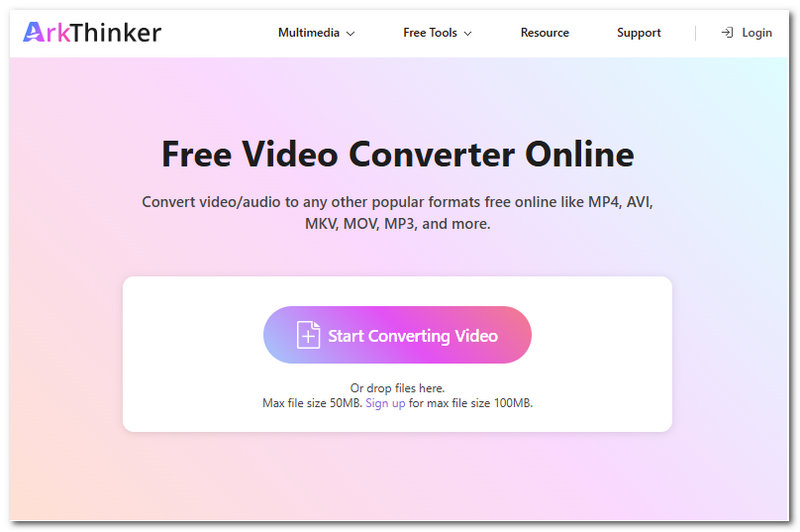
Best For: Best Web-Based Free Video Converter Tool
ArkThinker Free Video Converter Online is regarded as the best MKV to MP4 converter free from hidden charges by its users, as the tool simply works as a conversion tool straightforwardly without ads or even the need for users to create an account to proceed. Moreover, as a web-based tool, converting various video file formats is easy, as it works with drag-and-drop functionality and quick access to a wide range of output file formats.
Ratings: 4.8 / 5
- Free-to-use and easy-to-use tool.
- Web-based and lightweight converter tool.
- Safe to use tool.
- Produces a lossless video quality result.
- Wide range of file format compatibility.
- Supports 4K videos.
- Does not leave a watermark on the video.
- It is an internet-dependent converter tool.
HandBrake Open Source Converter
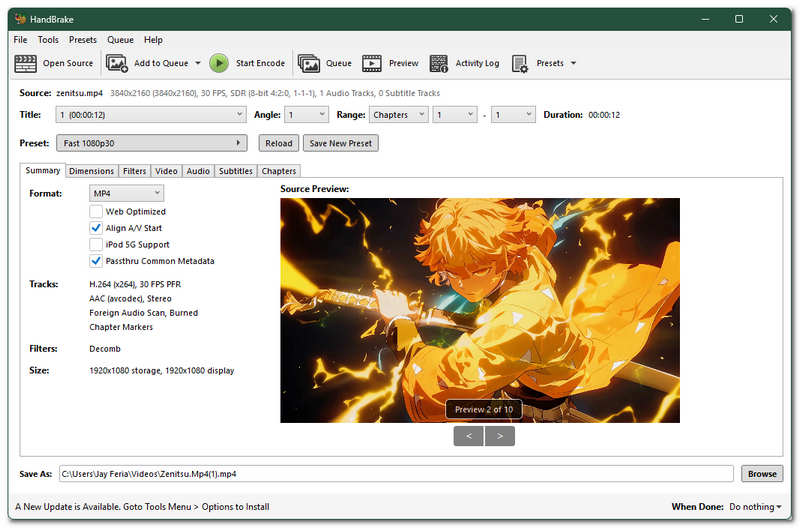
Best For: Free and Open Source Video Converter Software Tool
HandBrake is a well-known open-source software tool that is capable of performing various media file modification needs, including conversion of file format. As a software-based video converter tool, it is jam-packed with multiple functions and features to edit a video file format, allowing tons of room for customization needs—as well as advanced settings for encoding and more.
Ratings: 4 / 5
- Free and open-source tool.
- Capable of multiple file batch conversion.
- It has advanced customization settings.
- High output video quality.
- The user interface may appear overwhelming to some users.
- The conversion speed can be relatively slow depending on the export settings.
CloudConvert Online File Converter
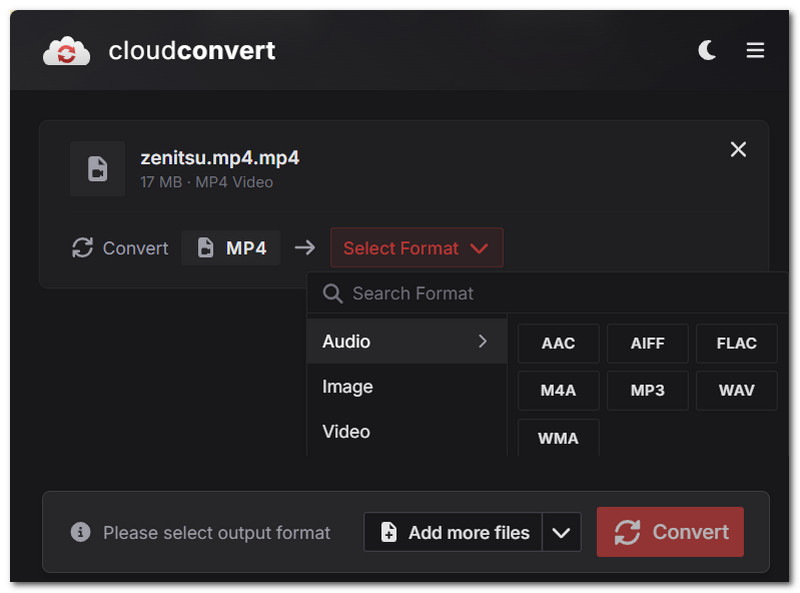
Best For: Straightforward Media File Converter Tool
A Web-based video converter tool that allows users to convert all kinds of media, such as video files, into any format. In addition, CloudConvert also has a wide range of file format support to ensure that users can utilize the tool to perform a free MKV to MP4 conversion in high-quality output format.
Ratings: 3.5 / 5
- Lightweight on user web browsers.
- Does not require users to install software.
- Supports a wide range of file formats.
- High video quality export.
- Cloud-based and safe to use video converter tool.
- Requires a stable internet connection.
- It comes with limited daily conversion file limits.
VLC Media Player Converter Function
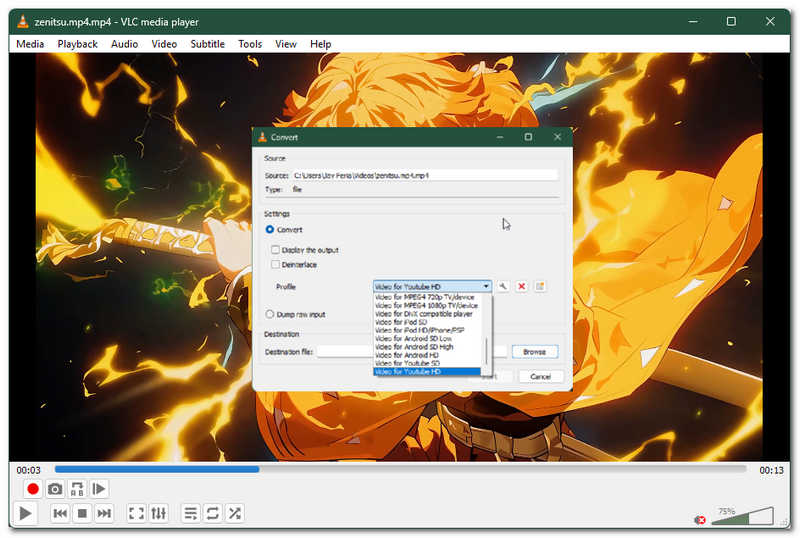
Best For: Video Player and Quick Video File Format Conversion Software Tool
VLC Media Player is a popular, free, and open-source media player available on all desktop devices and mobile devices, allowing users to open media files that are in a file format that is not playable on other devices, making it possible. This media player is not just your typical media player, as it can also be used to perform basic media file customization, like changing the file format to be able to play a video file in the media player.
Ratings: 3.9 / 5
- Free and open-source video player and converter software tool.
- It supports a variety of video file formats.
- Does not leave a watermark on the video.
- The conversion happens in real time while the video plays in the media player.
- It comes with limited editing functions for conversion to other file formats.
- It has a very slow conversion speed.
Convertio Online Video Converter
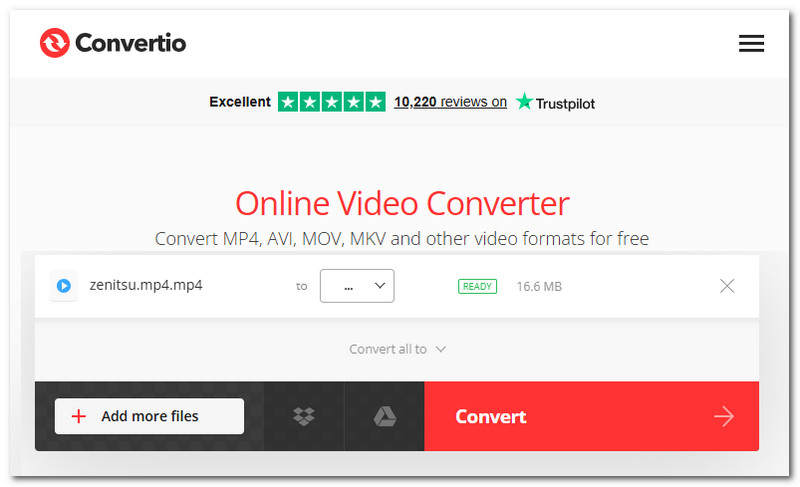
Best For: Straightforward and Fast Video Converter Tool
Convertio Online Video Converter tool is another web-based video converter tool that gives instant access to a video converter tool without the need to install third-party software or log in to an account just to use its service.
Ratings: 3.3 / 5
- Fast and easy-to-use video converter tool.
- It is accessible and can be used on all types of devices.
- It supports popular file format output.
- It lacks certain customization settings for a better conversion process.
- It needs an internet connection for users to be able to convert their MKV files to MP4 effectively.
Freemake Video Converter
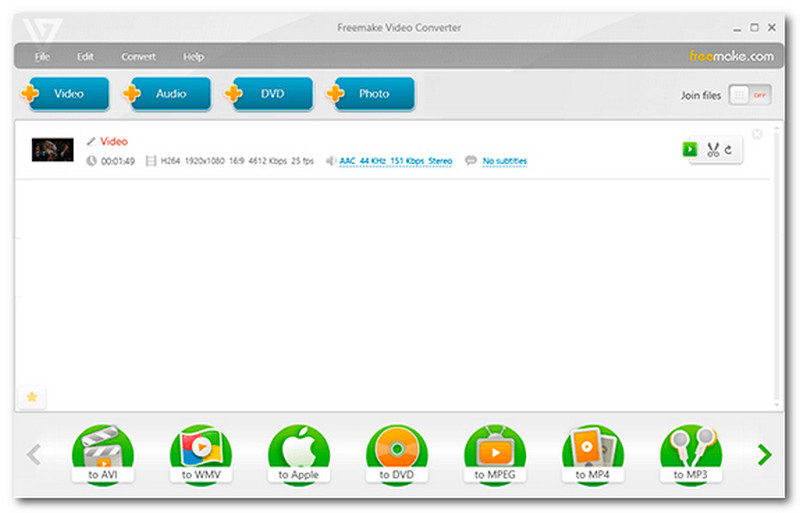
Best For: Easy-to-Use with Basic Editing Function Video Conversion Tool
Freemake Video Converter is a software-based MKV format to MP4 converter that is capable of converting any media files to other file formats, as it has a wide range of supported file formats, allowing users to have that flexibility in choosing their preferred video file format as needed.
Ratings: 3.8 / 5
- Supports file conversion of both popular and non-popular file formats.
- Capable of 4K video quality export.
- Offers users a selection of tools for enhancing and editing video files before exporting them to other file formats.
- Free-to-download software tool.
- Beginner-friendly video converter tool.
- Its free version gives a watermark to the exported videos.
- Some features of the tool are locked behind a premium paywall.
Wondershare UniConverter
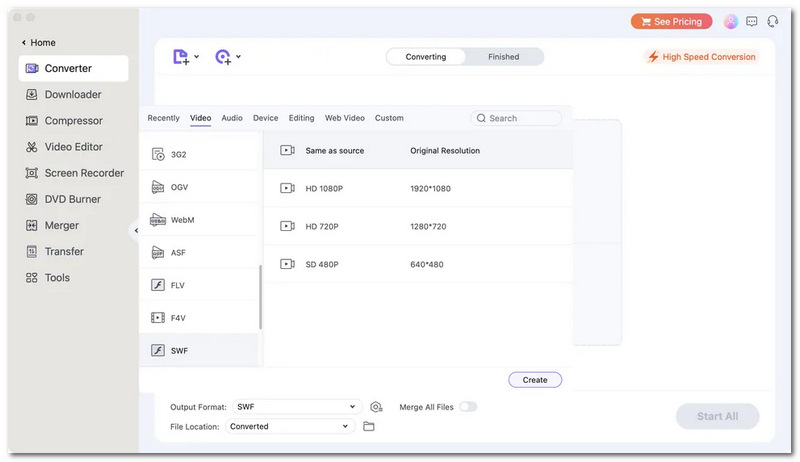
Best For: Premium Flexible Video Converter Tool
Wondershare UniConverter has always been on the list when it comes to dealing with media files. This type of tool has been regarded as an all-in-one AI video converter and enhancer in one tool that offers not just seamless video conversion to other file formats but also allows room for further enhancement of the video to its fullest capacity through the help of modern tech like AI.
Ratings: 4.3 / 5
- It has advanced video converter editing.
- It is capable of compression and DVD burning functionality.
- High video output quality.
- Capable of batch processing video conversion.
- It has a very expensive premium subscription.
- The free version comes with limited access and use of features and functions.
Video Candy
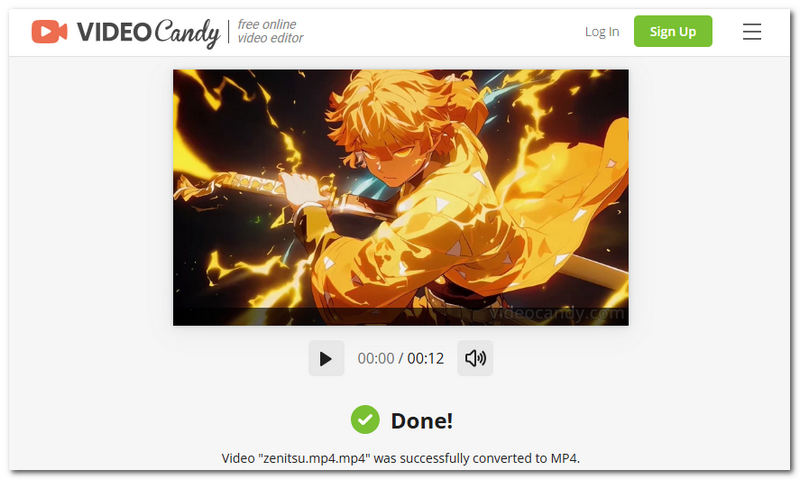
Best For: Quick MKV to MP4 Video Converter Free
Video Candy is a web-based video converter tool that is capable of handling basic to average tasks of video conversion needs like turning MKV files into MP4. This video converter tool is designed for those users who are in need of instantaneous access to a converter tool that does not force users to create an account or install a third-party software tool.
Ratings:3.5 / 5
- Web-based MKV to MP4 conversion tool.
- It has a clean and straightforward user interface.
- Lightweight on user web browsers.
- Safe and secure converter tool.
- Offers basic video editing tools.
- It processes video files relatively slowly.
- It puts a watermark on the video and can only be removed by a premium subscription.
- It comes with file size restrictions.
Canva
Best For: Versatile Design and Video Converter Tool
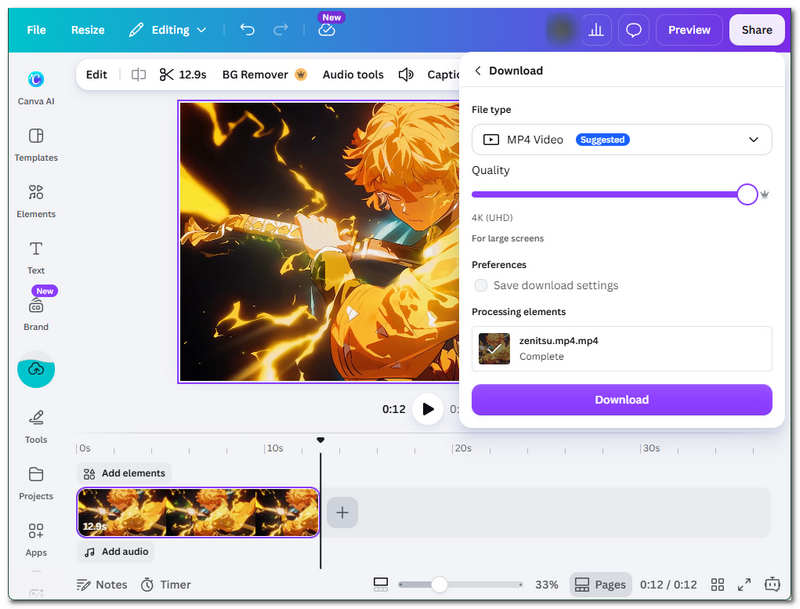
Canva is mostly known as a design tool allowing users to create motion graphics and design in its platform. But with wise usage, it can also be used to export your MKV files to MP4. As a tool that can also be used to perform simple video editing tasks, converting to MP4 is no hard task. Thus, utilizing such a tool, users have both access to a video enhancement and editing tool as well as a conversion tool perfect for multi-purpose video export needs.
Ratings: 4.7 / 5
- Easy-to-use tool.
- Safe and produces high-quality video export.
- Compatible with desktop, web browser, and mobile application use.
- Wide range of video file format compatibility.
- Subscription-based tool.
- Its free version comes with limited functions and feature usage.
- It requires an account for users to use its services.
- Does not support multiple video processing.
Part 2. How to Convert MKV to MP4 Online for Free
In this section, you will have a general idea of how to convert MKV to MP4 files for free regardless of what tools you opt for from the abovementioned tools. Thus, for effective conversion of your video files, simply follow the general steps below.
If you are using a web-based tool, simply head over to its official website to access the video conversion tool. Otherwise, for a software-based tool, you will have to download and install the tool before you can access its service.
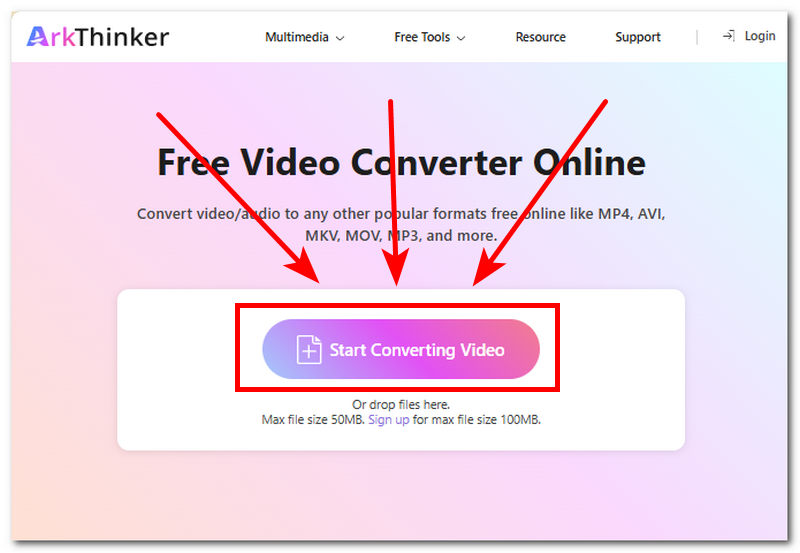
Once you are on the web-based video conversion tool webpage, like the ArkThinker Free Video Converter Online tool, proceed to click on the Start Converting Video button and load the MKV files you wish to convert into MP4, respectively.
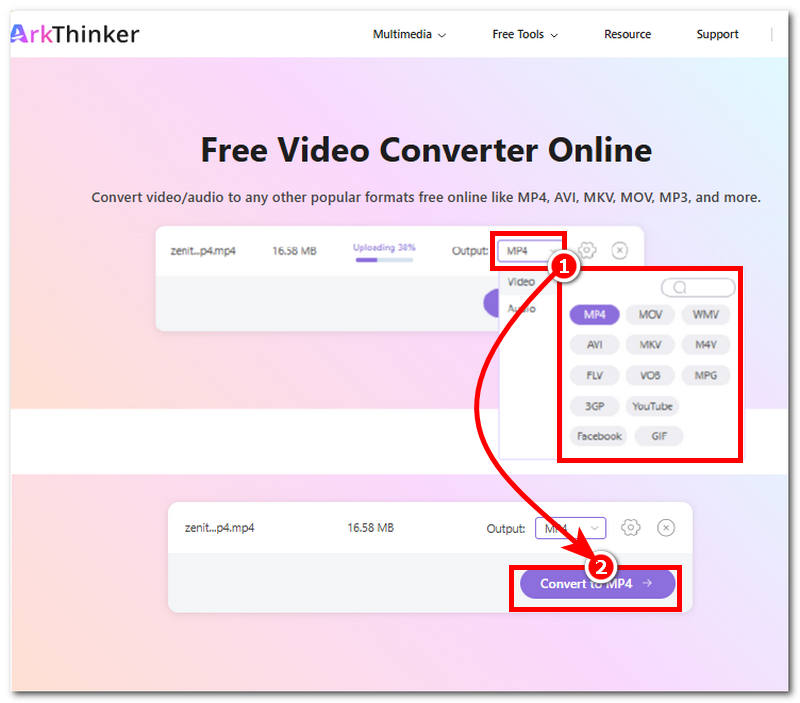
After loading your MKV files into the tool, proceed to select your output file format. In this case, choose the MP4 file format. After choosing your export file format, click on the Convert button for your video file to begin the conversion process.
Part 3. FAQs about Converting MKV to MP4 Files
Why should I convert MKV to MP4?
The need for conversion from MKV to MP4 can be rooted in better file format compatibility, easier video file upload on social media, and smaller file size.
Will converting MKV to MP4 reduce video quality?
Not necessarily; if the process only involves conversion of the video file format, most tools retain the original quality of the video. However, if users perform slight adjustments on it, then it may have a significant effect on the quality of the video.
Conclusion
MKV as a video file format is already established and now used for open-source video containers; whether it be for holding video that is later to use for social media or streaming platforms, there will be a time that users will need to convert it into a more compatible and widely accepted file format like MP4. This article has listed the best 9 free MKV to MP4 converters for users to compare and eventually decide which tool to use for their video conversion needs. This article has listed a combination of web-based and software-based video converter tools, ensuring users have an option to consider.
What do you think of this post? Click to rate this post.
Excellent
Rating: 4.9 / 5 (based on 601 votes)


