


3 MP3 Audio Speed Changer: Software, Online & Media Player
Quick Answer
Three reliable MP3 speedchanging options: ArkThinker Video Converter Ultimate for desktop lossquality batch exports (0.125x8x speed); VLC Media Player for free realtime playback speed adjustment (no exported output); Audio Trimmer for fast browseronly audio editing (max 100 MB file size). Desktop tools generally offer better sound quality, while online tools demand internet and carry filesize limits.
Users will need to have some ways to control or adjust the audio speed to their liking or pace so that the impartation of context is effective. Regardless of the length of the audio file, to change MP3 speed, users must use a third-party tool that allows them to effectively adjust their MP3 speed. This article will feature three categories of MP3 speed changer tools, which user may compare and contrast to learn an effective and convenient method to use when they want to change their audio file speed using their device.

- GUIDE LIST
- Part 1. Choose the Best Tool to Change MP3 Speed
- Part 2. How to Change MP3 Speed on Windows and Mac Without Losing Quality
- Part 3. FAQs about MP3 File Speed Changer
How We Test and Review
In listing an Audio Speed Changer Tool in this guide, we follow certain guidelines to serve as our basis in choosing the best tool for users to change audio file speed according to the three distinctions of each tool listed below. This ensures that users on mobile, web-based, and desktop devices have access to such a tool when in need of an MP3 speed changer tool.
- • Usability. We test each tool for a week to determine which device or platform each tool is ideally suited for. From our oneweek testing, we found VLC Media Player delivers the best pitch preservation during playback speed adjustments, while online tools suffer noticeable quality drops when handling longer MP3 files.
- • Functionality. In our actual testing of each tool, we have explored the tools and discovered all added functions, which we think can help users elevate and improve their audio speed-changing needs when using them.
- • Performance. We test the performance of the audio speed changer tool through its functions, features, and sound quality.
Part 1. Choose the Best Tool to Change MP3 Speed
Desktop Pick: ArkThinker Video Converter Ultimate
Best For: Multi-Purpose & Batch MP3 Speed Changer Tool
Ratings: 4.6 / 5
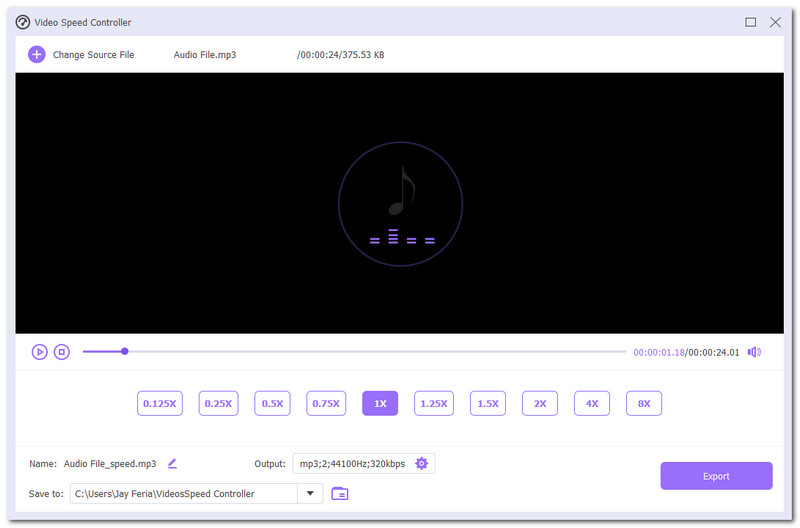
ArkThinker Video Converter Ultimate is a software-based MP3 speed changer free from hidden charges, as it provides user free use of its services while maintaining a lightweight type of tool to ensure all desktop devices can easily run the tool. In addition, it doubles as a video and audio editor that features a variety of enhancement tools and functions, marking it as a multi-purpose tool.
- Free-to-use and easy-to-use audio and video speed changer tool.
- It houses multiple audio and video editing and enhancer tools.
- Guaranteed to work tool.
- It is capable of multiple audio file batch processing.
- It offers a wide range of audio speeds from 0.125 to 8x speed options.
- It caters for video and audio file types.
- Lightweight software tool on a desktop device.
- Generate a lossless audio quality.
- Not available for mobile use.
Verdict:
Using ArkThinker Video Converter Ultimate as a desktop audio speed changer has the perfect balance of convenience, usage, and functionality, as it manages to produce lossless audio quality while at the same time retaining that easy-to-use and lightweight for the user device, it supports more than 20 audio formats for MP3 speed‑adjustment exports. The amount of audio and video editing and enhancement features in this tool can make the user lessen the need to use other online tools and services when there is a need for simple editing, adjustment, as well as conversion between audio and video files.
Video Player Pick: VLC Media Player
Best For: Real-time Video Playback Speed Changer Tool
Ratings: 4.4 / 5
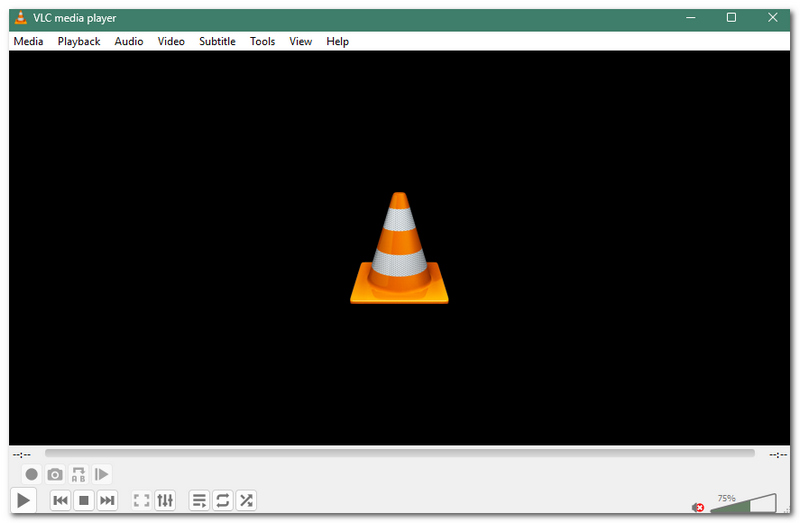
VLC Media Player is an open-source and free-to-use media player that is used for displaying video and audio files. As the best pick for the video player category when it comes to real-time audio speed changing, users can easily adjust the media speed to their liking with a single press of the button located on the player screen.
- Available to use on desktop and Mobile Device.
- Lightweight on device.
- Free to use media player.
- Supported a wide range of video and audio file formats.
- Real-time video and audio playback speed changer.
- It lacks extra features for changing the speed of audio and video file.
- Does not save or export the speed changes of the audio file.
Verdict:
VLC Media Player is the perfect balance tool to use for users who are using desktop and mobile devices to play video or audio files. While its capabilities in changing a certain media file speed are straightforward, it doesn’t export or produce a copy with the speed adjustment of the file, meaning the speed change only occurs during playback and only in the media player.
Online Pick: Audio Trimmer
Best For: Quick, Accessible Mobile & Web-based Audio Speed Changer Tool
Ratings: 3.9 / 5
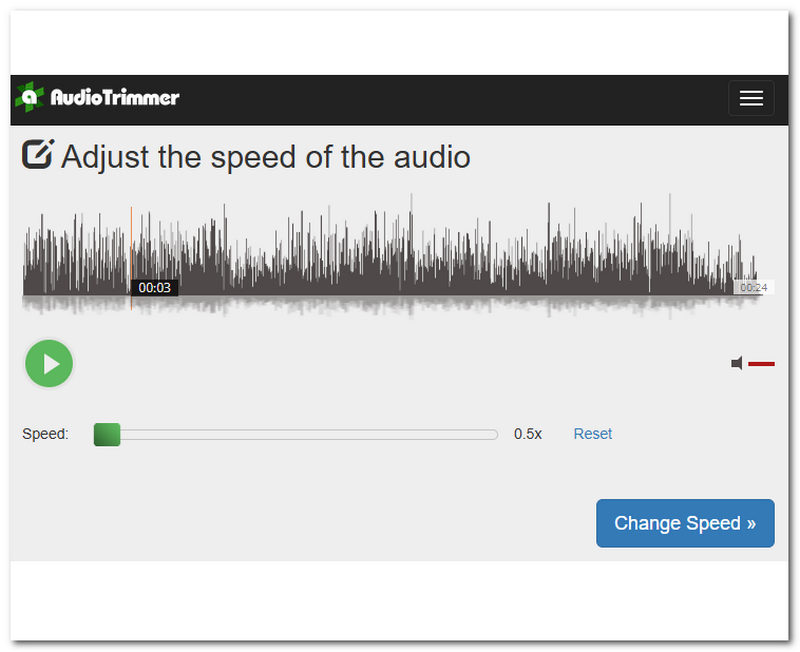
Audio Trimmer is an MP3 speed changer online -based tool that is capable of changing audio file of within a 100MB size, perfect for instantaneous and quick access to online tools that require no installation or login to an account.
- Accessible audio speed changer tool. Easy-to-use tool.
- One-click functionality.
- Straightforward audio file speed adjustment tool.
- It has ads on its webpage.
- Limited audio file adjustment features and tools.
- Requires internet connectivity.
Verdict:
Audio Trimmer is the best-picked tool as an online or web-based audio file speed changer, as it runs only in a browser, perfect for quick audio file speed-changing needs. It enforces a hard 100 MB perfile cap and cannot process multifile batches. While convenience and accessibility are its primary functions for users of a web-browser tool, it is perfect for changing any audio file speed, especially for personal or casual use.
Part 2. How to Change MP3 Speed on Windows and Mac Without Losing Quality
When it comes to changing MP3 speed on desktop devices (Windows and Mac), a tool like ArkThinker Video Converter Ultimate is the perfect tool, as it is available on both devices, and it also gives some sort of control to further improve and retain as much sound quality in the file without distorting its pitch. To do so, simply follow the general steps on how to change the speed of an audio file using a software tool on your desktop device.
Using your desktop device (Windows or Mac), download and install the ArkThinker Video Converter Ultimate tool.
Once done with the installation process, proceed to open the tool and, from its main interface, head over to the Toolbox section and click on the Video Speed Controller feature.
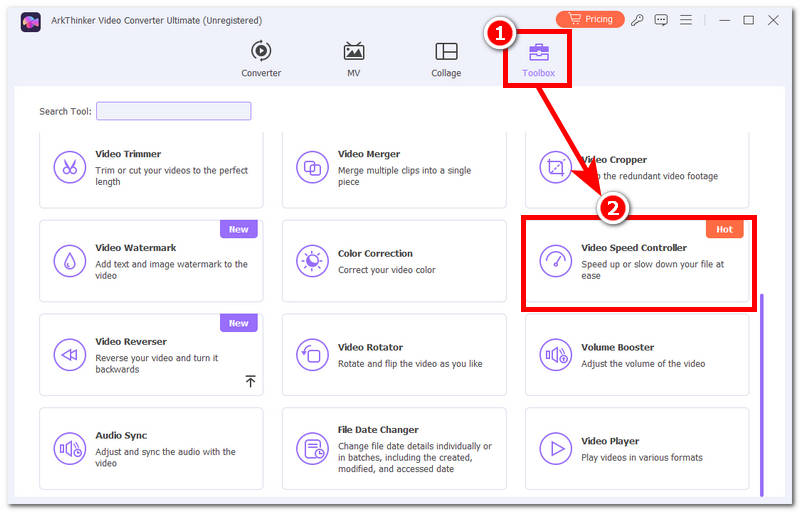
After clicking on the Video Speed Controller feature, proceed to load the audio file you wish to change or adjust its speed.
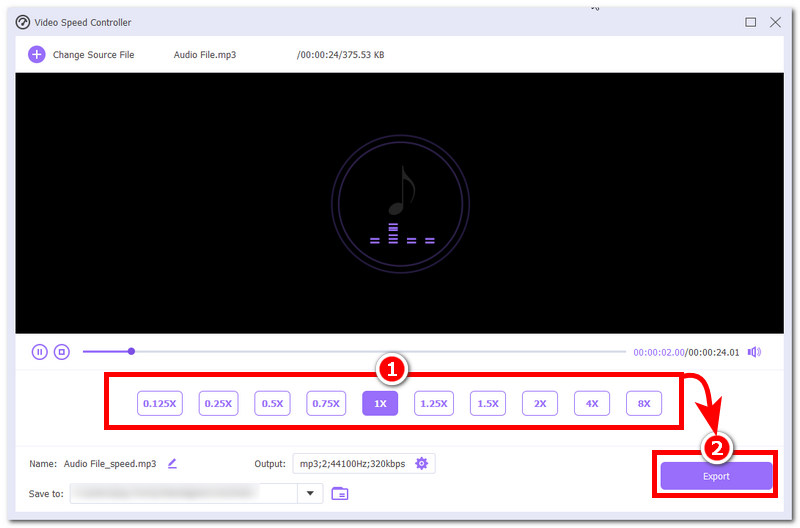
From the Video Speed Controller, simply select your preferred audio speed from the options available, and once you are satisfied with the speed and quality, you may now click on the Export button to have it downloaded to your desktop device.
Part 3. FAQs about MP3 File Speed Changer
Will changing the playback speed reduce audio quality?
It depends on the tools you are using. While there is an evident effect on the audio file when adjusting its speed, the only thing a user can do is use a tool that lessens the distortion of pitch when changing the audio speed.
Do online MP3 speed changers have file size limits?
Yes, most online tools come with a file size limit. This is to make up for being a web-based tool,l as well as make the process a lot easier and faster compared to having a larger file size.
Conclusion
As audio files, especially those with longer duration, can be at times exhausting to finish listening to, a way for users to speed things up is to use an MP3 speed changer tool. Speed changer tool helps users to adjust the audio file speed, as they can decide to speed it up for faster listening or grasp the context by slowing the audio file for better listening. Regardless of the user's preferred audio speed, it is also important for them to know the ideal tools to use depending on their device, which this guide categorizes into three tools to use on desktop devices: a media player and a web-based tool.
What do you think of this post? Click to rate this post.
Excellent
Rating: 4.9 / 5 (based on 661 votes)


