


5 Audio Speed Changer Tools: Overview, Pros & Cons, and More
Quick Summary
This guide lists 5 reliable, user-friendly, and cost-efficient audio speed changer tools for users to get their hands on for effective and seamless changing of audio file speed. Discover each tool’s overview, pros & cons, and our verdict while using the tool for a transparent and honest insight into using an audio speed changer to help users find the best and most compatible tools to use.
Are you someone who is having trouble listening to a podcast or audio-type media, as the speaker of the audio may seem to speak too fast or sometimes too slow for you to grasp the context? If so, a third-party tool that allows you to adjust the audio file speed without distorting the overall sound quality–an audio speed changer.

- GUIDE LIST
- Part 1. 5 Best Audio Speed Changers You Should Try
- Part 2. Step-By-Step Tutorial: How to Change Audio Speed Without Distorting the Sound Pitch
- Part 3. FAQs about Audio Speed Changer
How We Test and Review
Before proceeding to this guide on the best audio speed changer tools, users need to know our basis for choosing and listing the following tools. Thus, in this section, you will have an overview of our standards for an audio speed changer tool, as well as a brief comparison of each tool in table form.
- • Usability. We check the overall usability of various tools in terms of the types of users who can access and use the tool, the type of device the tool can run on, as well as the usability of the tool as a free-to-use tool.
- • Functionality. We check the tool’s overall function and use for changing an audio speed; this includes checking the features it offers for maintaining audio file quality, other functions for improving audio while changing its speed, and such.
- • Performance. We ensure we use each tool for a period of time to see if the results each tool produces are consistent and can be trusted in handling different audio file formats.
| Tools | Platforms | Batch Processing | Best Use Case |
| ArkThinker | Software-based | Yes | Personal and professional audio speed-changing needs. |
| Audacity | Software-based | Yes | Professional audio speed-changing needs. |
| Audioalter | Web-based | No | Instantaneous access to an audio speed-changing tool. |
| 123apps | Web-based | No | Precise audio speed changer tool. |
| Fliki | Web-based | No | Casual usage of an audio speed changer tool. |
Part 1. 5 Best Audio Speed Changers You Should Try
ArkThinker Video Converter Ultimate
Best For: Desktop Audio Speed Control Software Tool
Ratings: 4.5 / 5
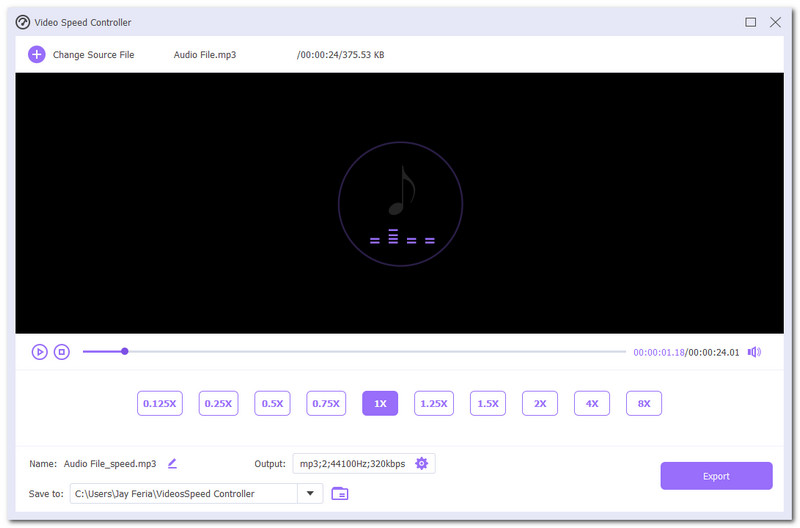
ArkThinker Video Converter Ultimate is a lightweight software-based multi-purpose tool that allows users to access various tools for improving, editing, or enhancing audio and video files. Among the tools that it offers is the audio speed changer, which is located in the toolbox section. Moreover, in the said audio speed changer function, it is usable for both video and audio files while allowing users to slow down music to 0.25x or speed up to 8x, ensuring users have all the speed options to choose from for their preferred speed on their audio file. It supports over 25 audio and video formats, accepts individual files up to 2 GB, and completes typical one-hour-long audio exports within 40 seconds on regular consumer desktops.
- Free to use audio speed changer tool.
- It contains multiple audio and video editing and enhancer tools.
- Easy-to-use tool with a straightforward user interface.
- It is capable of multiple-file batch processing.
- Wide selection of speed options.
- It caters for video and audio file types.
- A wide range of supported audio file formats.
- Lightweight software tool.
- Currently exclusive as a software-based tool.
Verdict
In utilizing the ArkThinker Video Converter Ultimate tool for changing the audio speed, we love the inclusion of varius audio and video file features, eliminating the hassle of using different tools to enhance the video or for this case, audio files, as the tool gives users access to simple audio editing like cropping, merging, and fade effects tool which is useful for fine tuning the overall sound production just incase the user needs it. In our handson test, a 42minute podcast sped up from 1x to 1.5x retained clear human voice and finished exporting in 18 seconds. The tool is working on all desktop devices as it requires no flagship specs for a device,e making it fast to process files and resulting in lossless file quality.
Audacity
Best For: Powerful Open-Source Desktop Audio Speed Changer
Ratings: 4.4 / 5
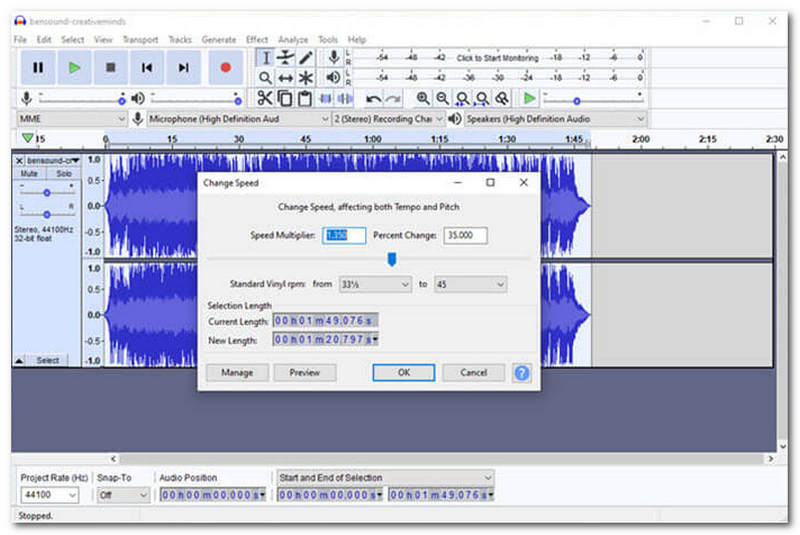
Audacity is a software-based audio speed changer that consists of many more advanced audio editing and enhancing functions. This tool is perfect for professional sound engineering work, or simply for users who want to have access to a wider range of sound editing functions, which includes access to an audio speed changer tool.
- It consists of professional editing features and functions.
- A free and open-source type of audio speed changer tool.
- Capable of opening and editing multiple audio files.
- Audio enhancement focus type of tool with basic to advanced level of features access.
- It may overwhelm first time user when using the tool.
Verdict
Audacity is among the audio file speed changer tools that are standard and popular amongst users when it comes to dealing with audio files. As an audio speed changer, it surely produces a sound perfection result with a more customizable audio speed option, as the user can simply put their preferred speed number or do it with the speed slider function in the tool.
Audioalter
Best For: Easy Online Audio Speed Changer For Quick Edits
Ratings: 3 / 5
Audioalter is an audio speed changer online tool that is perfect for users who are looking for a tool that is almost instantaneous and almost automatic for changing the audio file speed. This tool has the most basic and straightforward audio speed changer process, as it works by simply dropping the audio file and adjusting the audio speed slider to the preferred speed while also allowing real-time previewing of the audio speed changes on the webpage.
- It has various audio editing features and tools.
- Basic and simple-to-use audio file speed changer tool.
- Real-time audio speed previewing.
- It is capable of preserving audio pitch.
- Free to use tool.
- It does not require users to install a software application.
- It runs with ads on its webpage.
- It can not process multiple audio files.
- Limited speed option of only up to 2x.
Verdict
Audioalter is a beginner-friendly speed changer tool, as it can function as a straightforward tool for users who don’t want a complicated tool or are simply in dire need of an instant tool to change audio speed easily. While it lacks advanced customization and speed function features, what makes Audioalter usable is its accessibility and instantaneous results for users, perfect for casual and personal project speed audio-changing needs.
123Apps Audio Changer
Best For: Flexible Browser-Based Tempo Controller
Ratings: 3.1 / 5
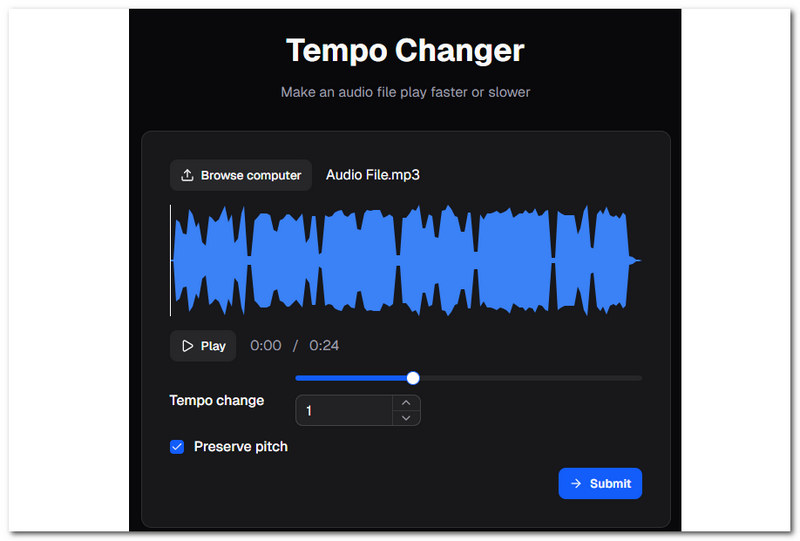
The Audio Changer by 123Apps is a type of audio tempo changer tool that is browser-based, making it accessible and easy to use for all kinds of users who are in need of an audio speed-changing tool. It works similarly to Audioalter as it completely runs in the browser with a basic and straightforward audio file speed changer tool that allows users to change the audio file speed from 0.50 up to 3x speed option.
- Browser-based audio file speed changer tool.
- Capable of previewing real-time audio file speed changes.
- It can change and export audio file formats.
- It features basic audio editing functions such as trim and volume equalizer tools.
- It has ads on its webpage. It requires internet connectivity to use the speed changer tool.
- It can not handle multiple audio files at once.
Verdict
123app Audio speed changer tool is placed higher than Audioalter as it manages to surpass the tool in terms of the number of offered audio editing functions. In terms of its quality and the produced audio file, it manages to produce lossless audio quality without distortion of the audio pitch.
Fliki
Best For: Precise Level of Audio Speed Changer Tool
Ratings: 3.6 / 5
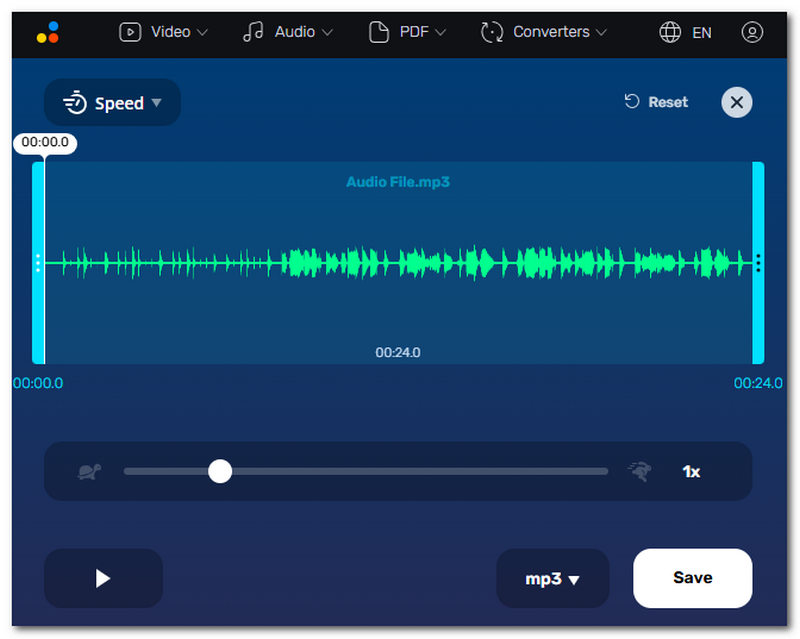
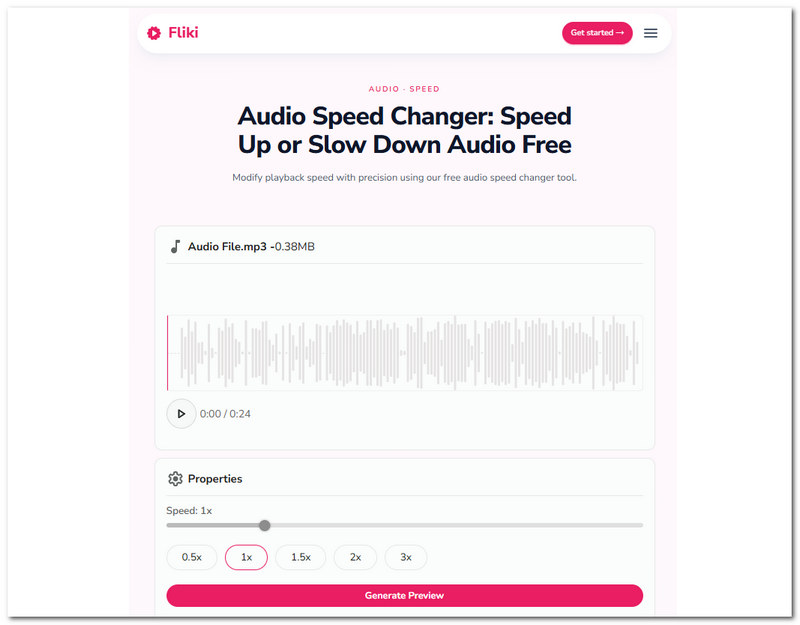
Fliki Audio Speed Changer is another web-based audio tempo changer tool that easily modifies audio file speed according to what the user prefers. It works with precision, making sure that an audio file gets changed according to the accurate speed set by the user without having a distorted audio pitch quality.
- Brower-based audio speed changer.
- Free and safe to use tool.
- Fast and precise speed-changing capabilities.
- Real-time preview of audio speed.
- It has ads on its webpage.
- Requires internet connectivity.
Verdict
Just like all the other web-based audio music speed changer tools listed in this guide, Fliki’s selling point is its accessibility for users to easily and instantaneously change audio file speed in seconds. While it lacks basic audio editing and enhancing functionality to ensure that the changed-speed audio file does not lose quality, it can work just as well as an audio speed changer tool for casual use and needs.
Part 2. Step-By-Step Tutorial: How to Change Audio Speed Without Distorting the Sound Pitch
In this section, you will learn how to change audio speed using one of the listed audio speed changer tools in this guide. ArkThinker Video Converter Ultimate is a perfect balance of having the straightforwardness of a tool and access to basic audio editing and enhancement tools for fine-tuning the overall sound quality of the file while it changes the speed. Hence, the steps below are a general guide on how a speed changer tool works.
Using your desktop device (Windows or Mac), download and install your preferred Audio Speed changer tool to your device; in this case, use the ArkThinker Video Converter Ultimate tool. Once done, open the tool accordingly.
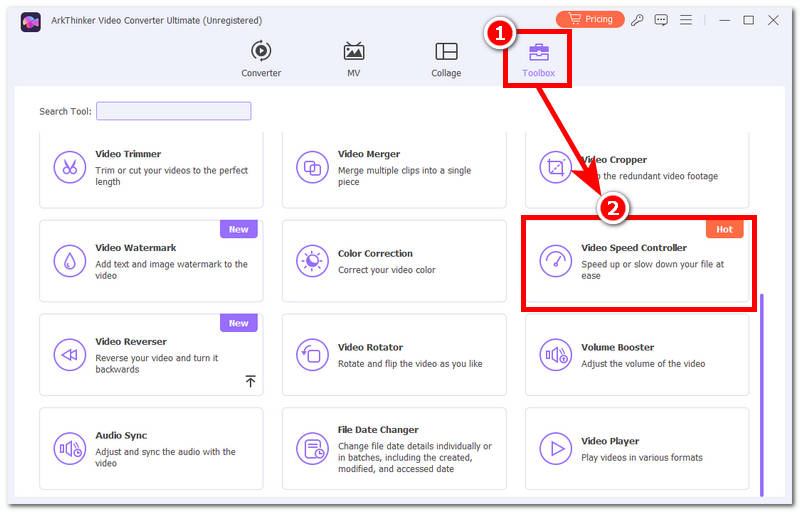
On the Audio Speed Changer tool interface (ArkThinker), click on the Toolbox, and from the Toolbox section, locate and select the Video Speed Controller feature. This lets the user access the speed-changing function, as it can be used in both video and audio files.
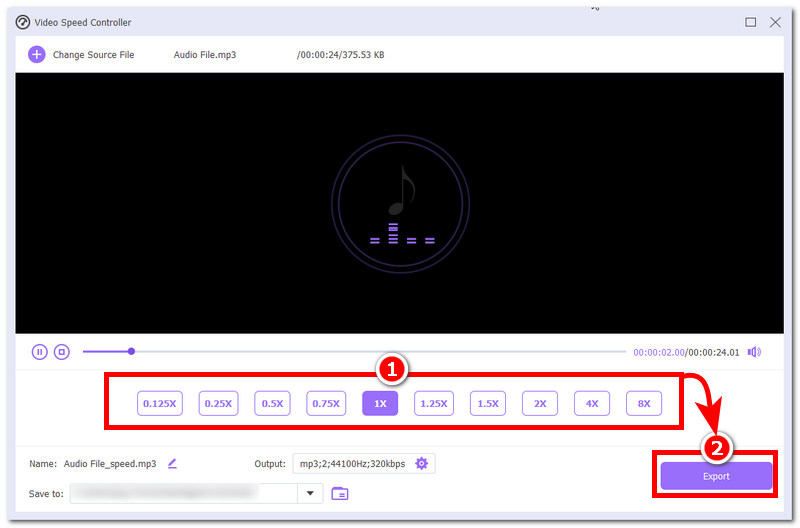
After clicking on the Video Speed Controller, the tool will let you browse your device's folder to select the audio file whose speed you wish to adjust. After you load your audio file into the tool, simply select the speed you want your audio file to be played at. Of course, make sure to preview it first, and once you are satisfied with the speed and quality, you may now click on the Export button to have it downloaded to your desktop device.
Part 3. FAQs about Audio Speed Changer
Does changing the audio speed affect the pitch?
It depends on the tool you are using to change your audio file; some offer lossless audio quality or prevent the distorting sound of the audio pitch, while others are different. To ensure to thatur audio pitch is unaffected when changing its speed, be sure to use a reliable audio speed changer tool like what is listed in this guide.
What audio formats are supported by audio speed changers?
Commonly, the file formats most audio speed changer tool supports are the MP3, WAV, AAC, FLAC, M4A, OGG, and those audio file format who are regarded as widely used by different platforms.
Conclusion
Listening to an audio file that has an undetermined speed sometimes affects how users understand and fully grasp the context of the audio. While this problem is not as big of a deal as there can now be other forms of how users grasp information, it doesn’t mean that listening to an audio file is less effective, as users can simply change the audio file speed to their liking for a better listening experience. The article has listed five reliable and easy-to-use MP3 speed changers for easy access, safe usage, and seamless audio speed changing, whether for web-based use or software, perfect for both personal and professional needs.


