


Top 10 Tools to Convert MKV to MP4
When it comes to video format conversion, converting your file to an MP4 format is considered a standard procedure, as MP4 files are well-known for their impressive compression rate and compatibility with various devices, platforms, and operating systems. In this article, we provide a detailed review of ten popular MKV to MP4 converter tools for various platforms, including Windows, Linux, macOS, and online tools. For a complete overview of each program, we will provide its most significant strengths and limitations. To familiarize yourself with the tools, please read our comparison table below.

| MK4 to MP4 Converters | Supported OS | Output Quality | Speed and Performance | Ease of Use | Pricing |
| ArkThinker Video Converter Ultimate | Windows, macOS | Lossless Quality, 720p, 1080p | GPU and CPU-accelerated | Easy | Free – $15.60 |
| VLC Media Player | Windows, macOS, Android, iOS | 720p, 1080p | Standard speed | Intermediate | Free |
| FFmpeg | Windows, macOS, Linux | 720p, 1080p | GPU-accelerated | Advanced | Free |
| Handbrake | Windows, macOS, Linux | Lossless Quality, 720p, 1080p | CPU-accelerated | Intermediate | Free |
| Adobe Premiere Pro | Windows, macOS | 720p, 1080p | GPU and CPU-accelerated | Advanced | $22.99/Month – $33.99/Month |
| CloudConvert | Browsers | 720p | Dependent on internet performance. | Easy | Free |
| FreeConvert | Browsers | 720p | Dependent on internet performance. | Easy | Free |
| Canva Video Editor Online | Browsers | 720p | Dependent on internet performance. | Intermediate | Free – $119.99/Year |
| Movavi Video Converter | Browsers | 720p | Dependent on internet performance. | Intermediate | $59.95/Year – $79.95 One-time Payment |
| Zight Converter | Browsers | 720p | Dependent on internet performance. | Easy | Free – $11.00/Month |
Part 1. Top 10 MKV to MP4 Converters in 2025
Top 1. ArkThinker Video Converter Ultimate
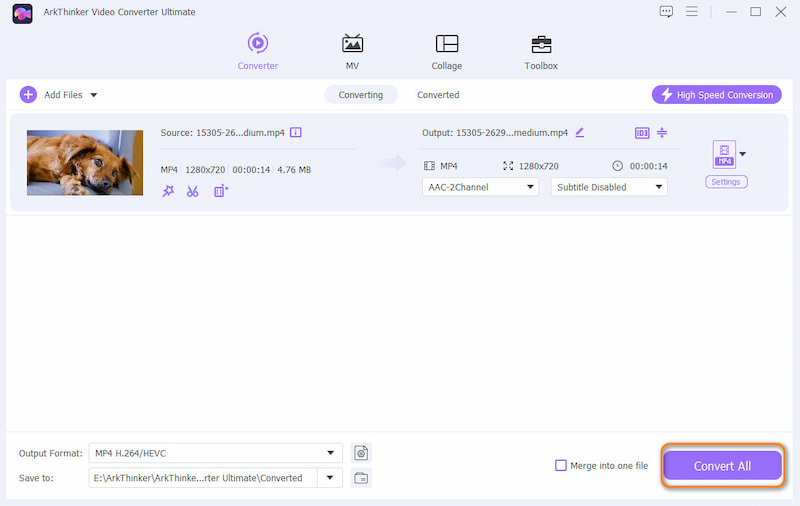
When choosing video format converters, the best options in the market are usually desktop-based tools designed to function as such. In this case, ArkThinker Video Converter Ultimate should be your top consideration when looking for software to convert MKV videos to MP4 files.
As its name suggests, ArkThinker Video Converter Ultimate was exclusively designed to convert video files into 500+ formats supported by the tool. This includes the subject of our topic today, which covers both MKV and MP4 files.
Available for both Windows and macOS computers, the software is optimized to perform with utmost efficiency on both operating systems. This enables the tool to process videos up to 30 times faster than standard format converter programs.
To learn more about what makes the software a good choice, make sure to read its main features below.
Do not forget to download it as well for an easier time following our step-by-step tutorial.
Main Features:
• Fast video format conversion process due to its GPU and CPU-accelerated processor.
• Supports batch conversion of multiple MKV files for more efficient processing.
• Converted video files retain their original quality, making them easier to preserve.
• Equipped with an easy-to-use video editor with simple editing tools.
• Offers a toolbox feature with 20+ practical media editor tools.
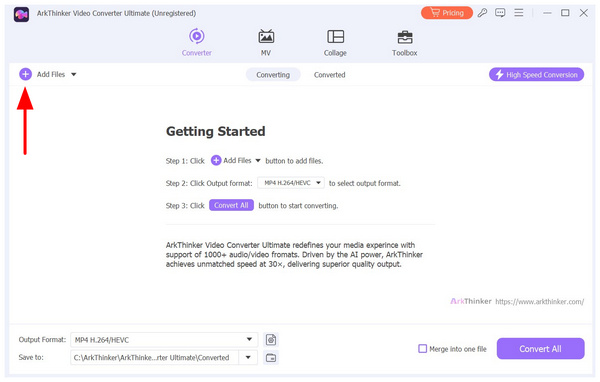
Open ArkThinker Video Converter Ultimate, then select the Add Files button in the Converter tab of the program. Then, locate the MKV file you want to edit and import it.
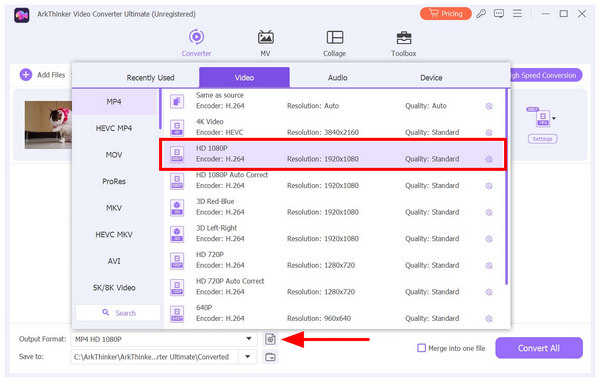
After importing the MKV file, select Output Format. Next, click MP4 under the Video tab. Then, choose the video quality for your output file. After clicking the video quality, the program will confirm it immediately.
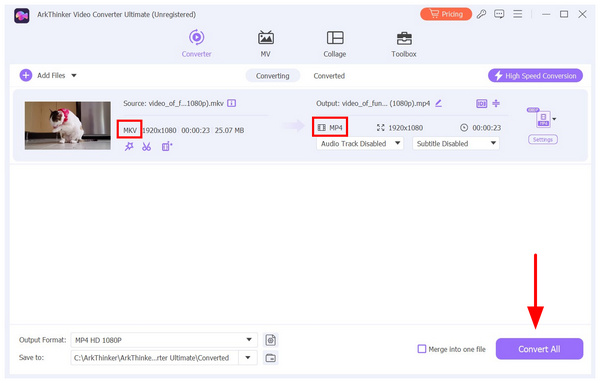
With the Output Format settings for your MKV to MP4 conversion now set, click on Convert All to begin the process.
Choosing ArkThinker Video Converter Ultimate as your video converter is a safe choice, as it is both functional and offers more than just video file conversion. It is also equipped with practical editing tools for various multimedia editing needs, as well as an upscaling function to convert videos to 4K.
- Supports 500+ media formats from MKV, MP4, MOV, AVI, and more.
- Rapid file conversion speed. Over 30x faster than standard format converters.
- Low system requirements relative to the features available.
- Preserves the video quality of edited videos.
- Offers batch conversion for processing multiple files.
- Its free version has slightly limited features.
Top 2. VLC Media Player
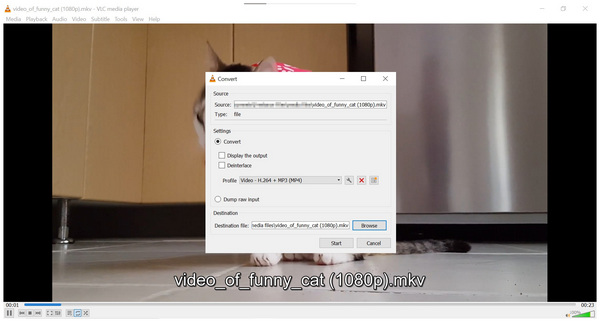
Although it is well-known as a media player software, VLC Media Player also features a format converter tool for video files on your computer. However, the format converter tool in the program might only be considered a barebones option since it lacks editing options, unlike the other options in this article. Additionally, VLC can also export movies, making it highly practical.
Because of that, using VLC as a converter for your MKV format to MP4 converter is not recommended if you have access to other options.
- Free to use software.
- Available across different platforms and devices.
- Offers basic video conversion services.
- Slow video conversion speed.
- Not optimized for file format editing since it is primarily a media player.
- Rampant user feedback of conversion errors and corrupted results.
Top 3. FFmpeg
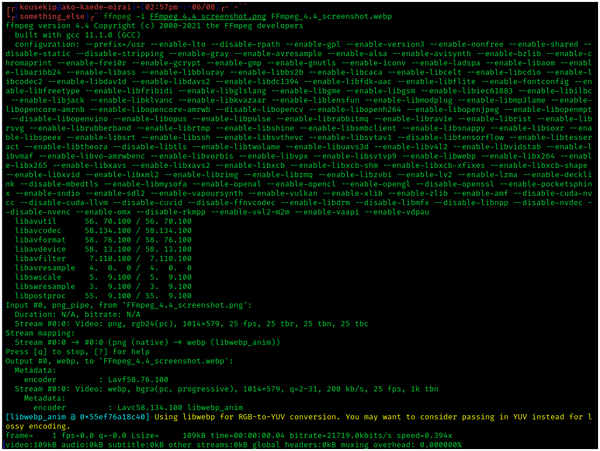
If you are experienced with scripts and command prompts, the FFmpeg plug-in might be the best option for you. Unlike the two previous options on this list, FFmpeg runs completely within the command prompt or terminal of your computer. This makes the software the best choice for users familiar with command lines. Unfortunately, the lack of a full menu and UI makes it unwelcoming and very intimidating for beginners.
Aside from MKV to MP4, FFmpeg can also do all forms of media conversion. Among its services, MOV to MP4 conversion is another common application of the software.
- Very basic and highly flexible.
- Fast conversion speed since it is code-based.
- Open-source and free to use across different operating systems.
- Requires prior knowledge of command lines and basic coding.
- No traditional graphics UI.
- Completely functions within the terminal and command prompt of your computer.
Top 4. Handbrake
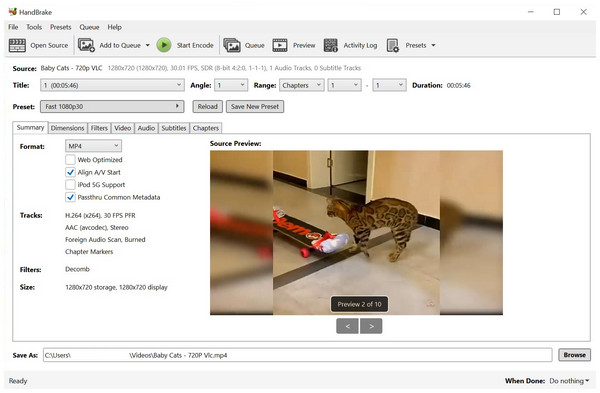
Handbrake is the more beginner-friendly MKV to MP4 version of FFmpeg. Unlike the software featured above, Handbrake offers a full-pledge menu with properly labeled buttons and editing tools. Moreover, it also offers similar performance to FFmpeg, as it was designed to be its engine.
However, the biggest selling point of Handbrake is that it can function as a free MKV to MP4 converter.
- User-friendly interface design with well-labeled buttons.
- Free to use and has open-source development.
- Decent performance and speed across different operating systems.
- Video conversion takes time because it involves re-encoding the file.
- Prone to video quality reduction due to non-automated bitrate adjustments.
- Does not offer any video editing tools or services.
Top 5. Adobe Premiere Pro
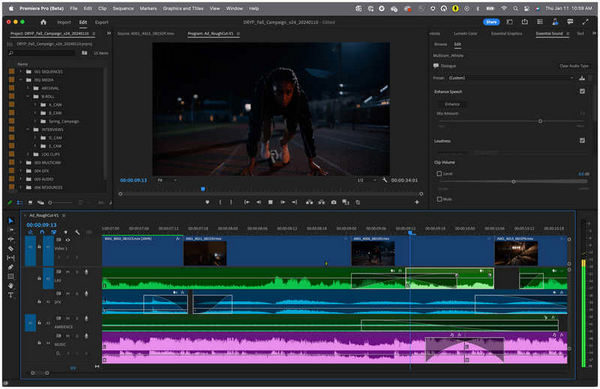
With the more popular format converter tools now discussed, let us proceed to traditional video editing tools that can also function as indirect format converter options. This includes Adobe Premiere Pro. Since the program can edit MKV files, it can indirectly convert videos into MP4 format by exporting them in this format.
Unfortunately, this option may be overkill, as Adobe Premiere Pro is expensive and primarily designed for video editing. There are better options for format conversion if you just want to change MKV files to MP4.
- Professional-grade video editing software.
- Supports saving imported video files into MP4 format.
- Hardware-accelerated exporting speed.
- Very expensive monthly subscription model.
- Highly technical video editing tools.
- Using it as a format converter is overkill since it is a video editor.
Top 6. CloudConvert
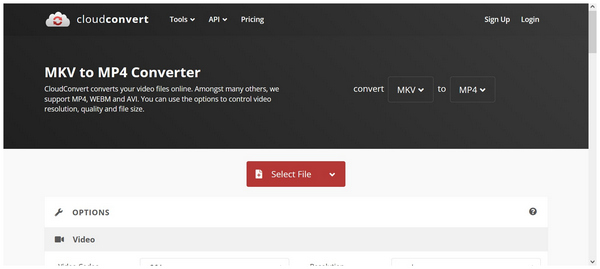
With the desktop-based options now discussed, let's move forward with online tools that can serve as a one-off format converter option. Starting with CloudConvert, this web-based video editor also offers a format converter tool that works well in a pinch. This online tool can easily convert MKV to various formats, such as MP4, or even convert MKV to GIF.
However, it suffers from long-term reliability issues since it is highly reliant on internet performance, has limitations on file size, and its conversion speed is inconsistent.
- Web-based video editor.
- Does not require any installation or downloads.
- Works well for one-time conversions.
- File upload and processing are highly reliant on internet performance.
- Upload limitations in terms of file size and multiple file uploads.
- Their servers highly influence conversion speed.
Top 7. FreeConvert
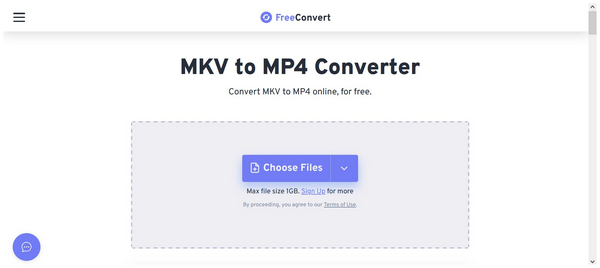
Similar to the previous options, FreeConvert is also a 100% cloud-based program. However, it works better than the previous online tool since it has a larger file size limit of 1GB. This made the software a better choice for more advanced projects. Unfortunately, it still suffers from unstable performance, which is highly influenced by connection stability.
- Simple to use UI with well-labeled buttons.
- Offers advanced output editing options.
- It has a large file size limit of 1GB.
- Unstable upload speed due to its online nature.
- It has privacy issues since uploaded videos are saved on the cloud.
- Advanced editing options might be too overwhelming for beginners.
Top 8. Canva Video Editor Online
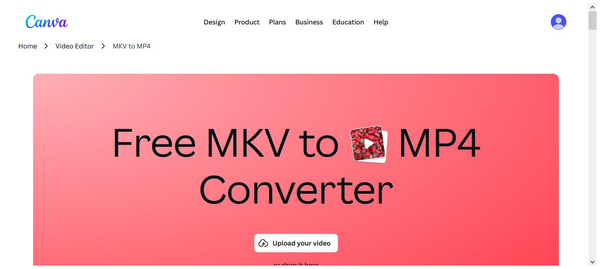
When talking about online multimedia options, Canva is a well-known brand due to its beginner-friendly tools. In terms of video format conversion, Canva Video Editor Online offers an exclusive service for such function. It is also integrated with other Canva options, making these videos accessible from other tools on the website.
Despite its strengths, the popularity of Canva has led to significant paywalls for its free users, particularly for important editing features for both images and videos.
- Developed by a trusted and well-known online tool.
- Beginner-friendly and welcoming even for beginners.
- Integrated with other Canva tools, such as the image and video editor.
- Lacks advanced editing features.
- It is not primarily designed to be a converter.
- Large files take a while to process during file uploads and exports.
Top 9. Movavi Online Tool
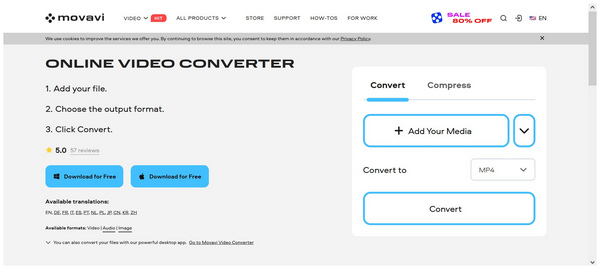
If Canva offers a free version for its users, Movavi Video Converter Online Tool might be considered the most premium option for online-based video editors. Unlike other options in this article, it does not offer a free version, and all its plans are paid tools. Fortunately, you can use the trial version of the software for MKV to MPV conversion.
Fortunately, the premium pricing of the program offers better performance, practical features, and a beginner-friendly design to its users. You need to download its desktop Movavi Video Converter to use the full features. However, judging whether these quality-of-life changes are worth it greatly varies from one user to another.
- Faster conversion speed than other online tools.
- Offers practical batch conversion.
- Beginner-friendly interface design for improved ease of use.
- It does not offer any free option and only supports conversion trials.
- Conversion still takes time for larger files.
- Some advanced editing features are only available for more costly plans.
Top 10. Zight Online Tool
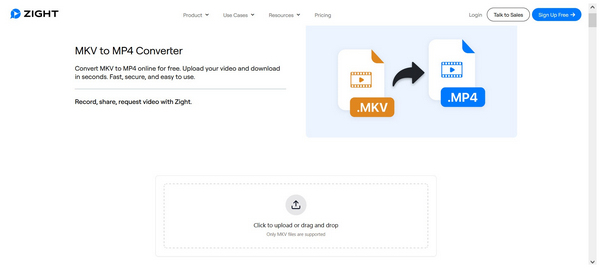
Finally, we have Zight Online Tool. Perhaps the most lightweight and cleanest video converter software among online tools in this article. Due to its design principle, Zight could be considered the most foolproof option in this guide.
Unfortunately, its basic design makes it a less suitable option if you are seeking more advanced editing and tools. It also cannot handle larger media file sizes.
- Lightweight and minimal-interface design.
- Promises user privacy for uploaded videos on their servers.
- Works well for basic video conversions.
- It is not designed to be an exclusive format converter.
- Limited codec and video resolution options.
- Fails to process larger files, which is suboptimal for larger MKV files.
Part 2. FAQs About MKV to MP4 Converters
Is it hard to convert video files?
No, it is not. Converting media format is actually easy. For complete beginners, you may start with online tools to get yourself familiar with such software. Aside from video-to-video, you can also convert videos to images through video-to-GIF conversion.
Why is the MP4 format widely used?
MP4 is very popular due to its accessibility and impressive compression rate. Most media players and devices can play it with no problem. It also has passable video quality despite being highly compressed.
Is the MKV format good for videos?
Yes, it is. MKV is a good option for watching series and anime episodes. This is due to the large metadata capacity of the file, which makes it easy to integrate chapters, episodes, and subtitles.
Are MKV format videos more compressed?
No, they are not. MKV videos are larger than MP4 files because they can store more data. MP4 files are the best option for compressed formats.
Should I convert my MKV videos to MP4?
Yes, you may. This is especially true if you are facing storage problems. MP4 is the best option for users with limited storage since it is tightly compressed.
Conclusion
With these best MKV to MP4 converters across different platforms now discussed, we hope that this article has served you with valuable information to make converting MKV to MP4 videos way easier and more accessible. If the unstable nature of online tools does not convince you, consider the technical requirements of script-based options, or the pricing of traditional video editors, consider ArkThinker Video Converter Ultimate, which offers the performance benefits of its peers while being stable, easy to use, and cost-efficient. Download it using the link below.
What do you think of this post? Click to rate this post.
Excellent
Rating: 4.9 / 5 (based on 4952 votes)


