


WALTR HEIC Converter: Key Features, Pros & Cons, and More
HEIC, or commonly known as High Efficiency Image Coding, is an image file format that stores high-quality images in much smaller file sizes. This image file format is most commonly used on Apple devices, which allows the photos taken by Apple devices to capture results with more depth in color while maintaining a smaller file size compared to a JPG file. The only drawbacks the HEIC file format faces are that it has limited compatibility with other devices and platforms, which require users to convert it to another file format. But fret not, as this article will review the HEIC converter Softorino, a type of HEIC converter tool catapulted to be a safe and efficient tool for users to use.
Continue reading below to find out if WALTR HEIC Converter is really that tool through our thorough look at its key features and pros & cons. In addition, this article will also feature an alternative HEIC converter tool to WALTR, with steps to ensure you get your time’s worth from reading this article for your HEIC conversion needs.

- GUIDE LIST
- Part 1. Overview: Key Features of Softorino HEIC Converter
- Part 2. Should I Choose WALTR HEIC Converter?
- Part 3. How to Convert HEIC to JPG/JPEG with WALTR HEIC Converter
- Part 4. Best Alternative for Batch HEIC Conversion
- Part 5. FAQs about Waltr HEIC Converter
How We Test and Review
- • We actually used the tool for about a week to ensure that we have used the tool to its maximum capacity. That is also for us to write an honest and unbiased insight using the tool when it comes to HEIC conversion.
- • In the whole duration of our test using the tool presented in this article, we used various HEIC image files to test out the tool’s capability in terms of quality and whether the conversion to other file formats would have a massive effect on the HEIC quality.
- • We ensure that the HEIC Converter tool featured in this article has similar or at least has the same functionality to ensure users’ convenience of use.
Part 1. Overview: Key Features of Softorino HEIC Converter
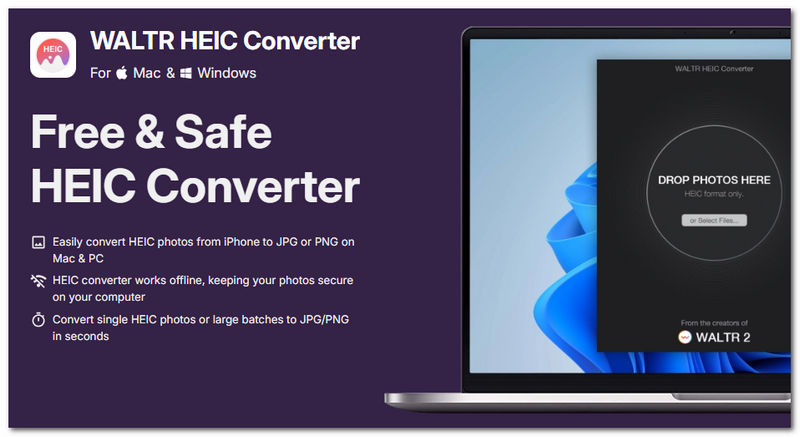
WALTR HEIC Converter is a desktop software tool that allows users to convert HEIC images to any file format they wish. It has become one of the go-to software tools for such tasks, as it is a fast-processing tool with a sleek, straightforward user interface, allowing users, from novices to casual users, to use it easily.
Key Features:
- • Offline-based HEIC converter software tool.
- • Features an easy drag-and-drop function.
- • Fast processing HEIC conversion speed.
- • Does not alter HEIC images’ EXIF data.
- • Compatible with macOS and Windows devices regardless of version.
- • Capable of batch processing multiple HEIC files at once.
Part 2. Should I Choose WALTR HEIC Converter?
Depending on the user’s need, the HEIC converter WALTR HEIC Converter tool should suffice for basic usage and function for such a simple task. If users wanted a more flexible and versatile HEIC converter tool, then the ALTR HEIC Converter tool may not be the one for you. Hence, we listed its pros and cons below so that users will have an idea of what the tool is capable of prior to using it.
- User-friendly interface.
- It has an efficient image processing conversion.
- Free to download and use the tool.
- Lightweight on the device.
- Easy to use and straight-up HEIC converter tool.
- The tool is limited to a conversion task and does not have any other features or functions.
- It only supports small image file formats.
Part 3. How to Convert HEIC to JPG/JPEG with WALTR HEIC Converter
When it comes to how to use the WALTR HEIC Converter tools for changing an image format to a JPG file. This section will demonstrate, through simplified steps, effective HEIC image conversion.
Begin by downloading and installing WALTR HEIC Converter on your desktop device (macOS or Windows). After installing it, proceed to open the software to proceed.
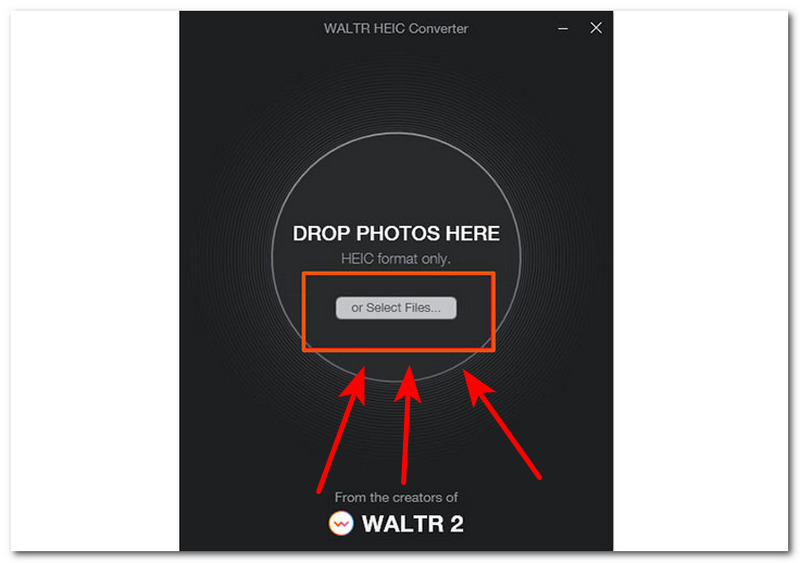
After opening the software tool, from the WALTR HEIC Converter tool main interface, you will immediately see the designated area where you can drop your HEIC files or simply click on the Select Files button to select more than one HEIC image to convert using the software.
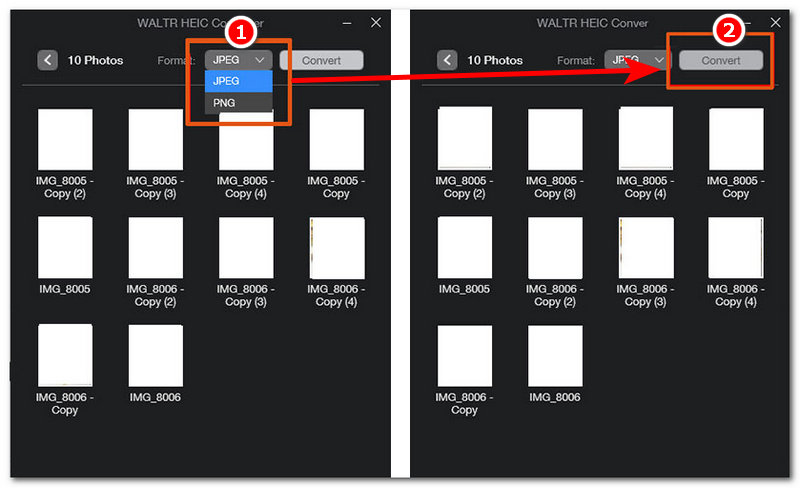
After uploading your HEIC images into the tool, proceed to change your output file format to JPG/JPEG. After changing it, you may proceed to click on the Convert button to initiate the conversion process. Then you will successfully change HEIC to JPG.
Part 4. Best Alternative for Batch HEIC Conversion
If you find the WALTR HEIC Converter tool too lacking in features when it comes to customization and control of your conversion needs, then in this section, you will get to know the ArkThinker HEIC Converter tool. This HEIC converter tool is much more accessible compared to WALTR HEIC Converter, as ArkThinker is a web-based tool that does not require users to install a software program just to utilize the tool.
Using any of your preferred web browsers, head over to the ArkThinker HEIC Converter Online official website.
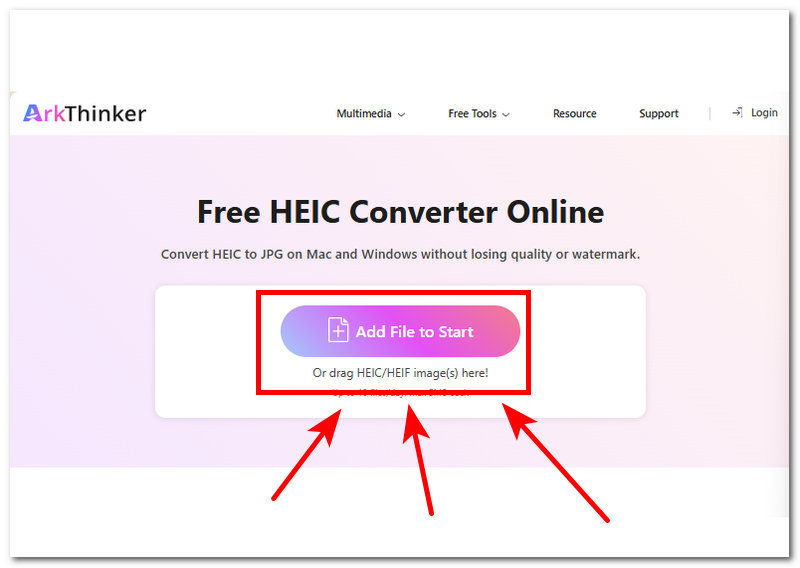
After arriving at the ArkThinker official website, proceed to upload your HEIC files to the designated area by clicking on the Add File to Start or dragging your HEIC files into the area.
After uploading your HEIC Files to the tool, the tool will automatically analyze and process your files, and after that, you may proceed to click on the Download button to export your HEIC files as JPG to your device.
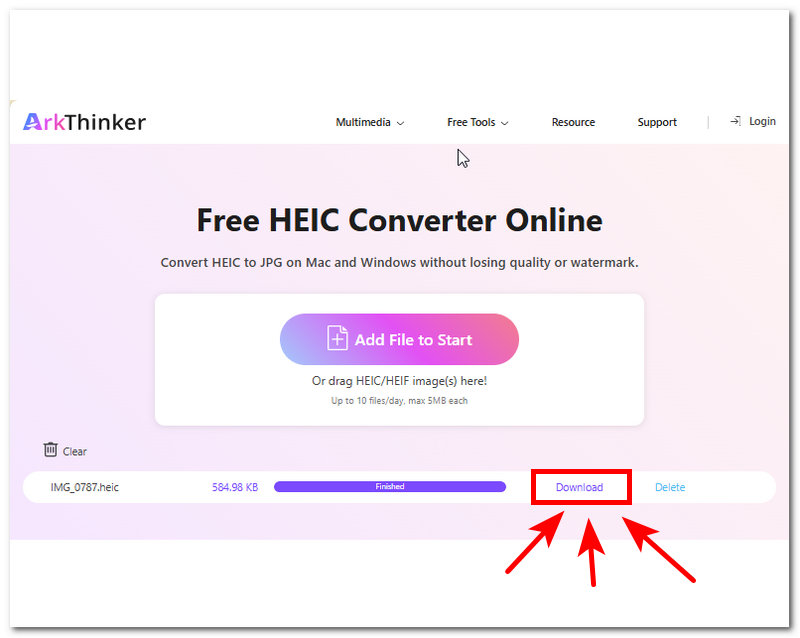
ArkThinker HEIC Converter tool is the best alternative one can dream of to convert their HEIC files to JPG/JPEG files, as it has similar functions and features to the WALTR HEIC Converter tool, but all at the expense of being a web-based tool that works on all browsers and devices.
Part 5. FAQs about WALTR HEIC Converter
Which formats does WALTR HEIC Converter support?
WALTR HEIC Converter supports HEIC and HEIF images for input and can convert output files to JPG/JPEG and PNG.
Does WALTR HEIC Converter work offline?
Yes, WALTR HEIC Converter can be used offline as it is among its offered features for users allowing users to have access to the HEIC conversion tool without having to use the internet. This feature is useful for the immediate needs of the HEIC file converter.
Can I batch-convert multiple HEIC files?
Yes, both WALTR and ArkThinker can convert multiple files all at once. This feature has been made possible to reduce the time duration for converting multiple files.
Conclusion
HEIC Converter is truly a useful tool one may need, especially when they have Apple devices who stored images in the same file format. WALTR Softorino HEIC Converter tool is a lightweight image conversion tool that allows users to use its conversion capabilities even without the internet. Hence, if WALTR HEIC Converter is not working on your device and you need an alternative tool, then ArkThinker is the perfect tool as it is also as straightforward as WALTR, but the difference is that it is a web-based tool that works on all device web browsers.


