


Top 5 Bandicam Alternatives in 2026: Best Uses, Pros, Cons
Among popular screen recording programs, Bandicam is one of the most recognizable solutions. Beyond being a staple recording tool, it is simply reliable for general screen recording use, despite being dated compared to modern screen recording programs. Unfortunately, its lack of essential features such as video editing, its Windows-only exclusivity, and its suboptimal performance on modern hardware make seeking a Bandicam alternative an increasingly common sentiment among gamers and content creators. In this article, we will provide a detailed review of the most reliable screen recording features that serve as great alternatives to Bandicam. These programs will all be reviewed based on their best uses, strengths, and limitations as display recorders.

- GUIDE LIST
- Part 1. Top 5 Bandicam Alternatives for Gameplay and Desktop Capture
- Part 2. FAQs About Bandicam Alternatives
How We Test and Review
- • We tested how each Bandicam alternative performs by running their standard full-screen recording mode on modern Windows and macOS computers.
- • The hardware used for performance testing is equipped with Intel i7 and Apple Silicon processors, respectively. Both testing computers are equipped with 16GB of RAM and integrated GPUs.
- • Only the Bandicam alternative under performance assessment is running during testing to ensure it performs at optimal levels.
- • The video quality of Bandicam and the presented alternatives is tested side by side for comparison and visual inspection.
- • In addition to the recording features, each tool’s video-editing and post-processing options are also assessed.
| Bandicam Alternatives | Pricing | Watermark | Max Resolution | FPS | Hardware Encoding | Performance Impact | Ease of Use |
| OBS Studio | Free (Open Source) | None | Unlimited (Based on Source) | 30 – 60 FPS | Yes (NVENC, AMD AMF, Intel QSV) | Low – Extremely High | Moderate – Advanced |
| ArkThinker Screen Recorder | Free – $19.96 | None | 4K UHD | 30 – 60 FPS | Yes (Hardware Acceleration) | Low – Moderate | Very Easy |
| Action!Recorder | $29.95 | $29.95 | 4K UHD | 30 – 60 FPS | Yes (Hardware Acceleration) | Low | Easy |
| NVIDIA GeForce Experience | Free (On NVIDIA GPUs) | None | 8K UHD | 30 – 60 FPS | Yes (NVIDIA NVENC) | Very Low | Very Easy |
| Fraps | $37.00 | None | 8K UHD | 30 – 120 FPS | None | Moderate – High | Easy |
Part 1. Top 5 Bandicam Alternatives for Gameplay and Desktop Capture
Top 1. OBS Studio (Best Free Open-Source Alternative)
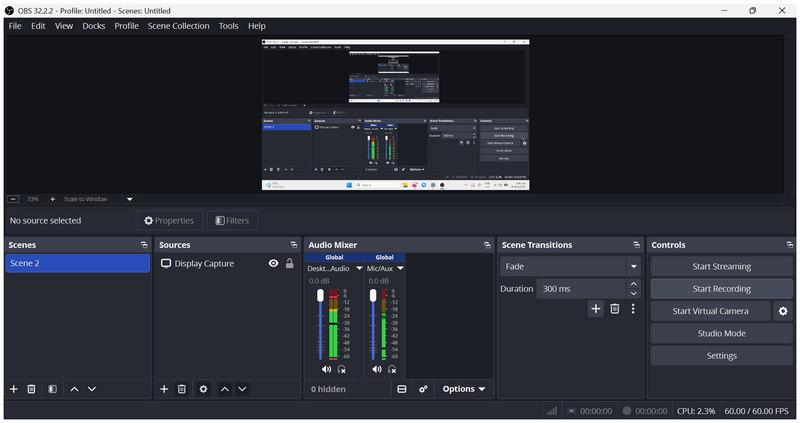
Best Uses: Live streaming and advanced screen recording.
User Rating: 4/5
Among open-source screen recording programs, OBS Studio screen recorder may be one of the first to come to mind. Perhaps on par with Bandicam in popularity, this software works well as both a screen recorder and a live streaming studio.
When used primarily as a screen-recording tool, OBS is truly capable of all forms of recording. It can be used to produce tutorials, capture gameplay footage, or for other general recording solutions.
Unfortunately, it has significant resource consumption limitations. Optimising and using it properly is also complex even for intermediate users. Despite these setbacks, OBS remains a good open-source alternative to Bandicam.
- Free and open-source software.
- Receives constant updates from independent developers.
- High-performance screen-recording and live-streaming studio.
- Extremely steep learning curve even for intermediate users.
- Requires users to configure its settings manually for best performance.
- Overwhelming and complex interface for beginners.
Top 2. ArkThinker Screen Recorder (Best Easy-to-Use Lightweight Alternative)
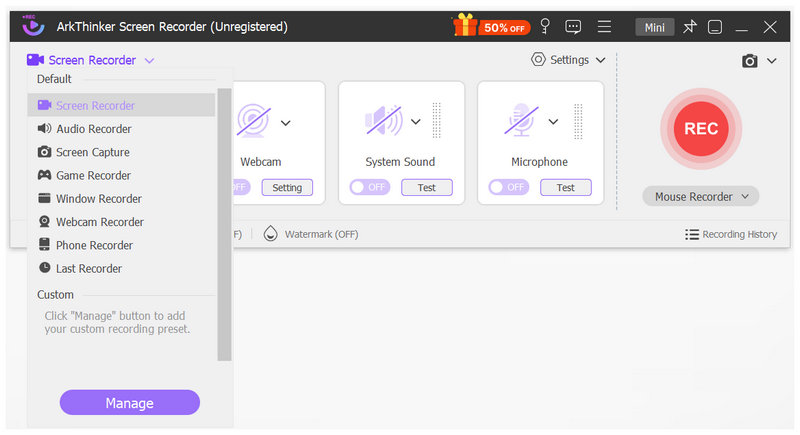
Best Uses: Beginners looking for an easy, all-round screen recording software.
User Rating: 4.5/5
If your reason for looking for a screen recorder alternative is to switch to software that is modern, lightweight, and even simpler than Bandicam, look no further than ArkThinker Screen Recorder.
As its name suggests, this tool is an exclusive program with six recording modes, making it extremely versatile for users seeking a general screen-recording solution. These modes include the general full-screen recorder, region recorder, windows recorder, webcam recorder, audio recorder, and specialized game recorder.
Among these modes, the Game Recorder function is the most powerful because it uses hardware acceleration. This makes using this option extremely smooth and consistent even for dynamic gameplay recordings.
As such, whether you are looking for a general screen recorder for creating tutorial content or a more specialized option for gaming captures, ArkThinker Screen Recorder will get the job done.
To start using the most versatile and beginner-friendly program in this article, we highly suggest downloading ArkThinker Screen Recorder for free.
- Beginner-friendly interface.
- Equipped with six recording modes and a screen capture tool.
- Offers video editing and image annotation tools.
- Hardware acceleration system for recording dynamic displays.
- Excellent for creating tutorial videos and daily recording needs.
- Its free version has slightly limited features.
- Basic features compared to advanced and complex screen recorders.
Top 3. Action! Recorder (Best High-FPS Game Recorder)
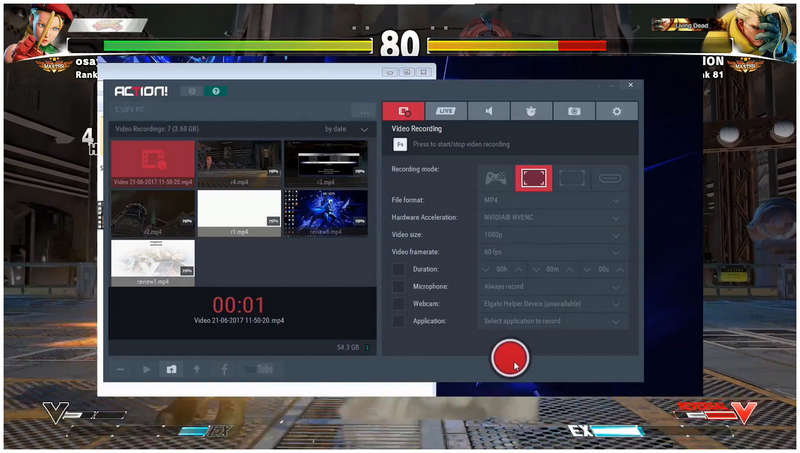
Best Uses: Gaming captures and dynamic screen recordings.
User Rating: 4/5
Moving on to another Bandicam screen recorder alternative, we will now proceed to the software, especially optimized for high-FPS gameplay recordings with Action! Recorder. The first paid screen recorder program in this article, this option may be worth it for users who want to capture exclusive gameplay content.
In addition to high-quality, smooth game recordings, the software can capture webcam and microphone recordings. This makes the software a capable all-in-one content production tool, as it can record gameplay with a webcam overlay and commentary.
If you want to focus on gaming content creation, Action! Recorder is one of your top picks. However, keep in mind that it is paid software, and you can use the trial version for only 30 days to test its features.
- Made exclusively for capturing gameplay videos.
- Easy to use.
- Supports webcam and microphone recording.
- No free version. Trial version has a 30-day limit.
- Trial recordings have watermarks.
- Limited customization options compared to other recorders.
Top 4. NVIDIA GeForce Experience (Best GPU-Accelerated Recorder)
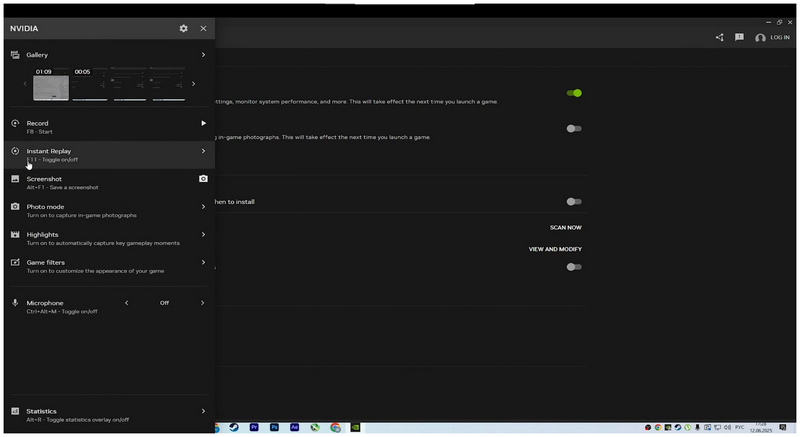
Best Uses: NVIDIA GPU users looking for lightweight screen recordings.
User Rating: 4/5
With paid options now discussed, the fourth option we will highlight is a free Bandicam alternative: NVIDIA GeForce Experience’s built-in recorder in NVIDIA Shadowplay made for NVIDIA GPUs. Since the software is a built-in feature of NVIDIA drivers, it is surprisingly simple to use.
Because the program uses GPU resources, it has little impact on overall computer performance during recording, as it consumes no CPU power. As such, the program makes for a great choice for NVIDIA users who want to improve their gameplay performance.
However, it has severe accessibility limitations as it can only be used on NVIDIA computers. It is also one-dimensional, as the program is primarily designed for gaming and has subpar features for general screen recording.
- Built-in option for NVIDIA GPU users.
- Very low performance impact when recording.
- Very easy to use.
- Available only for GPU hardware.
- Limited customization and post-processing features.
- Made only for gaming, not for general screen recording use.
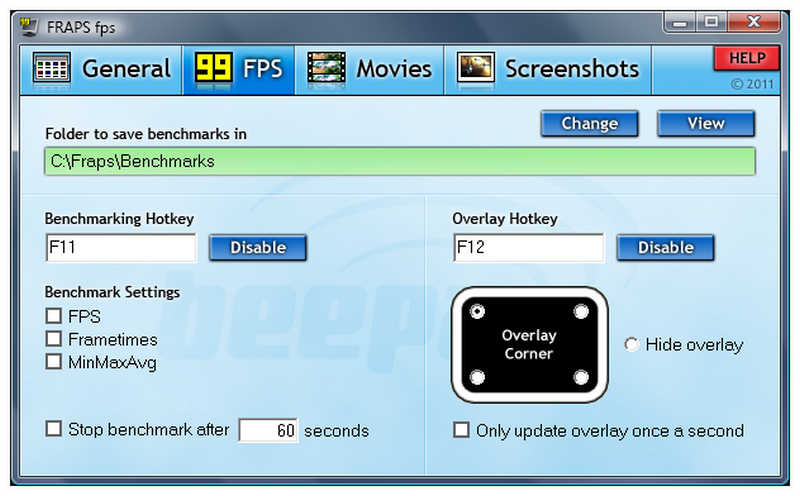
Top 5. Fraps (Best Classic Lightweight Recorder)
Best Uses: Older computers looking to record classic video games.
User Rating: 3/5
If you want to stick with legacy screen recording programs, Fraps may be a familiar alternative, as it was one of the main competitors to Bandicam in the early days of screen recording software for content creation.
Well-known for its iconic FPS counter and primarily used as a benchmark tool, Fraps also includes a screen recorder mode available with the software’s premium version. Although it is now considered a classic tool, it can still get the job done for recording classic video games.
Despite these strengths, it shares the same cons as Bandicam. It is also dated, lacks modern features, and is not optimized for modern hardware and operating systems on both Windows and macOS.
- Extremely simple interface design.
- Popularly used as an FPS counter and performance benchmark software.
- Captures high-quality recordings despite it being a dated software.
- Significantly outdated compared to modern recording options.
- Affects device performance during live recordings.
- Recorded footage is extremely large and uncompressed.
Part 2. FAQs About Bandicam Alternatives
Is Bandicam still reliable in 2026?
Yes, you can still use Bandicam in 2026. However, it has fewer features than modern options. Most notably, it lacks video editing tools and AI-assisted features.
Should I use OBS as a Bandicam alternative?
Yes, you can. OBS is a solid Bandicam substitute. However, be careful when using it on dated or entry-level computers, as its recording settings are very advanced and quite demanding.
What is a beginner-friendly Bandicam alternative for modern computers?
Among screen recording programs in this list, the easiest are ArkThinker Screen Recorder and Action! Recorder. If you want a recording tool for general use, ArkThinker is the better choice. For gaming captures, Action! Recorder may be better.
What are good lightweight screen recorders to switch to from Bandicam?
We highly recommend ArkThinker Screen Recorder if you prefer lightweight solutions. The program is the best in terms of pure recording versatility. It is reliable for both general screen recording and gameplay capture.
Is OBS resource-hungry when used as a screen recorder like Bandicam?
Yes, it is. However, it will depend on the recording settings you use. When used for basic recordings, OBS may not consume as many resources.
Conclusion
Now that we have provided five reliable Bandicam alternatives, each with its own niche as a standalone screen recorder. We hope that this article has provided you with the most suitable recording option for your specific needs. However, if we can suggest a single Bandicam alternative based solely on features and versatility, ArkThinker Screen Recorder is our recommendation.
What do you think of this post? Click to rate this post.
Excellent
Rating: 4.9 / 5 (based on 701 votes)


