



WebM to MP4 Video Converter: Comparison Table & Overview
WebM is a type of video file format that was developed by Google, designed specifically for the web for easier video streaming and playback. It is lightweight, efficient, and can run and is supported by many web browsers. While WebM makes it easier for a video to be played on any browser, it has its limitations, like compatibility with other operating systems or outside-of-browser activities; in this case, the only solution is converting the WebM file to an MP4 file, which has a wide compatibility range. While the conversion process itself is easy to do, finding the right tools to use can be somewhat challenging, as many tools can easily claim great functions only to find out that they don’t. That’s why this article used this opportunity to review and list 8 WebM file converter to MP4 tools in both software and web-based categories to ensure readers have the option to choose functionality, convenience, and flexibility. Thus, feel free to read our comparison and overview of each tool to find yourself the right WebM to MP4 converter.

- GUIDE LIST
- Part 1. WebM VS MP4: Why You Need A WebM to MP4 Converter
- Part 2. 8 Ultimate WebM to MP4 Converters
- Part 3. Quick Workflow: How to Process Videos with an Online WebM to MP4 Converter
- Part 4. FAQs about WebM to MP4 Converter
How We Test and Review
In testing and reviewing the tools presented in this article, we have undergone actual testing for a period of days to ensure we get to experience the tools' functions and features and write our honest thoughts on each tool we have used, on the following basis in the search for the perfect tool we think best for readers to use.
- • Functionality. We check if the converter tool has met the necessary functions to convert WebM to MP4 without a problem. This also includes checking if there are extra features and functions the tools offer to make the conversion a lot more convenient for the users.
- • Usability. We check if the tool is user-friendly and accessible to all sorts of devices available to one user.
- • Quality. We check the tool’s output result to ensure that users will have no problem in terms of video quality once the WebM file is converted into an MP4 file.
| Tools | Price | Ease of Use | Processing Type |
|---|---|---|---|
| ArkThinker | Free | Yes | Fast conversion and processing speed |
| Cloudconvert | Limited Free Use $10/month | Yes | Average conversion speed |
| Zamzar | Limited Free Use $12/month | Yes | Slow to average conversion speed |
| HandBrake | Free | No | Slow conversion and processing speed |
| Movavi | Free Trial Available $39.95/Year $49.95 – Lifetime | Yes | Fast conversion and processing speed |
| TalkHelper | Free Trial Available $29.95 – Lifetime | Yes | Fast conversion and processing speed |
| Online-Convert | Free | Yes | Slow to average conversion speed |
| Convertio | Limited Free Features $9.99/month | Yes | Average processing and conversion speed |
Part 1. WebM VS MP4: Why You Need A WebM to MP4 Converter
WebM is a Royalty-free video file format by Google that has allowed users to easily store and play video across all browsers, optimized for HTML5 video streaming. It makes the video contained in WebM lightweight on device and browser, making it ideal for fast video playback. MP4, on the other hand, is a more universal and standard file format perfect for easy sharing, editing, and archiving, which the WebM file format lacks in that department.
Part 2. 8 Ultimate WebM to MP4 Converters
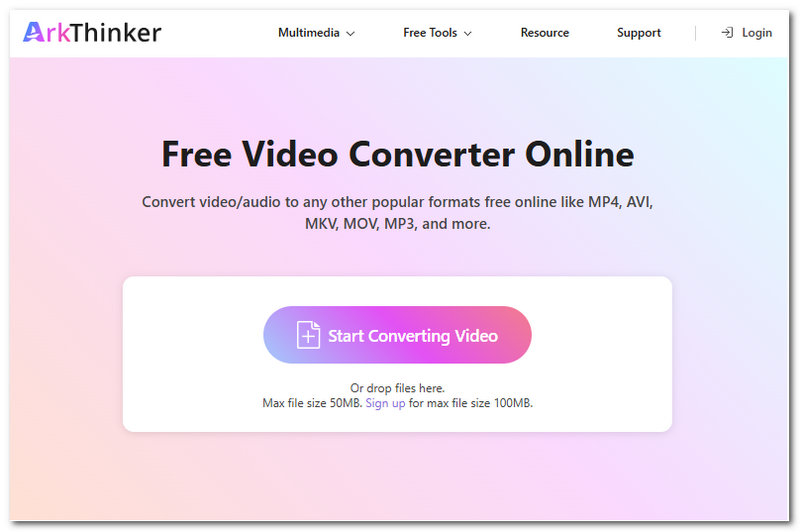
ArkThinker Free Video Converter Online
Best For: Instantaneous Web-Based Converter from WebM to MP4
ArkThinker Free Video Converter Online is a web-based video converter tool that supports taking in various videos of any file and converting them into the user's preferred file format. The wide range of supported file formats for input and output is one thing; however, what makes this tool the ideal WebM to MP4 converter is its straightforwardness in doing the conversion task, giving users a smooth and hassle-free conversion process.
Ratings: 4. 4 / 5
- Free to use WebM to MP4 file converter.
- It has a clean and easy-to-navigate user interface.
- Doesn’t leave a watermark on the converted video file.
- Web-based converter tool.
- Lossless video quality tool.
- Fast conversion process.
- It uses a drag-and-drop system for easy loading of video files.
- Internet-dependent converter tool.
- Does not support batch conversion process.
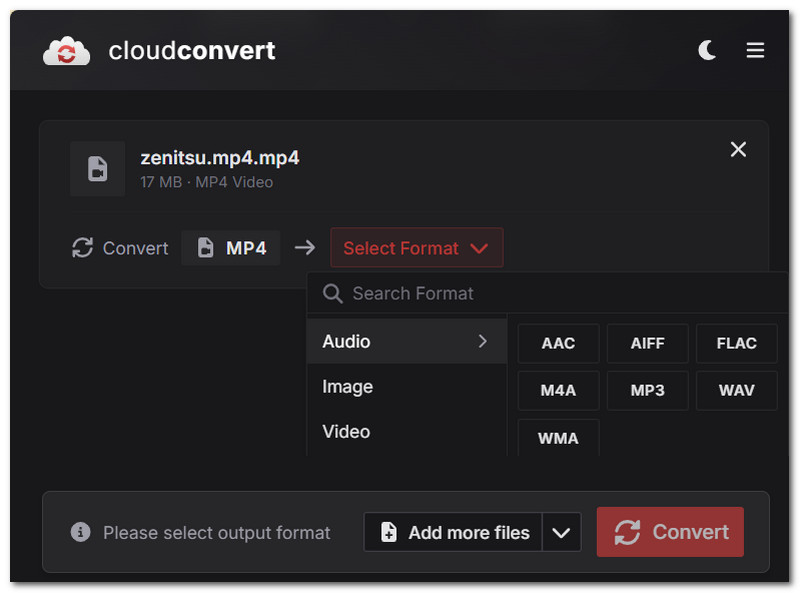
CloudConvert WebM Tool
Best For: Web-based Batch Processing Video File Converter Tool
Another web-based WebM to MP4 video file converter tool that is accessible via any web browser and does not require users to install actual software just to use its service. It has a wide range of support for other video file formats, making it easier for users to convert WebM files to their preferred file formats.
Ratings: 4.2 / 5
- Web-based video file converter tool.
- Easy and safe to use tool.
- It uses a drag-and-drop system for easy uploading of video files.
- It supports batch processing of multiple videos in one go.
- It has customization settings for resolution, aspect ratio, processing speed, video profile, and more.
- Requires a stable internet connection.
- It comes with limited daily conversion file limits.
- It uses a credit-based paid system.
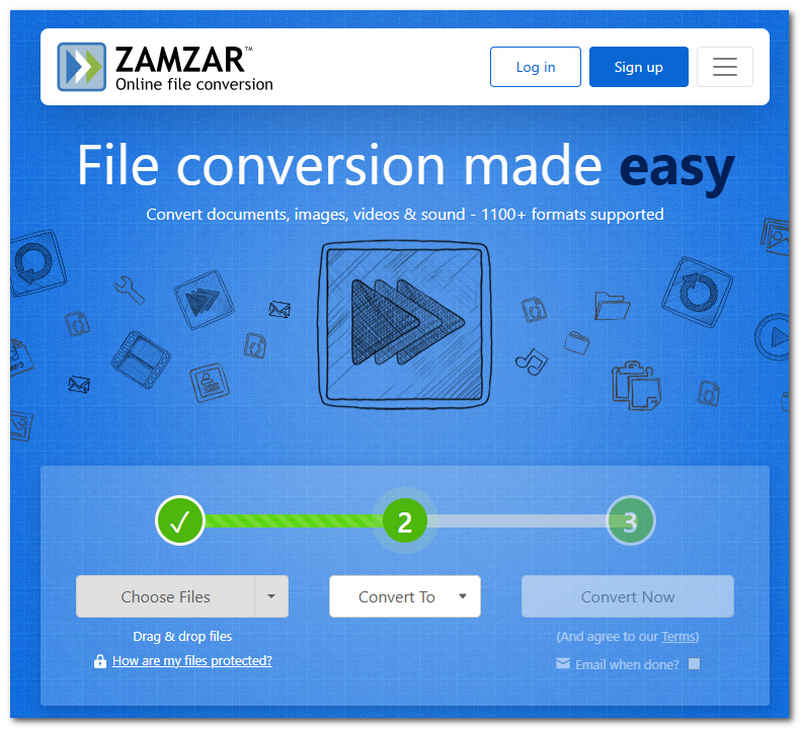
Zamzar File Converter
Best For: Flexible File Converter Tool
Zamzar File Converter is a web-based converter tool that is much more flexible in terms of its capabilities to convert files to other formats. Its reach is beyond video files as it can also be used for audio and document file conversion.
Ratings: 3.9 / 5
- Web-based video file converter tool.
- It uses a drag-and-drop system.
- It works on all web browsers.
- It has a wide range of video file format input and output support.
- It requires an internet connection to use the tool's conversion functions.
- It has a slow conversion process.
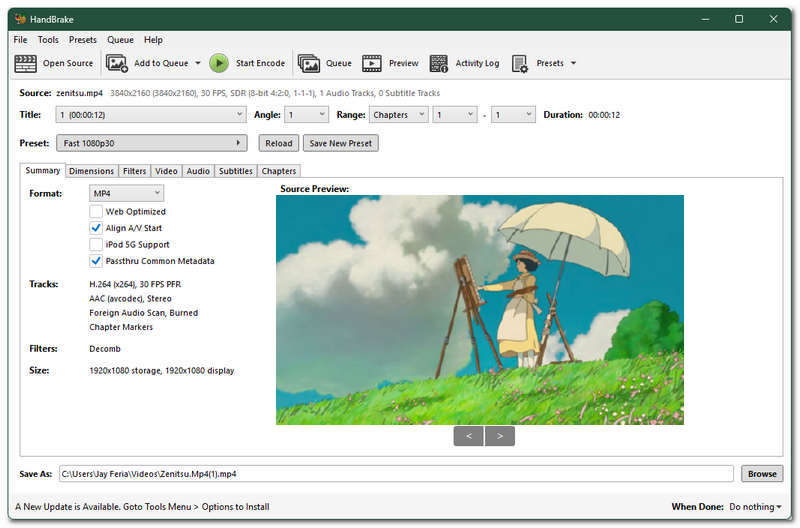
HandBrake Desktop Video Transcoder
Best For: Free and Open-Source Software-Based Video Converter Tool
HandBrake is a free-to-use software video transcoder tool that gives users access to various tools, including conversion of video file format, metadata, and more. This tool has been a top choice as an ideal tool to use when it comes to handling video editing, and through its functionality and advanced customization settings, it is worth listing this tool as among our best picked WebM to MP4 converter freeware.
Ratings: 4.4 / 5
- Free and open-source video converter and transcoder tool.
- It has access to free advanced video conversion customization settings.
- Produces high-quality conversion results.
- Supports a wide range of input and output file formats.
- Capable of handling batches of video files to process.
- Its user interface may overwhelm novices.
- The conversion processing is relatively slow and dependent on the adjustment settings.
Movavi Video Converter
Best For: Software-Based Video Converter Tool with Advanced Level Customization Option
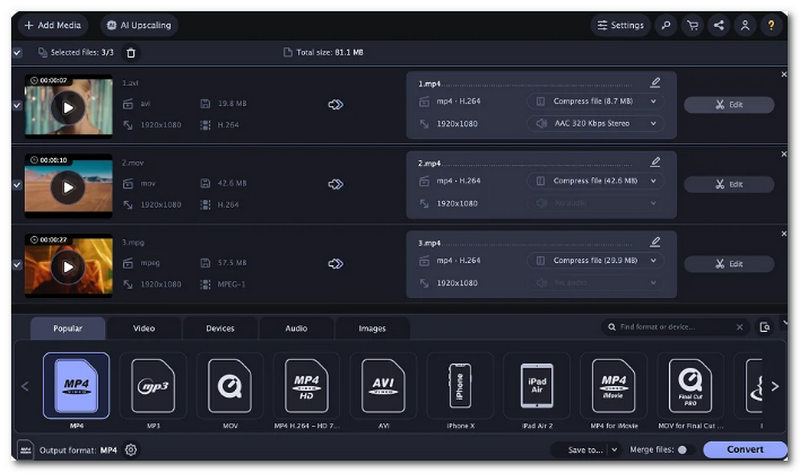
Movavi is a flexible software-based converter tool as it houses not just video conversion support but also can be used for audio and image file conversion. On top of its flexibility, the Movavi Video Converter tool is capable of handling and processing multiple WebM files and converting them to MP4 files in one go, which is efficient for users who are looking for a tool that has conversion customization options while also processing multiple video files at once.
Ratings: 4 / 5
- Software-based WebM converter tool.
- It supports various video file formats in both input and output.
- Capable of video file compression.
- It is equipped with basic video editing tools.
- May not work on low-end desktop devices.
- Other features are locked behind a premium paywall.
TalkHelper
Best For: WebM Converter Tool for Windows Device
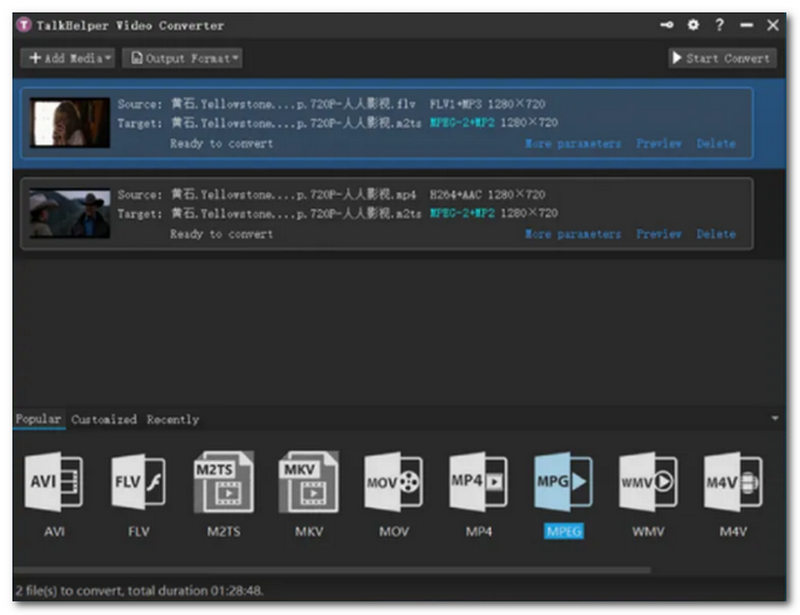
TalkHelper is a premium video converter tool that allows one video file to convert from WebM to other popular and more compatible video file formats. In addition, TalkHelper is able to convert WebM files through only a link; this feature allows users to use YouTube, Vimeo, and other web streaming platform video links to convert into MP4, thus making it playable and downloadable on the user device easily.
Ratings: 3.4 / 5
- Lightweight software-based WebM video converter tool.
- Capable of converting video links.
- It supports a wide array of video file formats.
- It converts video without losing the video quality.
- It has an outdated user interface.
- The pricing is not worth it for casual users.
Online-Convert
Best For: Basic Audio and Video Conversion Needs
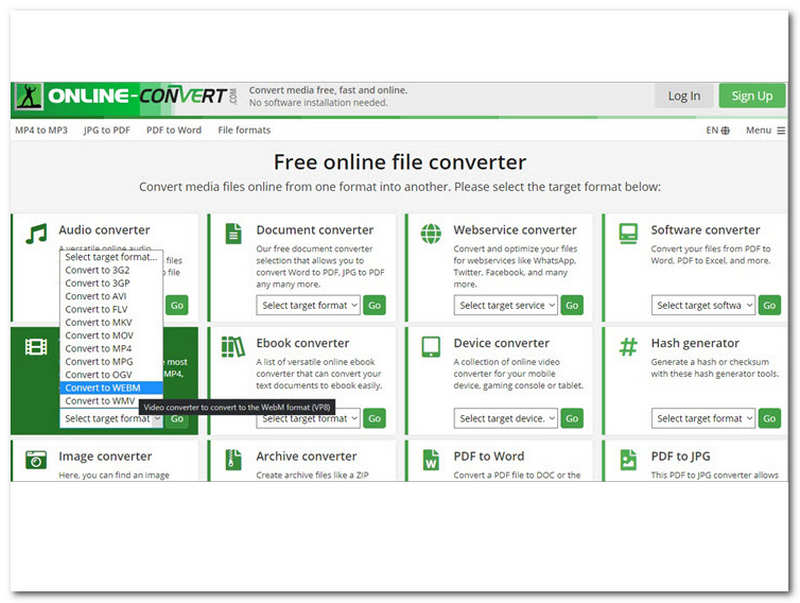
Online-Convert is another web-based, straightforward video converter tool that can handle basic and simple WebM video file conversion to almost any video file format. It does not require users to create or log in to an account, nor download and install an application just to use its service.
Ratings: 3 / 5
- Web-based video converter tool.
- Lightweight WebM converter tool.
- It supports a wide range of file formats.
- It can convert video, audio, and document files.
- Straightforward and easy-to-use.
- It has an outdated user interface.
- It is an internet-dependent type of video file converter.
Convertio
Best For: Free WebM to MP4 Converter Tool Functionality
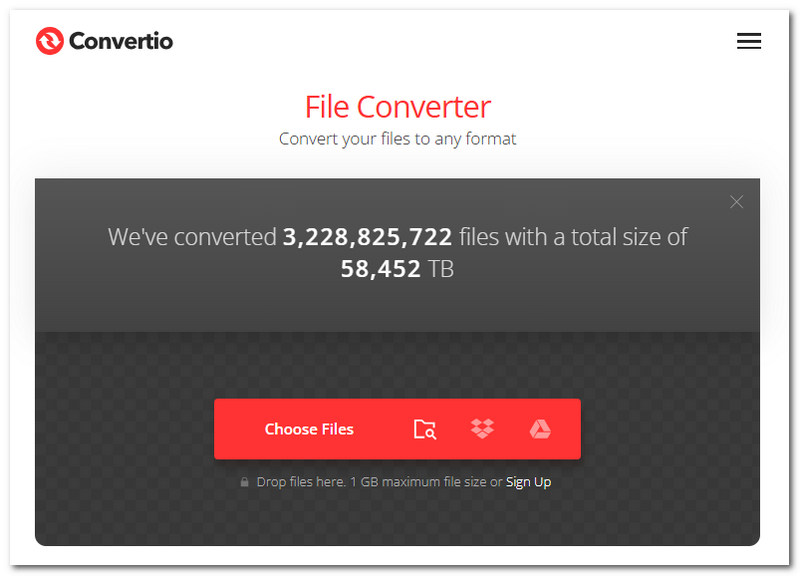
Convertio is another capable online-based video converter tool that has a similar webpage to other web-based video converter tools, allowing users to easily locate where to upload their WebM files through its dedicated files that are easily located on its webpage.
Ratings: 4 / 5
- Straightforward web-based WebM to MP4 converter tool.
- Supports more than 300+ file formats.
- It has customization settings for video quality, aspect ratio, and more.
- Safe and secure tool.
- It comes with a limited file size and upload duration.
- Other features are locked behind a premium paywall.
Part 3. Quick Workflow: How to Process Videos with an Online WebM to MP4 Converter
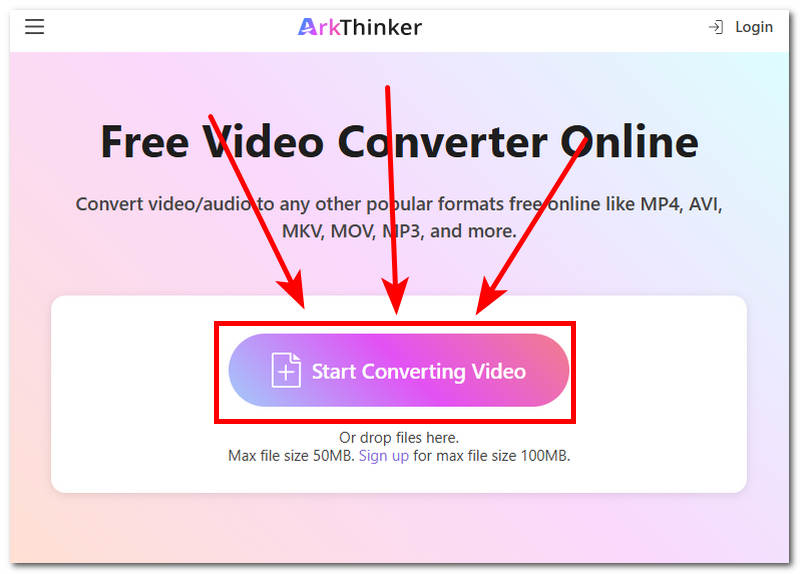
If you are curious as to how to convert WebM to MP4, regardless of what tools to use, in this section we will demonstrate the general and quickest process for how you can do it step-by-step using ArkThinker Free Video Converter Online.
Go to your preferred WebM video file converter tool and, from there, load or upload your file into the dedicated field space for it.
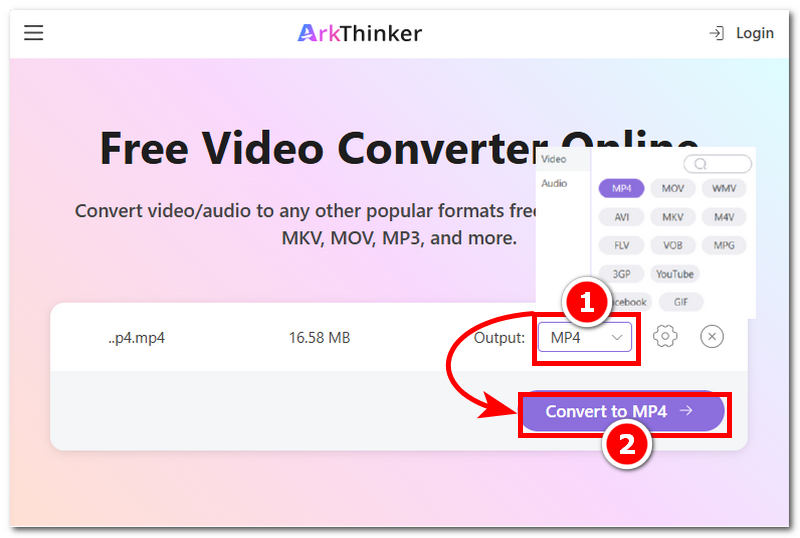
Once your WebM video file is loaded into your converter tool. Proceed to select your preferred output format for your video file. In this case, change the file format from WebM to MP4.
Once you have changed the output file format of your video file, proceed to click on the Convert to MP4 or Export button to have it downloaded to your desktop download folder.
Part 4. FAQs about WebM to MP4 Converter
Will converting WebM to MP4 reduce video quality?
Not necessarily; when converting video file format, usually the only changes made to a video file are its file format. Unless users are using the wrong setting for it, then it may have an effect on the video quality and even ruin it.
Can I convert WebM to MP4 for free?
Yes, there are many online and software-based converter tools offering free conversion of video file formats. But beware of those tools that are unreliable and can ruin your video file. For a safer WebM conversion, feel free to use the abovementioned converters.
Conclusion
As WebM has a specific and convenient function solely for browser usage, the need for converting it to other compatible file formats is unavoidable, especially when one opts for editing it on software or simply uploading it to other platforms. Thus, this article comes in handy, as it cites 8 converter tools from a variety of software and online converters for WebM to MP4 . Through our actual testing of each tool, we come up with a comparison table of each tool’s pros and cons for readers to use as a basis in searching for their ideal WebM video file converter tool to avoid ruining their video file.
Find More Solutions
Best MOV to MP4 Converters in 2026 (Free, Fast & Lossless) 2024 60FPS Video Converters to Upscale Higher Quality Best 5 WebM Converters (Online and Offline) Free MXF Converter Comparison: Software and Web-Based Tools 2024 Movavi Video Converter Review: Features, Pros, Cons Top 5 (Free) Batch Image Converters: 2025 ListRelative Articles
- Convert Video
- What is DAV File and How to Play It
- Ultimate Review to XMedia Recode [Steps Incl.]
- Best 5 Ways to Help You Convert QuickTime Format to MP4
- How to Get Your MP4 Movie and Export It from VLC Player
- VideoSolo Video Converter Ultimate Review [2024]
- Top 2 PAL to NTSC Software & How to Convert Them
- A Reliable Review of the Top-Ranked HEVC Converters
- A Review of Freemake Video Converter to Help You Into It
- Can We Play MKV Files on Your iPhone and How to Realize It
- ArkThinker Free MKV to MP4 Converter Online [Fast and Safe]


