


FonePaw Screen Recorder Review: Should You Use It in 2026
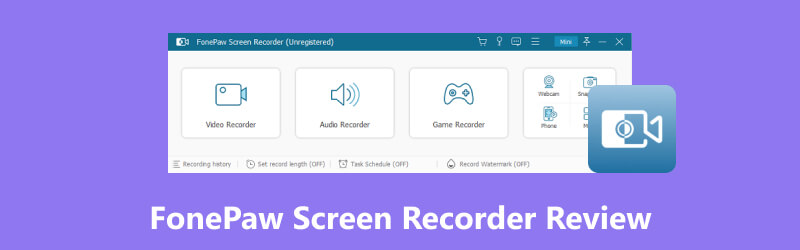
Third-party screen recorders are among the most reliable solutions if you think the built-in Xbox Game Bar and Snipping Tool are not enough for your recording needs. When looking for reliable recording solutions, one of the most popular options for both Windows and macOS is FonePaw Screen Recorder. As such, people may be curious about what makes the program a good choice. To learn the software’s recording capabilities, pricing, and performance, make sure to read this detailed FonePaw Screen Recorder review.
- GUIDE LIST
- Part 1. FonePaw Screen Recorder Overview
- Part 2. Key Features of FonePaw Screen Recorder
- Part 3. FonePaw Screen Recorder Performance Test
- Part 4. FonePaw Screen Recorder Pros and Cons
- Part 5. Best FonePaw Screen Recorder Alternative
- Part 6. FAQs About FonePaw Screen Recorder
How We Tested and Reviewed FonePaw Screen Recorder
- • We reviewed the performance and features of FonePaw Screen Recorder’s Windows and macOS versions.
- • The desktops we used as testing hardware run on Intel i7 and Apple Silicon processors, respectively. Both are equipped with 16GB of RAM and integrated GPUs.
- • During testing, we made sure that only FonePaw Screen Recorder was running to ensure that the video recorder mode runs at peak performance.
- • The quality of the video we captured using the tool was tested side-by-side with built-in recordings captured by Xbox Game Bar and QuickTime Player.
- • Finally, FonePaw’s video editing tools are also assessed to determine whether they are sufficient for basic video adjustments.
Part 1. FonePaw Screen Recorder Overview
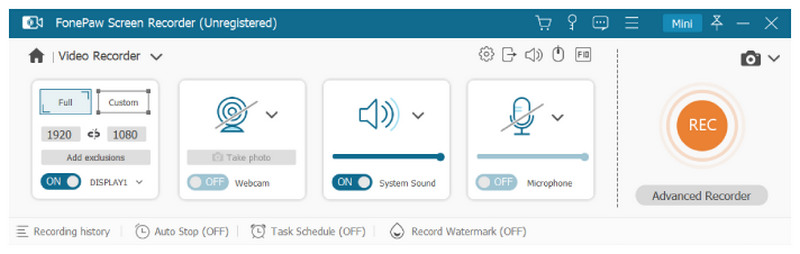
FonePaw Screen Recorder is a general screen recording program built for multiple operating systems. It is available on both Windows PC and macOS computers, making it a popular choice for a wide audience.
Designed as a screen recording tool, the program offers six recording modes: the standard screen recorder and audio, webcam, window, game, and phone recorders, with the latter two for more specific recordings.
Due to its versatility, the program does not have a specific target user. It can be used by remote workers, gamers, and content creators for video production and even by students and educators for academic use. FonePaw Screen Recorder is designed for general use. When it comes to versatility, it is one of the best screen recorder options.
Part 2. Key Features of FonePaw Screen Recorder
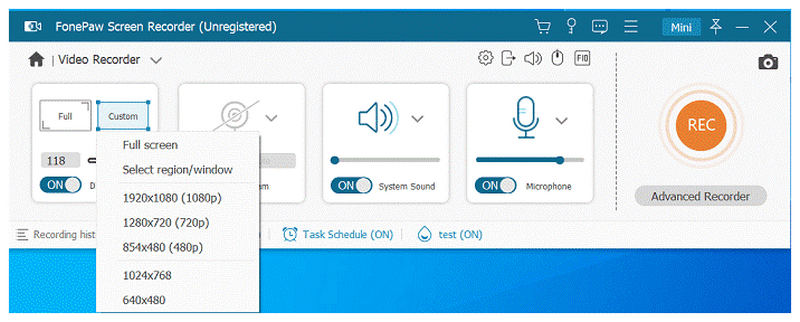
Flexible Screen Recording Modes
The flexibility in recording modes is one of the biggest strengths of FonePaw Screen Recorder. With its six recording tools, the program has become a good recording choice for users of different skill levels and recording needs.
Audio and Webcam Recording
Among the recording options in the program, the webcam recorder mode is the most practical. This feature allows for more efficient recording of tutorials, gameplay, and online lectures. The mode also functions as an audio recording tool, which is what sets it apart.
Phone Screen Mirroring and Recording
Among the two specialized recording modes of the program, its phone recording feature, which allows third-party screen capture of connected smartphones, is the most notable addition. This mode allows users to capture apps with heavy screen capture, recording their content on mobile devices.
Scheduled Recording and Real-Time Annotation
Finally, the option to schedule recordings is another feature that greatly improves users’ quality of life. This makes remote recordings possible in the program. During manual screen recording, real-time annotation tools allow you to add lines, marks, and highlights to the video being recorded.
Part 3. FonePaw Screen Recorder Performance Test
Moving forward to the results of our FonePaw Screen Recorder performance test, we will discuss how the program performed in three different areas: Recording Quality, CPU and RAM usage, and the overall user experience.
During standard screen recordings, FonePaw’s video quality is good enough for basic screen captures. It can record your screen and save videos in standard 1080p. However, it can capture 4K UHD video when using its webcam or game recording features.
Fortunately, all these practical features do not require your entire computer’s resources to run smoothly. Simply put, FonePaw Screen Recorder can function well with low to moderate CPU and RAM consumption.
Part 4. FonePaw Screen Recorder Pros and Cons
For a quicker understanding of the strengths and limitations of FonePaw Screen Recorder, make sure to read our provided listing of the most notable pros and cons of the program based on our review.
- Consumes low to moderate resources.
- Optimized for modern Windows and macOS computers.
- Equipped with versatile recording tools.
- Can be used to record and capture 4K UHD videos.
- Designed to be easy and accessible for beginners.
- Features in the free trial mode are very limited.
- The video editing features after recording are basic.
- Windows and Mac versions of the program have slight differences in features.
- Expensive monthly subscription plan for a basic screen recording tool.
- Works best for personal screen recording and not for professional content.
Part 5. Best FonePaw Screen Recorder Alternative
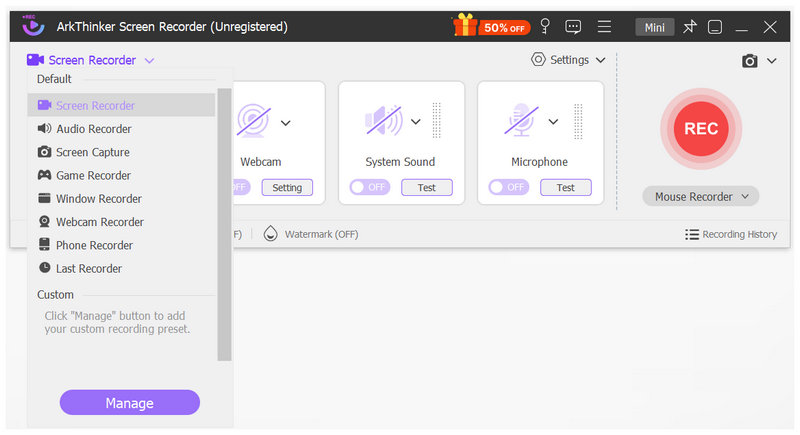
When looking for a reliable FonePaw Screen Recorder alternative, a good option is a program similar to it but has a significant advantage in resource consumption, which is the most significant downside of FonePaw. In this case, ArkThinker Screen Recorder should be your top choice, as it offers recording modes similar to FonePaw’s, all in a much lighter package.
Also equipped with six recording modes and a practical screen capture tool with annotations, ArkThinker’s software shares most of FonePaw’s features, making it a solid alternative for users who are having a hard time with the program’s heavier load.
In addition to being lighter, ArkThinker Screen Recorder is not restricted by version differences. The Windows and macOS versions of the tool are identical, with no differences in recording mode.
With all these factors in mind, ArkThinker Screen Recorder is essentially a direct upgrade over FonePaw, as it offers nearly identical recording features while avoiding the most significant cons of the program under review.
To experience how practical ArkThinker Screen Recorder is, make sure to download the tool using our link provided below.
Main Features:
- • Equipped with versatile screen-recording modes similar to FonePaw’s.
- • Lightweight resource consumption and installation size.
- • Cross-platform availability for both Windows and macOS.
- • Beginner-friendly interface design.
- • Hardware-accelerated game recording modes for dynamic display recordings.
Part 6. FAQs About FonePaw Screen Recorder
Is the FonePaw Screen Recorder safe?
Yes, it is. FonePaw is an official developer of practical multimedia programs. Their programs are easy to use, including the screen recorder software.
Is FonePaw Screen Recorder free?
No, it is not. The program is a paid tool. It offers only a limited free trial.
Can I use FonePaw Screen Recorder for creating tutorials?
Yes, you can. FonePaw Screen Recorder has recording modes designed for video tutorials. Its webcam and screen recording modes are great examples.
Is FonePaw Screen Recorder easy to use?
Yes, it is. All of FonePaw’s apps are made for beginners. Their recording tool is not an exception.
Should I use FonePaw Screen Recorder for general recording needs?
Yes, you can. The versatile recording modes of FonePaw Screen Recorder are excellent for common recording needs. It is also very easy to use.
Conclusion
With the main features, general performance, pros, and cons of FonePaw Screen Recorder now reviewed, we hope this article has provided our readers with useful information to help them determine whether using the tool best suits their needs. When looking for a direct upgrade to your built-in recorder, FonePaw’s software is a great choice. However, if you want a program with similar features but is more lightweight, using the ArkThinker Screen Recorder alternative may be the better choice.
What do you think of this post? Click to rate this post.
Excellent
Rating: 4.9 / 5 (based on 769 votes)


