


Top 5 OBS Alternatives for Mac and Windows Recordings (2026)
When it comes to screen recording and streaming programs, OBS is one of the most popular solutions due to its status as reliable, open-source freeware. Unfortunately, OBS has one severe limitation that keeps it from being the best solution for both recording and streaming: the tool’s resource consumption is simply too high. In this article, we will review five of the most reliable OBS alternatives that will serve perfectly as screen recording or streaming software. We will review each program based on its best uses, user consensus, and pros and cons.

- GUIDE LIST
- Part 1. Why Do Users Look for an OBS Alternative
- Part 2. Comparison of the Best OBS Alternatives
- Part 3. Best OBS Alternatives
- Part 4. FAQs About OBS Alternatives
Part 1. Why Do Users Look for an OBS Alternative
Due to its features and freeware pricing model, OBS Studio is a solid solution when used for screen recording and livestreaming. In fact, it has been a solid choice for most livestreamers and production staff today.
Unfortunately, OBS has a significant flaw in terms of its accessibility. The program is simply too complex to use and not advisable for beginners or even intermediate users. It is also notorious for being resource-hungry, making it a poor choice for users with older or entry-level laptops.
As such, it is a common choice for users seeking an easier, lighter, and more accessible program, prompting them to look for OBS-like software without these issues.
Part 2. Comparison of the Best OBS Alternatives
Before proceeding to our review of the best apps like OBS Studio in 2026, let us first provide a quick comparison of our featured OBS alternatives for Chromebooks and other desktop platforms running Windows or macOS.
These programs range from the best screen recorder tools to the most reliable livestreaming studios in 2026.
| OBS Alternatives | Recording Quality | Streaming Support | Resource Usage | Setup Difficulty | Pricing |
| ArkThinker Screen Recorder | 1080p – 4K UHD | None | Low | Very Easy | Free – $19.96 |
| Streamlabs Desktop | 1080p – 4K UHD | Supports online livestreams. | Moderate to High | Moderate | Free – $27.00 |
| XSplit Broadcaster | 1080p – 4K UHD | Supports online livestreams. | Moderate to High | Moderate | $14.99 – $59.99 |
| Bandicam | 1080p – 4K UHD | None | Low to Moderate | Easy | $33.26 – $53.90 |
| Movavi Screen Recorder | 1080p – 4K UHD | None | Low to Moderate | Very Easy | $19.95 – $44.95 |
Part 3. Best OBS Alternatives
Top 1. ArkThinker Screen Recorder — Best OBS Alternative for Beginners
Best Uses: Users looking for the most beginner-friendly alternative to OBS for screen recording.
User Rating: 5/5
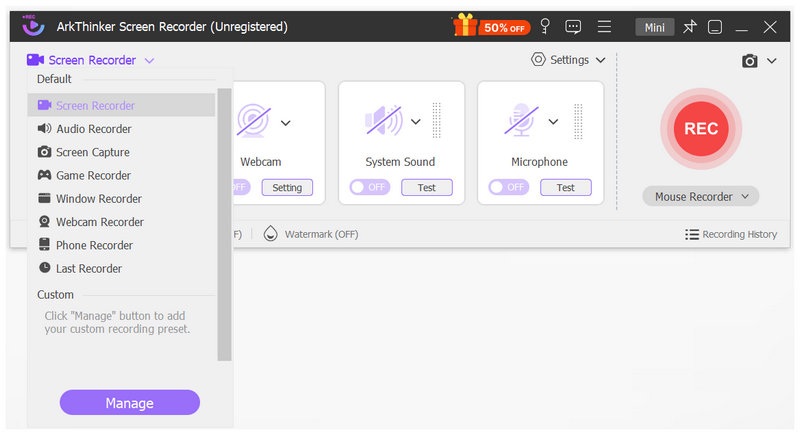
We will start this article by featuring ArkThinker Screen Recorder, the most suitable screen-recording alternative to OBS Studio for both Windows and macOS. Designed exclusively as a screen recorder, this program can rival OBS in recording modes, all within a beginner-friendly, easy-to-use shell.
Equipped with six recording modes and a screen capture tool, ArkThinker’s software offers the same features as OBS but in a much more accessible package. This is the case because the recording modes in the program can be applied simply by switching your option, rather than through manual setup like in OBS.
Moreover, the program is extremely lightweight, making it a suitable choice even for entry-level computers without the risk of encoding overload or significant performance decline. To learn more about what makes ArkThinker Screen Recorder an excellent OBS substitute, make sure to read its strengths and limitations below.
You may download the program using the link below to experience its practicality first-hand.
- Extremely simple and beginner-friendly interface.
- Designed for versatility with six recording modes and a screenshot tool.
- Equipped with video editing and image annotation tools for post-processing.
- Hardware-accelerated for recording dynamic gameplay videos.
- Best all-around software for creating tutorial videos, game recordings, and daily screen capture needs.
- Slightly limited features on the program’s trial version.
- Basic features compared to advanced and complex screen recorders.
- No livestreaming features.
Top 2. Streamlabs Desktop — Best OBS Alternative for Live Streamers
Best Uses: Smooth game streaming on video sharing platforms such as Twitch or YouTube.
User Rating: 4/5
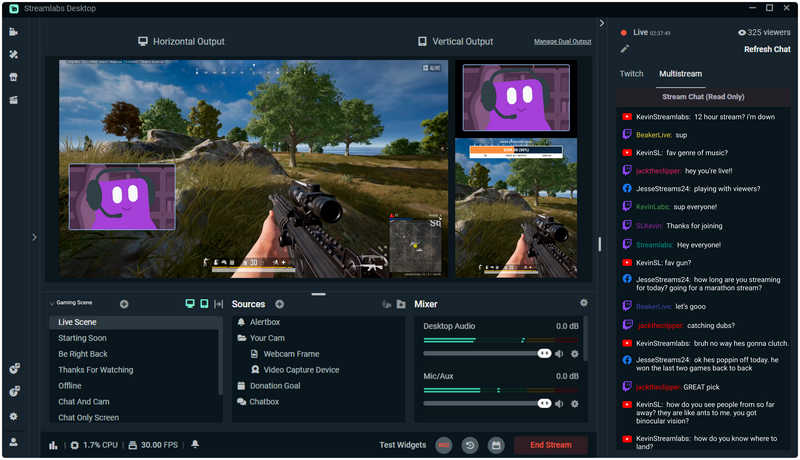
Moving forward to the next option, we have Streamlabs Desktop. If the first featured software is designed as the optimal free OBS alternative for screen recordings, the second method on this list makes for an excellent choice for the program’s second main function: livestreaming.
When used as a primary livestreaming studio, Streamlabs offers more practical features than OBS, including built-in overlays and streaming widgets. This makes the program both easier to set up and to use since it is also designed with beginner accessibility in mind.
Unfortunately, it suffers from the same problem as OBS: heavy resource consumption. It may even be more demanding than OBS, since running Streamlabs smoothly requires so many CPU, GPU, and RAM resources.
- Exclusively designed as a streaming platform software.
- Easier setup process compared to the complex OBS.
- Built-in overlay and widgets made for content streaming.
- Resource-hungry for CPU, GPU, and RAM.
- Heavier system requirements than OBS.
- Some advanced features require paid subscriptions.
Top 3. XSplit Broadcaster — Best OBS Alternative for Professional Streaming
Best Uses: Professional live streaming, shooting lectures, and creating online presentations.
User Rating: 4/5
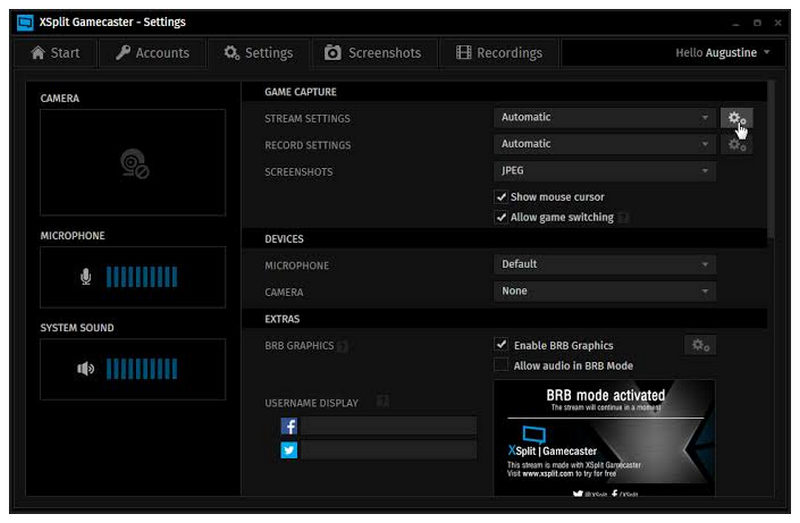
Moving on to the next option, we have another premium alternative to OBS for users looking for a live streaming program: XSplit Broadcaster. Similar to Streamlabs, this OBS-like program is designed to be a more beginner-friendly alternative to OBS.
Moreover, it is equipped with advanced production tools that give users more control during livestreams. Simply put, both Streamlabs and XSplit offer the same features as OBS, but they are designed to be easier to use.
With most of the program’s streaming features designed around OBS, XSplit also suffers from the same heavy resource consumption issues. It may even be close to or on par with OBS since it has more streaming features.
- Designed to be beginner-friendly.
- It has polished screen recording and streaming features.
- Advanced production tools for more control during livestreams.
- Expensive pricing plans.
- Consumes heavy computer resources for advanced recordings.
- Only optimized for the Windows platform.
Top 4. Bandicam — Best OBS Alternative for Gaming Recording
Best Uses: Recording gameplay and general screen recording use.
User Rating: 3/5
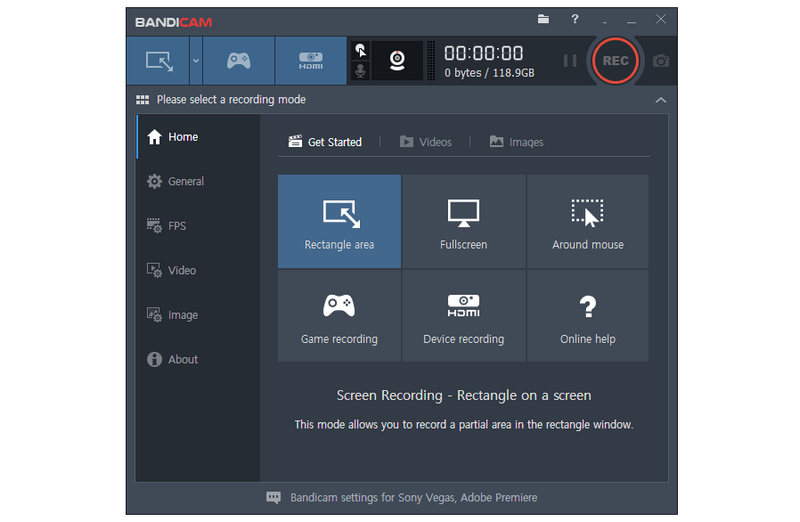
With the two previous programs both serving as alternatives to OBS’ livestreaming function, let us turn to another software designed as a screen capture tool: Bandicam. What is considered a legacy screen capture tool for screen displays, this software is one of the programs that emerged alongside OBS during the rise of streaming in the 2010s.
When used as a primary screen recorder, Bandicam is surprisingly simple to use. This applies whether you plan to use the program for general screen recording or for more specific screen capture solutions, such as gameplay recordings.
Unfortunately, it lacks livestreaming features, as it was primarily designed as an upgrade to Windows' built-in screen recorder.
- Highly regarded as a reliable screen recording program from the 2010s to the present.
- Lightweight installation size and efficient recording performance.
- Simple and easy-to-learn recording program.
- It does not have any livestreaming features.
- Bandicam’s free version has watermarks.
- Only available on Windows.
Top 5. Movavi Screen Recorder — Best Simple Screen Recording Tool
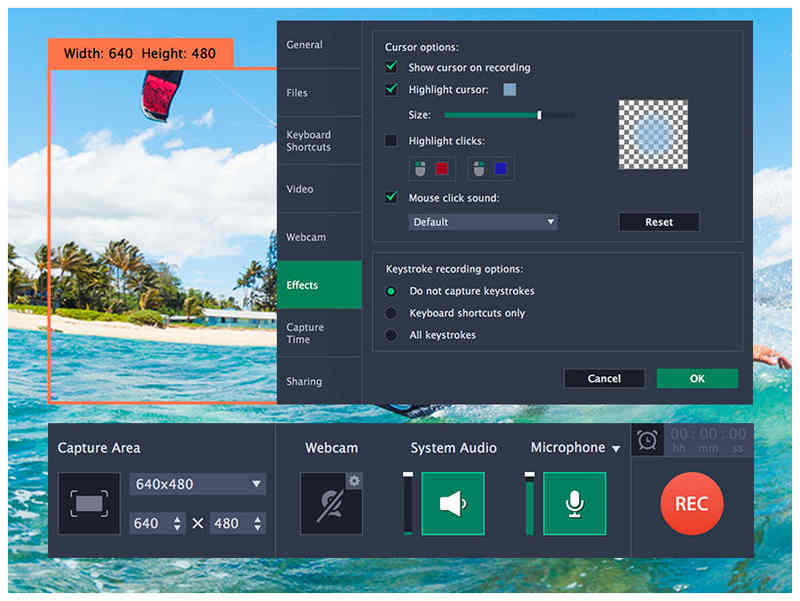
Best Uses: Best used for recording webinars, creating tutorials, and other basic screen recording purposes.
User Rating: 4/5
We will wrap up this review article by featuring another beginner-friendly screen recording program: Movavi Screen Recorder. A close runner-up to ArkThinker when used as a recorder, Movavi has enough features to make it a good option for users looking for a simple OBS alternative for screen recording.
What makes the program a highly advisable alternative for OBS is its modern-looking interface design, which is polished, clean, and well-labeled, especially for ease of use. This is what made the tool a solid solution for quick screen recordings.
However, Movavi suffers from the same problem as other screen recording alternatives: it lacks livestreaming features, which are basically the other half of OBS. Recordings captured by the program are also tagged with Movavi watermarks.
- Clean-looking interface design.
- Offers recording modes to capture screen, webcam, and audio.
- Can be used for quick screen recordings with minimal setup.
- It does not have any live streaming features.
- Limited advanced controls compared to OBS.
- Its free version has limited recording features.
Part 4. FAQs About OBS Alternatives
Is OBS beginner-friendly?
No, it is not. OBS is one of the most complex multimedia programs due to its features. Even when used as a screen recorder, the tool's options are way more beginner-friendly than the tool itself.
Can I use OBS only as a screen recorder program?
Yes, you can. OBS is a functional screen recorder that can be used as such. Although it is easier to use as a recording tool than as a live streaming program, it is still harder to use than dedicated recording options.
What makes OBS a popular multimedia software?
OBS is versatile and rewards user experience. It is also an open-source solution, making it very accessible. Whether you want to use it as a recorder or streaming program, it will get the job done.
Are there any screen recording tools that are easier to use than OBS?
Yes, there are. Most screen recording tools are easier to use than OBS. This is because OBS is very advanced and challenging to use effectively.
Should I use OBS for livestreaming?
Yes, you can. OBS is a great choice for livestreaming use. In fact, this function is its primary purpose, and its screen capture feature is usually treated as a bonus.
Conclusion
Now that we have featured five reliable options you can use as OBS alternatives, whether for screen recording or livestreaming, we hope this article helps you decide which program best suits your needs. With that in mind, we will provide two recommended features for each program. For screen recording, we highly suggest ArkThinker Screen Recorder. For livestreaming, Streamlabs is a good choice.
What do you think of this post? Click to rate this post.
Excellent
Rating: 4.9 / 5 (based on 708 votes)


