


7 Best GIF Background Removers to Make Transparent GIFs (Free & Paid)
Removing the background from an animated GIF can help you create stickers, social media content, website animations, and marketing materials. However, finding a tool that can accurately remove GIF backgrounds while keeping the animation smooth is not always easy.
Some GIF background removers only work with static images, while others may reduce quality, add watermarks, or fail to export transparent backgrounds.
To help you choose the right tool, we tested and compared 7 popular GIF background removers based on background removal accuracy, output quality, ease of use, processing speed, and free features.
Whether you need an online AI tool or a mobile app, this guide will help you find the best GIF background remover for your needs.

- GUIDE LIST
- 1. ArkThinker Background Remover – Best Free AI GIF Background Remover
- 2. Unscreen – Best for Animated GIF Background Removal
- 3. Remove.bg – Best AI-Powered Background Removal Tool
- 4. Adobe Express – Best Professional GIF Editing Solution
- 5. Canva – Best for GIF Design and Customization
- 6. Photoroom – Best GIF Background Remover App for Mobile Users
- 7. Background Eraser – Best Simple Background Removal App
- How to Remove Background from a GIF Online
| Tool | Platform | Best For | AI Background Removal | Transparent Background | Free Version |
| ArkThinker Background Remover | Online | Beginners who need quick GIF editing | ✓ | ✓ | ✓ |
| Unscreen | Online | Removing backgrounds from animated GIFs | ✓ | ✓ | Limited |
| Remove.bg | Online | Fast automatic background removal | ✓ | ✓ | Limited |
| Adobe Express | Online | Professional content creation | ✓ | ✓ | Limited |
| Canva | Online | GIF design and customization | ✓ | Limited | ✓ |
| Photoroom | Mobile | Social media content creation | ✓ | ✓ | Limited |
| Background Eraser | Mobile | Simple background editing | Partial | ✓ | ✓ |
1. ArkThinker Background Remover – Best Free AI GIF Background Remover
Platform: Online
Best For: Beginners who want a simple and free GIF background remover
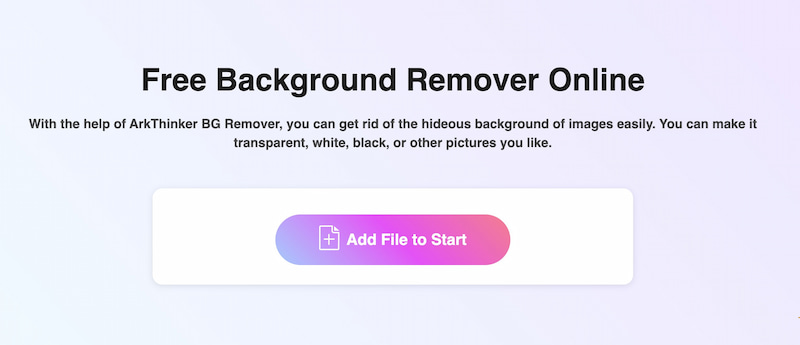
ArkThinker Background Remover is one of the popular free tools for processing GIFs and images online. This tool can make your GIF background transparent, white, blue, or any other color you need. It also allows you to select the keeping area manually or partially remove the background. Its user-friendly interface allows you to remove the GIF background in three steps. Most importantly, it lets you download the changed GIF without any watermark.
- No annoying ads or pop-ups.
- No watermark in output GIFs.
- The output GIF maintains the high image quality.
- Built-in the advanced AI recognition technology.
- It needs a stable network while removing online.
2. Unscreen – Best for Animated GIF Background Removal
Platform: Online
Best For: Removing backgrounds from animated GIFs quickly
Unscreen is a 100% free online platform for video and GIF removal. It supports changing the background for files in mp4, .webm, .mov, and .gif formats. This platform also allows you to search for GIFs from an online library. Besides the free version, the pro version provides more powerful features, but you need to subscribe.
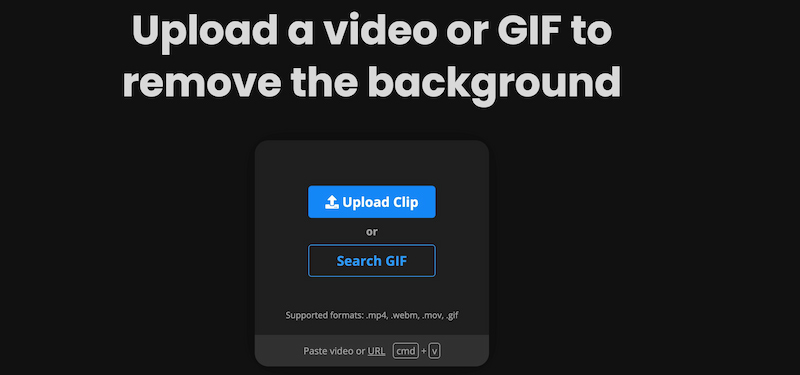
- Support searching GIF materials from GIPHY.
- Remove the video background automatically.
- Support using shortcut keys.
- Export GIFs with annoying watermarks.
- Not support removing the image background.
3. Remove.bg – Best AI-Powered Background Removal Tool
Platform: Online
Best For: Users who prioritize speed and accurate background removal results.
Remove.bg is another online GIF background-removing tool. When you drag a GIF, it will automatically remove the background. Meanwhile, you can choose a photo background or change color on the main interface directly. Lots of options you can choose for GIFs. Moreover, you can download it in normal or HD quality according to your needs.

- The background library provides various photos for GIFs.
- The main interface is clear and without ads.
- Integrates with Canva to create more designs.
- Removing the GIF background manually is slow.
4. Adobe Express – Best Professional GIF Editing Solution
Platform: Online
Best For: Users who want background removal and creative editing features
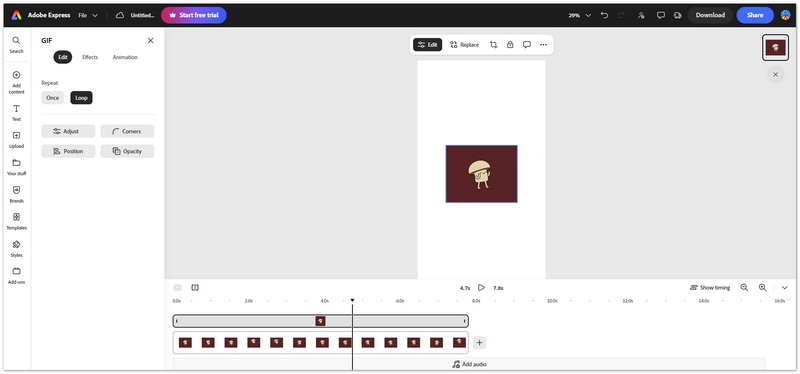
Adobe Express is an online design tool that combines AI-powered editing features with professional design capabilities. It allows users to remove backgrounds, add new visual elements, and create engaging graphics for social media, marketing, and websites.
Although Adobe Express is not built specifically for GIF background removal, it is a good choice for users who need additional editing options after removing the background.
Users can customize colors, add text, apply effects, and create branded GIF designs in the same workflow.
- Offers powerful design features.
- Suitable for professional content creation.
- Provides many templates and creative assets.
- Some features require a premium plan.
- More complicated than simple background removal tools.
- You need to log in to access Adobe Express GIF remover.
5. Canva – Best for GIF Design and Customization
Platform: Online
Best For: Creating customized GIF designs
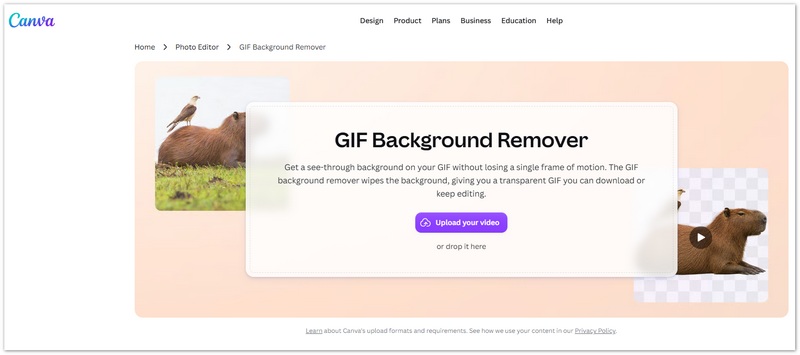
Canva is a popular online design platform that helps users create social media graphics, presentations, and marketing materials. While Canva does not focus specifically on GIF background removal, its background removal feature can help users edit GIF-related designs.
After removing a background, users can add templates, stickers, text, animations, and other design elements to create customized visual content.
- Beginner-friendly interface.
- Many creative templates available.
- Combines editing and design features.
- Background removal requires a paid plan in many cases.
- Not specifically designed for GIF background processing.
- Export options may vary depending on file type.
- You need to log in to use it.
6. Photoroom – Best GIF Background Remover App for Mobile Users
Platform: Android & iOS
Best For: Mobile users who frequently create social media GIFs and marketing content.
Photoroom AI Photo Editor is a mobile app designed for editing photos with the help of AI tools. Its Magic Retouch can delete the background from your GIFs accurately, allowing you to easily replace it with another color and image. Or you can make the background transparent in simple taps. In addition, it has perfect editing features to create marketing materials using built-in templates.
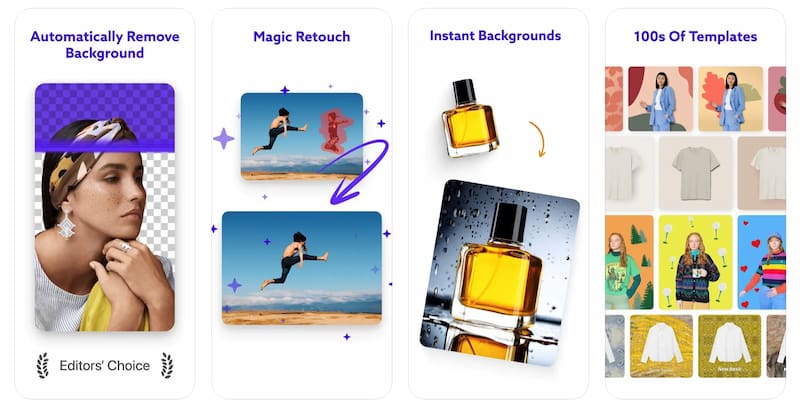
- Save time by Batch processing dozens of GIFs at once.
- Instantly delete unwanted objects and defects from the background.
- Export GIFs & photos for any social media or selling platform directly.
- The free version is limited to 250 exports.
- There are bugs & errors in the app sometimes.
7. Background Eraser – Best Simple Background Removal App
Platform: Mobile
Best For: Users who only need basic background removal features on mobile devices.
Background Eraser is a popular app that specializes in removing backgrounds from GIFs and images. This tool can help you delete background and make no watermark transparent background GIFs in high quality automatically. Besides, it supports cropping GIFs with built-in AI tools. With the help of it, you can get a pixel-level accurate GIF with new background. Just a few taps, you can choose and change the area manually.
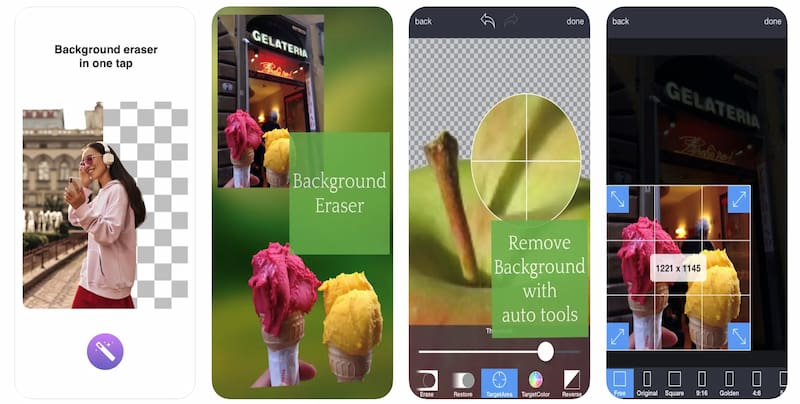
- Remove a similar color background automatically.
- Crop your GIFs with 15 different presets feature quickly.
- Make transparent background pictures and GIFs in one second.
- Offer 100+ templates for changing backgrounds.
- The free version displays some ads.
- Haven’t updated the app for a long time.
How to Remove Background from a GIF Online
Removing the background from a GIF does not require complicated editing software. With ArkThinker Background Remover, you can automatically remove unwanted backgrounds from GIF files in just a few clicks. Follow the steps below to create a transparent GIF online.
Visit ArkThinker Background Remover and click "Add File to Start" to upload the GIF file you want to edit. The tool supports automatic processing, so you don't need to manually select the background or edit each frame individually.
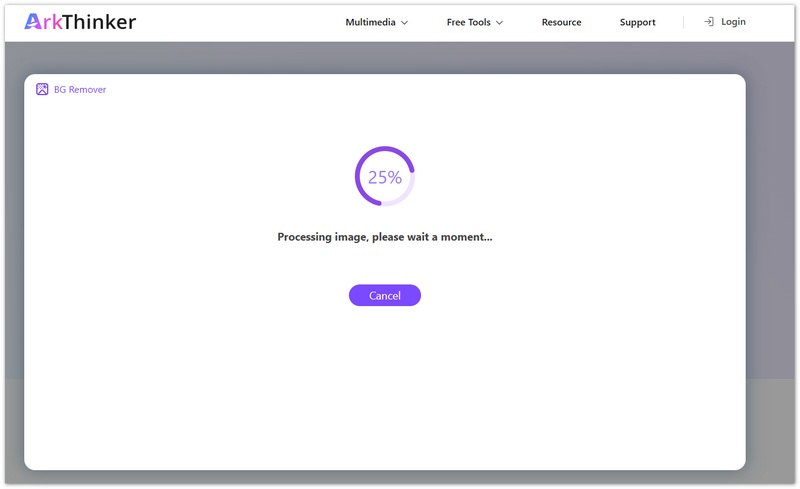
After uploading, the AI-powered background remover will analyze your GIF and detect the main subject to remove the background automatically.
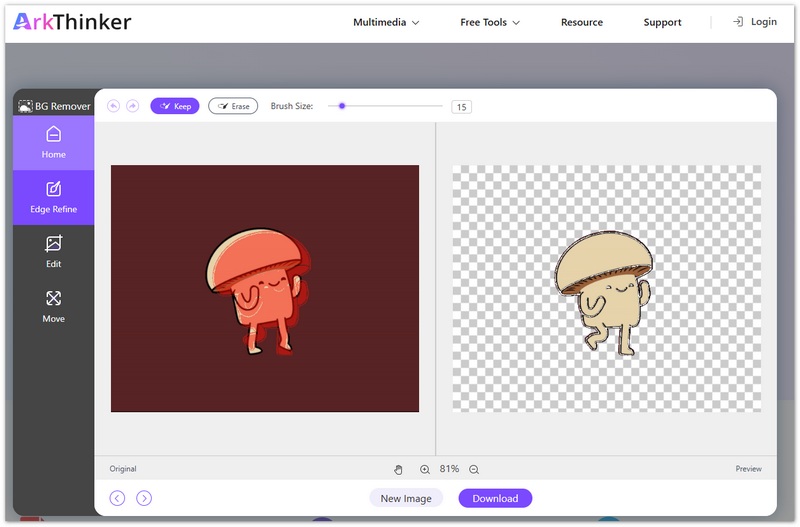
Once the background is removed, you can preview the result and customize the background based on your needs. If everything looks good, click "Download" to save the removed background and use it for websites, social media, presentations, or creative projects.
Frequently Asked Questions (FAQs)
Can I change the background of a GIF instead of removing it?
Yes. Many GIF background removers, like Arkthinker Image Background Remover, allow you to replace the original background with a new color, image, or custom design after removing the original one.
Does GIF support transparent backgrounds?
Yes, GIF supports transparency, but it has limitations. GIF transparency only allows one transparent color, while formats like PNG support smoother transparency effects. For simple cutout animations, transparent GIFs can still work well.
Does removing the background affect GIF quality?
It depends on the tool and export settings. Some tools may compress GIF files during processing, which can affect resolution, colors, or animation smoothness. Choosing a background remover that preserves original quality can help maintain better results.
Conclusion
In this post, we introduced 7 excellent GIF background removal tools, each of which has its own characteristics. No matter you are a professional or a personal user, there is always one to meet your needs. Personally, I prefer to use ArkThinker Background Remover because it is easy to operate, and the AI recognition function can help remove GIF backgrounds easily. If you have other recommended GIF background removal tools, feel free to comment below.
What do you think of this post? Click to rate this post.
Excellent
Rating: 5 / 5 (based on 580 votes)
Find More Solutions
Add Music to GIF: Incorporate Music to Your GIF After Converting Best GIF Editor Tools Suitable to Any Computers and Devices Quick Steps on How to Add Text to a GIF Using Caption Maker Tools Review of Apowersoft Watermark Remover Software and Online 2 Easy Ways to Change Transparency of Image in Google Slides Ultimate Guide to Remove Background in IllustratorRelative Articles
- Edit Image
- Effective Options to Resize Picture for Twitter- 3 Online Tools
- How to Remove Watermark from Placeit Images and Videos
- How to Make Photo HD on Different Devices and Remove Artifacts
- Updated and Unbiased Review of WatermarkRemover.io
- 3 Easy Ways to Remove Image and Text Watermarks from PDF
- Remove Watermark from GIF: Effortless Methods to Edit GIF
- Save TikTok Photos Without Watermark in 2 Hassle-Free Ways
- What Is Pixlr & How to Remove Watermark from Photo
- [2024] Inpaint Review & How to Use It to Remove Watermark
- How to Remove Alamy Watermark from Images (100% Working)


