


Top 10 Online Voice Recorder Tools (2026 List)
When it comes to voice recording options, desktop and mobile-based apps are among the most reliable tools for capturing high-quality audio. Unfortunately, they are not the most accessible options, as they are usually technical to use and require installation. In this article, we will review ten of the most reliable online voice recorder software that you can use anytime, as long as you have a stable internet connection. These options do not require any downloading or installation, making them among the most reliable options on the market. For objective results, we will review each tool based on its key recording features, pros, cons, and pricing plans.
- GUIDE LIST
- Bonus: Best Desktop Audio Recorder of All
- Part 1. How to Pick an Online Voice Recorder
- Part 2. 10 Best Online Voice Recorders in 2025
- Part 3. Limitations of Voice Recording Online
- Part 4. FAQs About Online Voice Recorder
Bonus: Best Desktop Audio Recorder of All
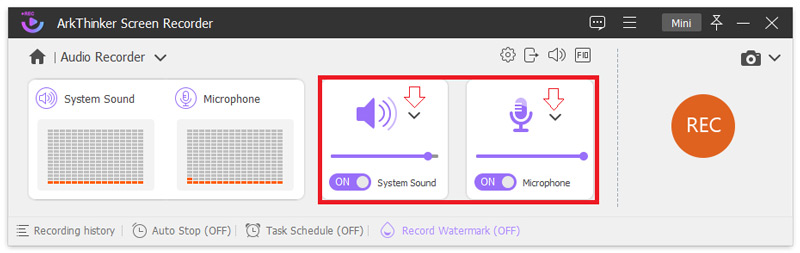
As mentioned in the article's introduction, desktop-based tools remain the best option for ensuring stable and high-quality audio recordings. In this case, let us first discuss the best audio recorder for desktop computers with ArkThinker Screen Recorder.
Available for both Windows and macOS computers, ArkThinker Screen Recorder features an exclusive Audio Recorder mode that allows you to capture sound from your device’s system, a microphone input, or both simultaneously.
Due to its design, it is a perfect option for capturing step-by-step tutorials, voiceovers, voice recordings of interviews, podcast recordings, and more. Additionally, built-in editing tools are available to ensure that your captured audio can be edited after recording.
To learn more about what makes ArkThinker Screen Recorder a better choice compared to online voice recorders, make sure to read its main features below. Do not forget to download the software as well for an easier sound capture experience.
Main Features:
• High-quality audio recorder tool for both system audio and microphone sound.
• Captures computer display for high-quality video recordings.
• Supports simultaneous recording of system display, audio, and microphone sound.
• High-performance game recorder for capturing smooth gaming footage.
• Its desktop-based setup makes it highly stable, reliable, and effective for offline use.
Part 1. How to Pick an Online Voice Recorder
Choose Based on Your Needs
When selecting an online voice recording studio, you must be clear about how you intend to use the program. If you plan to use voiceover tools to record casually, online tools may be sufficient. However, be sure to research the capabilities of each tool to determine if its services will meet your needs.
Check User Reviews
To gain an objective understanding of the performance of online voice recorders, a good first step is to check online forums for user reviews of the specific tool you plan to use. Using a third-party source is a better idea than relying on user reviews published on the online voice recorder's site.
Assess Your Budget
Finally, you also need to ensure that your budget will be sufficient to meet your voice recording needs. If that is not the case, you might also consider using free online voice recorders, as their performance has improved significantly over recent years. Although some of these options are free to use, others are reliable enough for both basic and professional recordings.
Part 2. 10 Best Online Voice Recorders in 2025
Top 1. AnyMP4 Free Audio Recorder Online
Pricing: Free
Key Features:
• Beginner-friendly interface.
• Maintains the audio quality of captured audio.
• Recorded audio files can be saved locally.
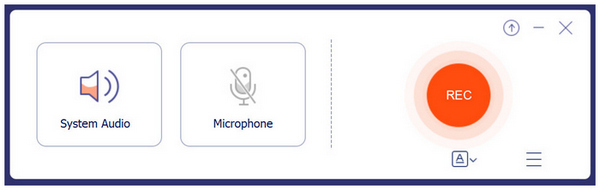
When it comes to online voice recording tools, AnyMP4 Free Audio Recorder Online is a reliable choice. Among the options on this list, this tool is the most stable and directly saves captured audio locally without the need for downloading.
Unfortunately, its stability comes at a cost, as you must install a lightweight launcher tool to make it functional. This minor setup requirement significantly improves its performance, making it one of the best microphone recording tools, but also makes it less accessible than other options on this list.
- Easy to set up.
- Recording mode can be set to be system only, microphone only, or both.
- Recorder audio can be edited since it is saved locally.
- Require downloading a launcher tool.
- Limited features compared to their desktop-based option.
- It can only save audio files in MP3 format.
Top 2. 123Apps Online Voice Recorder

Pricing: Free - $6.00/Month
Key Features:
• Highly customizable microphone settings.
• Automatically cuts silences in recordings.
• Recordings can be edited before exporting them locally.
Users seeking a reliable web-based recorder, while concerned about data privacy, should opt for 123Apps Online Voice Recorder. This software is perhaps the safest to use in terms of privacy since it does not save recordings on its online server.
However, the security of using the online tool compromised its audio quality, as the captured audio from the tool has notably subpar quality. It also lacks editing options and suffers from the given cons of online tools, such as reliance on an internet connection.
- Easy recording and editing process.
- Downloading recorded audio is easy.
- Completely free to use.
- The recorded audio has subpar quality.
- Lacks advanced editing options for recorded audio.
- Performance is highly reliant on the internet connection.
Top 3. Clipchamp Online Voice & Audio Recorder
Pricing: Free - $99.99/Year
Key Features:
• Equipped with a functional video and audio editing timeline.
• Recorded files will be downloaded and saved locally.
• Recordings can be used on their video editor.
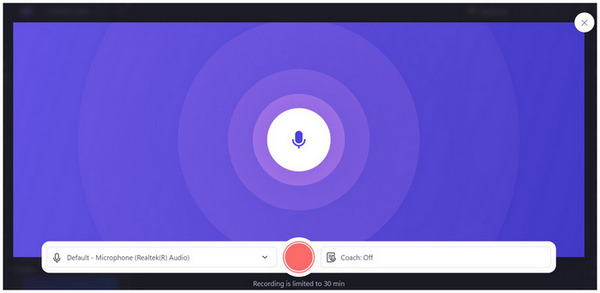
If you are accustomed to using Microsoft apps, Clipchamp should be one of your top considerations. Developed to rival other online tools, this option offers a high-quality MP3 recorder function, basic video editing, and text-to-speech generation, all in a single online program.
Unfortunately, being a jack of all trades made the tool lacking in some of the most significant performance enhancement options available in other programs. The most notable being its audio recording limit of only 30 minutes.
- Exports audio files into high-quality MP3 output.
- Works directly in the browser with no installation required.
- Automated transcription with AI-generated subtitles.
- Has a voice recording limit of 30 minutes per clip.
- Receives significant complaints about audio sync issues.
- Very limited editing options for audio files.
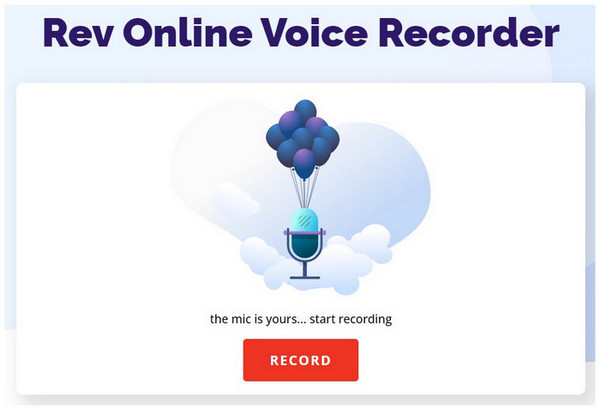
Top 4. Rev Online Voice Recorder
Pricing: Free - $14.99/Month
Key Features:
• Recorded audio has an automated transcription function.
• Recorded audio can be previewed before export.
• Exports recorded audio into MP3 format.
With the first options on this list being focused on being all-around software, Rev Online Voice Recorder stands out by offering AI-powered transcriptions. This is ideal for users who want to add captions to their recordings, which can be highly useful for podcast recordings and production, as well as general interview clips.
Due to its practicality, these subtitle transcriptions are only available via their paid plans. You should ensure that your recordings are of good quality to keep the AI transcription passable at the very least.
- Its recording interface has a simple and easy-to-use design.
- Integrated with the automated subtitles of the Rev Online Tool.
- Equipped with basic audio trimming, preview, and other similar functions.
- Recording transcriptions has a separate payment scheme.
- Very limited editing options.
- Performance is dependent on the browser.
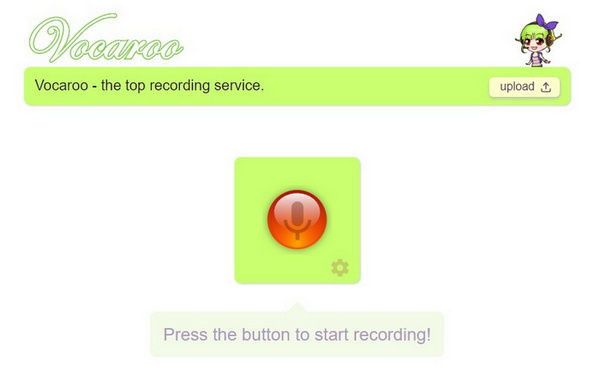
Top 5. Vocaroo.com
Pricing: Free
Key Features:
• The audio recorder has no duration limit.
• Built-in background noise remover.
• Built-in volume settings editor.
If you are looking for an online recording tool with no duration limit, Vocaroo.com's online voice recorder may be the option for you. Although its interface design is dated, the sheer offering of unlimited duration recording is a good compensation. This strength makes the program an excellent choice for recording long-format voiceovers.
- Minimalist interface design.
- Designed for complete beginners.
- Recorded audio can be saved via QR code, link, or other methods
- Very limited editing capabilities.
- Audio quality is subpar at best.
- Recorded audio is not saved permanently and expires.
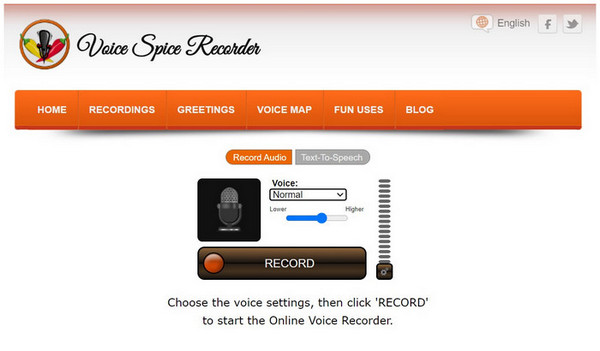
Top 6. Voice Spice Recorder
Pricing: Free
Key Features:
• Built-in voice morphing modes.
• The audio recording option has good volume settings.
• Offers a text-to-speech service.
Audio morphing is a fun and creative way of hiding the speaker's identity. If that interests you, Voice Spice Recorder should be your top option. Among the programs on this list, this is the only tool that provides voice-altering capabilities, making it unique.
Despite that, the biggest downside of this software is that some altered voice captures are trickier to process, especially when the recording’s duration is too long.
- It has a built-in voice quality editor.
- Customizable volume adjustments.
- Designed for capturing creative recordings.
- The quality of morphed audio recordings is not fit for professional use.
- Limited audio recording duration.
- Dated interface design.
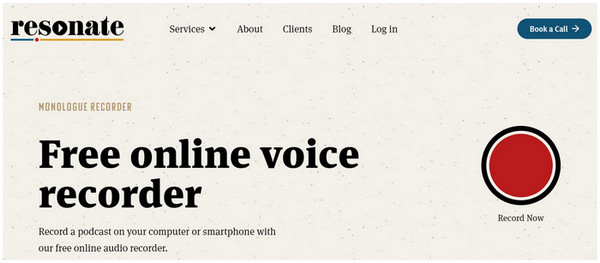
Top 7. Resonate Recordings
Pricing: $20.00/Month - $150.00/Episode
Key Features:
• Designed to record speaker dialogues.
• Recordings are saved in high-quality WAV files.
• Optimized for podcast production and recording interviews.
Resonate Recordings is the ideal choice for users who want to learn how to record a podcast, as it was specifically designed to cater to this demographic. Unlike the other options in this article, it saves recordings into higher-quality WAV format, which is better for recording due to its quality. However, be mindful when using the WAV format since it is not as widely supported as MP3.
- Built-in noise reduction tool on recordings.
- Optimized for podcast production.
- Offers multiple packages for podcast production.
- Recordings are not saved locally.
- Too complicated if you are only looking for an audio recorder.
- Not designed for a simple record-and-go function.
Top 8. Sodaphonic
Pricing: Free - $5.00/Month
Key Features:
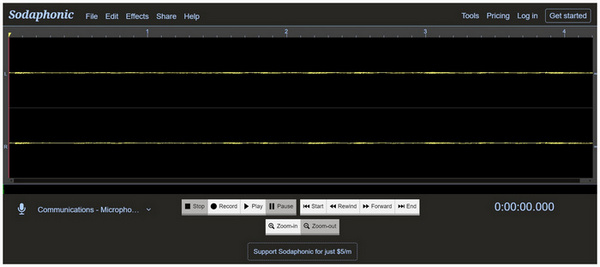
• Uses a traditional audio editing menu.
• Supports multiple audio recording devices.
• Equipped with multiple audio effects.
Users who want to use an online recording tool with a built-in audio editor should opt for Sodaphonic, as it shares a similar design with audio editing software in terms of interface, editing options, and design.
If you are familiar with these programs, Sodaphonic might be the best option for you. Unfortunately, this background made Sodaphonic more recommended for users experienced in audio editing.
- It offers a range of versatile audio effects and filters.
- Recorded audio may be processed in its audio enhancer tool.
- Equipped with a format converter tool.
- Very technical audio editing interface.
- Longer audio recordings can be demanding on the internet and computer performance.
- Larger audio files are harder to export.
Top 9. Apowersoft
Pricing: Free - $19.95/Year
Key Features:
• Completely free to use.
• The audio data uploaded to the program is highly secure.
• Recorded files are easy to download.
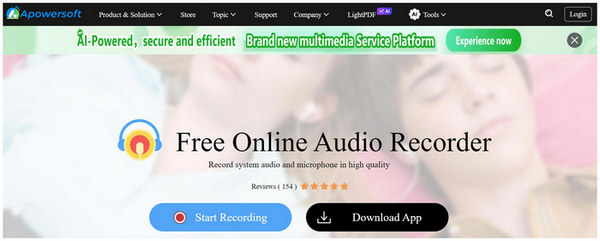
Apowersoft is another tool for long-form recordings, such as podcasts and speech practices, since it also has no duration limit. Due to this design, it is one of the top recording options for users who want to capture multiple voice recordings without any limitations.
- Supports recording system audio, microphone capture, or both sources simultaneously.
- Easy-to-understand recording interface.
- Previewing the audio file can be done within a few clicks.
- Audio recordings often have significantly lower audio quality.
- Unstable performance for recordings longer than 30 minutes.
- Very limited cloud storage size.
Top 10. Veed.io Voice Recorder
Pricing: Free - $24.00/Month
Key Features:
• High-quality audio recordings.
• One-click background noise cleaner.
• Recorded files may be easily integrated into their video editor.
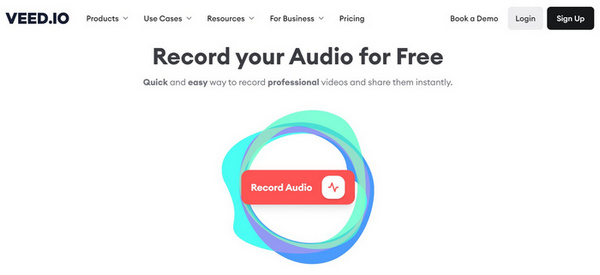
An all-around multimedia online tool, Veed.io consistently delivers in terms of voice recording functions. Due to its background, it saves voice recordings into a video saved in MP4 format. As a result, adding captions or subtitles to these voice recordings will be much easier.
Despite that, MP4 is also saved as a video format, which requires its users to use another tool for format conversion. VEED.IO is more advisable if you want to record or edit videos instead.
- Equipped with versatile audio recording tools.
- Subtitles are easy to add.
- Built-in noise cleaning services.
- Advanced noise removal services are available only through paid plans.
- Limited exporting size for audio recordings.
- Require a stable internet connection for smooth recordings.
Part 3. Limitations of Voice Recording Online
Reliance on Connection Stability
When using online voice recorders, ensure that your internet connection is both stable and fast. This is very important, as hiccups in your connection’s performance can drastically affect your recording quality. To avoid this issue, use desktop-based audio recorder tools instead.
Audio Quality Reduction
Since online tools import their recordings to your PC via downloads, expect that their quality will be reduced once saved locally. This should be expected when it comes to online software. To keep this from happening, use desktop-based apps instead.
Not Available When Offline
Finally, online tools are only accessible via your browser. With that in mind, it will not be available if your device is offline. This factor provides a significant advantage for both desktop and mobile options, as they are installed software.
Part 4. FAQs About Online Voice Recorder
Are online recording tools good for podcast recording?
They are not. Podcast recordings require top-quality audio, and online tools often cannot produce such high-quality audio. For optimal quality, use high-quality microphones and a professional recording studio for your podcasts.
Do online voice recorders produce high-quality audio?
No, they do not. Online voice recorders can only capture standard-quality audio. You should use dedicated software to capture high-quality recordings.
Are online tools reliable?
Yes, they are. However, ensure that you only use their output for general purposes. Files edited with online tools are usually not suitable for professional use.
What do online voice recorders use as an output format?
Online voice recorders usually use the MP3 format. This is due to its superb compatibility. However, there are also paid options that use lossless audio like WAV.
Are there free voice recorder options?
Yes, there are. In fact, most online voice recorders are available for free use. They only offer paid options, which are optional and come with better features.
Conclusion
Now that we have provided our readers with some of the best online voice recorders, we hope this article has provided you with useful information on choosing the online tools that work best for you. If the unstable nature of online tools is not for you, consider using desktop options instead, such as ArkThinker Screen Recorder, which can be downloaded using the link below.
What do you think of this post? Click to rate this post.
Excellent
Rating: 4.9 / 5 (based on 495 votes)
Find More Solutions
Screen Recorder with Facecam: Best Offline and Online Tools Best 5 Audacity Alternatives for Windows and Mac How to Record Audiobooks and ACX Voice Recording Projects Learn How to Record Discord Audio and Calls with 3 Ways Voicemail Recording on iPhone, Android Phone, and Computer Top 3 Clip Recording Software Available on PC or MacRelative Articles
- Record Audio
- Matchless Process on How To Record Audio on Android Devices
- How to Record Vocals in Ableton Live: Step by Step
- Best MP3 Recorder to Record Computer Sound and Microphone
- How to Replace Audio in a Video On Different Devices 2022
- How to Clip Audio in Audacity, WMP, iMovie, Online, Trimmer
- 4 Easiest Ways to Change and Edit Audio Volume on PC and Mac
- 4 Easy Methods to Edit Audio Files on Windows and Mac
- How to Compress Audio Files Without Losing Sound Quality
- How to Combine 2 or More Audio Files on Different Devices
- 5 Best Music Tag Editors for iPhone, Android, PC, and Mac


